
 ZeroGPT
 GPTZero
 QuillBot
 Grammarly
 Copyleaks
 Scribbr
 Originality.ai
 Isgen.ai
 SciSpace
 Sapling
 Winston AI
 Undetectable AI
 Smodin
 Writer
 JustDone
 Phrasly
 Brandwell
 Crossplag
 DeCopy AI
 NoteGPT
 Surfer
 SurgeGraph
 AI Detector
 Walter Writes AI
 Merlin
 Monica
 Stealthwriter
 Humbot
 Rewritify
 YouScan
 AI-Detector
 RyRob
RyRob Turnitin
 Pangram
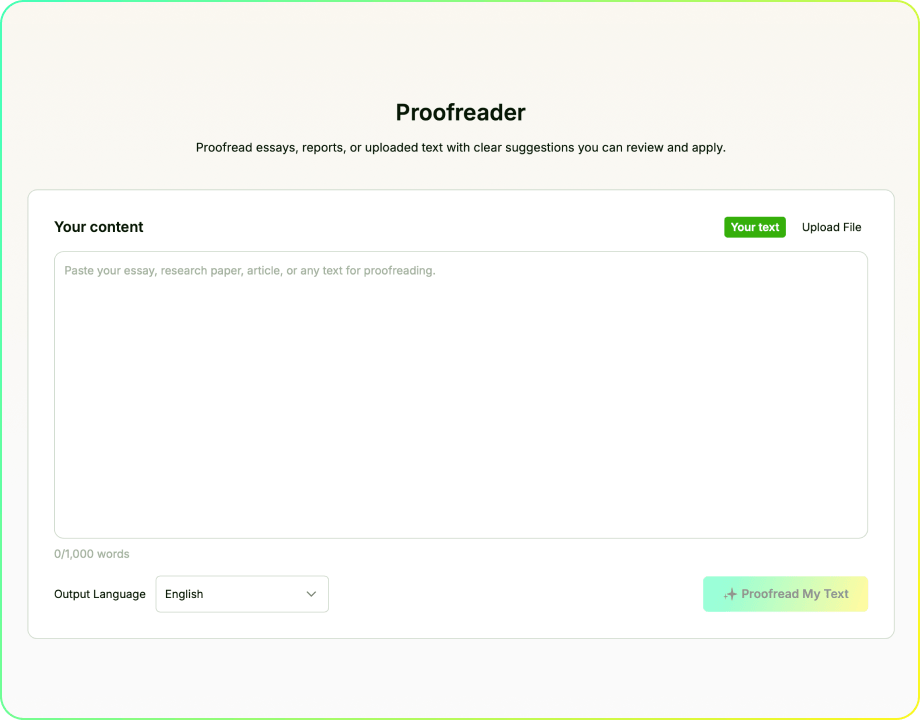
Proofreader
Proofread essays, reports, or uploaded text with clear suggestions you can review and apply.
Your content
0/5,000
Review Final Drafts With EssayDone Proofreader
A proofreader belongs at the end of revision, after the argument and structure are stable enough for language and consistency issues to stand out.
Step 1: Freeze major revisions first. Enter or upload the final draft only after substantive changes are complete, then select the appropriate language for the proofreader.
Step 2: Read the report as a map. Use the proofreader score, rating, detected issues, and categories to identify where the draft needs attention before opening Review & Fix.
Step 3: Correct and reread. Accept clear proofreader fixes, dismiss suggestions that change intended meaning, and read the corrected passage again as continuous text.
One Proofreading Report, Clear Review Decisions
One Report for the Final Pass
EssayDone Proofreader reviews a stable draft for likely grammar, spelling, punctuation, typographical, and other sentence-level issues. The report brings the overall score, rating, issue categories, and detected problems into one final-review workflow.
Shows Issues Before You Decide
Enter or upload the text and choose the required output language.
Use the report to see which issue categories deserve attention first.
Open Review & Fix to inspect each suggestion inside its original sentence.
Accept clear corrections and dismiss suggestions that alter meaning, terminology, or voice.
Connects Review Decisions to Corrected Text
After reviewing the suggestions, inspect the corrected text as a complete piece of writing. This helps you catch changes that appear reasonable in isolation but sound unnatural or create a new problem in the surrounding paragraph.
A Report Before the Final Pass
Wait until the draft is stable, then use the report to prioritize issues that could affect meaning before minor polish.
Suggestions, Not Automatic Replacements
Open each issue in context and decide whether the correction preserves meaning and terminology.

From Detection to Corrected Text
Accept or dismiss changes, then reread the complete passage rather than isolated fixes.
Built for High-Stakes Handoffs
Assignments, applications, reports, statements, and client-facing documents benefit from one final review before handoff.

Prioritize What Could Change the Message
Use issue categories and repeated patterns to deal with meaning-changing problems before cosmetic edits.

Late Edits Stay Visible
Recheck every sentence changed near submission so a local correction does not create a new problem.
Proofreader vs. Grammar Checker: Which Review Does Your Draft Need?
A grammar checker and a proofreader can identify overlapping language issues, but they are most useful at different stages. Choose the review according to how stable the text is and what decision you need to make next.
Match the Tool to the Draft Stage
- Use a grammar checker during sentence revision: When you are still rewriting sentences, it can help identify agreement, tense, article, word-form, and sentence-structure problems as they appear.
- Use a proofreader when the text is stable: Run the complete final review after the argument, information, paragraph order, and major wording choices are unlikely to change.
- Use a spelling and punctuation checker for a narrow pass: Choose a focused checker when you want to investigate one error type without opening a broader final-review report.
- Use an essay proofreader before a high-stakes handoff: Final papers, applications, reports, resumes, emails, and personal statements benefit from one complete review before submission or sending.
- Proofread again after substantial changes: Adding a sentence, changing a date, moving a paragraph, or accepting several corrections can introduce new errors into previously reviewed text.
- Know what neither tool confirms: A clean grammar or proofreading report does not verify facts, sources, links, plagiarism, reasoning, or compliance with submission instructions.
Prioritize Proofreading Issues Before a Deadline
When time is limited, do not correct suggestions only in the order they appear. Prioritize errors by how strongly they can affect meaning, accuracy, and the reader's next action.
The Final-Review Triage

Protect the Intended Meaning
Fix omissions, wrong forms, unclear references, and boundaries that change meaning.

Verify Fixed Details
Verify names, dates, numbers, headings, links, recipients, and titles.

Resolve Repeated Patterns
Search the full text when one grammar, capitalization, or punctuation issue repeats.

Protect Voice and Terminology
Protect quotations, technical terms, proper names, and intentional voice choices.

Recheck Every Changed Line
Reread every corrected sentence with its surrounding text.
Use Four Levels of Proofreading Priority
Classify each issue before spending time on it. The most visible mark in the report is not always the most consequential error.
- Meaning-changing issues: Fix omitted words, accidental negatives, incorrect terms, broken sentence boundaries, and unclear pronoun references first.
- Repeated issues: One subject-verb, article, tense, or capitalization problem may signal the same mistake elsewhere. Search for the pattern across the text.
- Context-sensitive issues: Verify names, specialist terms, quotations, product wording, and intentional style choices before accepting a suggested replacement.
- Manual-verification issues: Confirm dates, numbers, links, recipients, factual statements, and source details against the original information rather than the proofreading score.
- Final-change issues: Reread every altered sentence and high-risk field, including the title, subject line, opening, conclusion, filenames, and contact details.
An AI proofreader can make likely issues easier to see, but the writer still determines their priority and correctness. Fix meaning first, verify fixed details manually, and recheck every sentence changed during the final pass.
Correct errors that change the claim, instruction, person, time, quantity, or sentence relationship before polishing style.
When one error repeats, use Find to inspect similar words or constructions across the complete text.
Treat every late edit as unproofread until you have reread the changed sentence in context.
Need Help With the Next Part?
Move to the next step with tools for drafting, rewriting, checking, summarizing, and research.
 Outline GeneratorOrganize a topic into a practical structure before drafting.
 Introduction GeneratorDraft an opening around the topic, purpose, audience, and direction.
 Essay CheckerReview grammar, spelling, clarity, and sentence issues.
 Thesis Statement GeneratorTurn a topic and position into a focused central claim.
 Hook CrafterCreate opening lines suited to different topics, audiences, and formats.
 Conclusion GeneratorCreate a closing section from the claims and points already developed.
 ParaphraserRewrite text with controlled wording changes while preserving meaning.
 Essay EnhancerImprove clarity, flow, tone, and organization in an existing draft while keeping its core meaning.

Explore by Category
Writing
Proofreader FAQ
After a stable draft is entered or uploaded, the report shows an overall score, rating, issue categories, and detected problems that can be reviewed in context.
Yes. You can run the free online proofreader without an account and review the report before a final handoff. For a longer paper workflow, signing in lets you continue in EssayDone and use WriterGPT features for drafting, source work, citations, and revision.
A grammar checker mainly targets sentence-level rules. An AI proofreading tool can also organize spelling, punctuation, typographical, clarity, and consistency issues into a broader final review.
Proofread after the argument, evidence, and organization are stable. Earlier checks can help, but the final pass should happen after substantive revision so new errors are not introduced afterward.
It can flag likely subject-verb agreement errors, verb-tense shifts, article and preposition problems, sentence fragments, run-on sentences, comma splices, apostrophe and capitalization errors, spelling mistakes, punctuation problems, typographical errors, and consistency issues. Review each suggestion in context before accepting it, especially around quotations, names, technical terms, and intentional style.
Your document remains private. EssayDone does not use it for AI model training by default, and any saved proofreading history can be deleted whenever you choose.
Yes. You can review a paragraph, section, email, application response, or longer document. Include enough surrounding context for the checker to interpret the sentence correctly.
Usually, when the rules allow language editing. Use the AI proofreader after the ideas, evidence, and organization are yours. Review every suggestion, keep responsibility for the final wording, and disclose the assistance when required.
No. Verify facts, quotations, citations, links, names, dates, and source records against the original information. Use a dedicated plagiarism or citation check when the task requires one.
🔗 References
Editing and proofreading sources clarify how an AI proofreader should organize grammar, spelling, punctuation, clarity, and consistency issues for a final human review.

- University of Toronto Writing Advice|Revising and Editing
- UNC Writing Center|Editing and Proofreading
- Purdue Online Writing Lab|Proofreading for Common Errors
- Microsoft Support|Check Grammar, Spelling, and More in Word
- Google Docs Editors Help|Check Your Spelling and Grammar in Google Docs