
 ZeroGPT
 GPTZero
 QuillBot
 Grammarly
 Copyleaks
 Scribbr
 Originality.ai
 Isgen.ai
 SciSpace
 Sapling
 Winston AI
 Undetectable AI
 Smodin
 Writer
 JustDone
 Phrasly
 Brandwell
 Crossplag
 DeCopy AI
 NoteGPT
 Surfer
 SurgeGraph
 AI Detector
 Walter Writes AI
 Merlin
 Monica
 Stealthwriter
 Humbot
 Rewritify
 YouScan
 AI-Detector
 RyRob
RyRob Turnitin
 Pangram
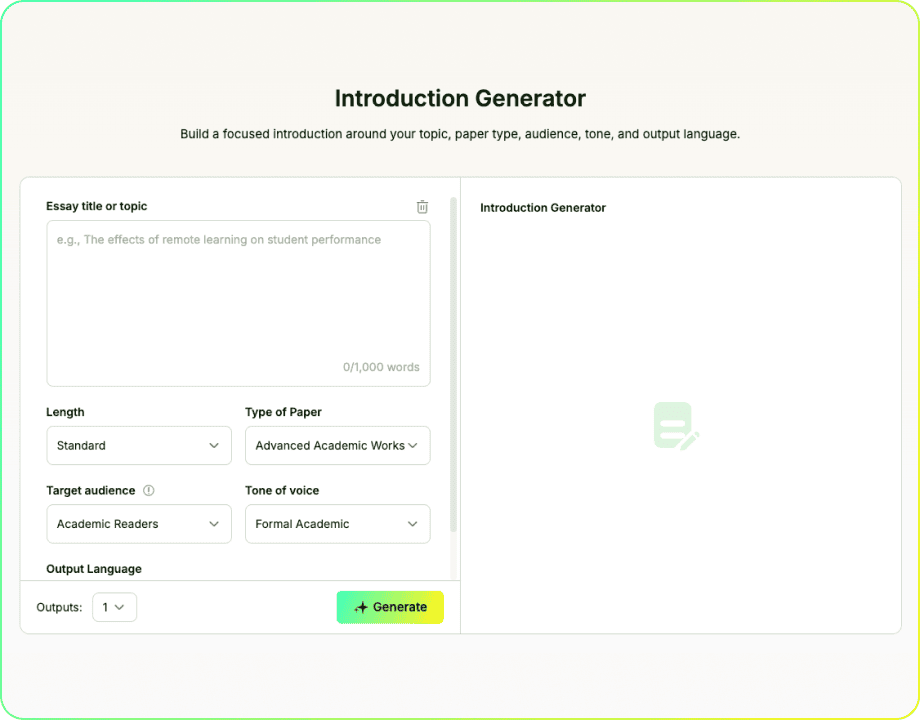
Introduction Generator
Build a focused introduction around your topic, paper type, audience, tone, and output language.
Build an Introduction Paragraph With EssayDone Introduction Generator
An introduction maker is most useful when readers get enough background to understand the problem and follow the path toward the thesis without a long detour.
Step 1: Frame the reader's starting point. Describe the topic, assignment focus, and question the introduction generator must make understandable before the thesis appears.
Step 2: Define the writing situation. Set length, paper type, audience, tone, language, and output count so the introduction generator uses the right amount of context and formality.
Step 3: Test the lead in. Compare introductions by how well they move from context to problem to thesis direction, not by which one sounds most polished.
Openings With a Clear Job
Context With a Destination
A useful introduction does more than occupy the first paragraph. EssayDone Introduction Generator helps establish the context, explain why the issue matters, and lead readers toward the thesis or central direction instead of relying on a generic hook.

Context Matched to the Assignment
Use Length to control how much space the opening can develop.
Choose the paper type to shape the expected structure and level of context.
Set the target audience to decide what readers need explained.
Adjust tone and output language to match the assignment and intended reader.

Multiple Ways Into the Same Topic
The number-of-outputs setting lets you compare distinct approaches to the same subject. An AI introduction generator may frame the opening through context, a problem, a contrast, a question, or a thesis-forward statement. Comparing these routes helps you choose the one that best prepares readers for the argument.
Frame the Opening Before Drafting
Decide what the reader must know before the thesis so the opening builds context without delaying the argument.

Context Before the Claim
Build context and a clear path toward the thesis or purpose.

Openings You Can Revisit
Compare openings and revise them after the body develops.

Essays and Research Papers
The strongest fit is an opening that must orient readers, establish stakes, and reach the thesis without a long detour.

Explore Opening Routes
Break the opening block by testing context-led, problem-led, question-led, and thesis-forward routes.

Clearer Lead-In
Test which context, problem, or question best leads to the claim.
What Makes an Introduction Effective?
Across disciplines, effective introductions usually perform three core jobs: orient readers, explain what is at stake, and lead toward a thesis or central direction. The exact order, length, and emphasis vary by genre, so an introduction generator should support the assignment rather than force every paper into the same formula.
Three Core Jobs of an Academic Introduction
- Orient the reader: Identify the subject, source, debate, or problem and provide only the background needed to understand the paper's focus.
- Establish the stakes: Show why the specific question, tension, or problem is worth examining—not merely why the broad topic is important.
- Lead toward the claim: Present or prepare readers for the thesis, research question, hypothesis, or purpose that will guide the paper.
- Match context to the audience: Explain unfamiliar ideas and terms, but do not repeat information the intended reader can reasonably be expected to know.
- Avoid empty hooks: Sweeping claims, dictionary definitions, and dramatic facts often delay the real subject instead of creating genuine interest.
- Example—Generic: "Technology has changed education." Focused: "AI writing tools may affect students' ability to revise and judge their own work."
Can Readers See What Your Paper Adds?
For research and thesis-driven writing, a strong introduction often establishes the relevant territory, identifies a specific niche, and shows how the paper will respond. An introduction generator can help draft this progression, but every move still needs to match the paper's actual purpose, scope, and evidence.
Use the CARS Model to Test Your Introduction

Establish the Territory
Define the specific conversation, issue, or knowledge readers need before the paper begins.

Establish the Niche
Identify the gap, tension, limitation, or question that creates a reason for the paper.

Explain the Stakes
Show why the unresolved issue matters to the field, problem, or intended reader.

Occupy the Niche
State the thesis, research aim, hypothesis, or purpose through which the paper responds.

Check Proportion and Transition
Remove excess background and connect the identified problem directly to the paper's response.
Five Signs the Introduction Is Following a Formula
The CARS model is a rhetorical map, not a sentence template. Watch for these signs that the moves are present but not doing useful work.
- The territory is too broad: The opening begins with an entire field or historical era instead of the conversation readers need.
- The niche is invented: The draft claims that no research exists without checking whether the gap is real or relevant.
- The stakes are generic: The topic is called important, but the introduction never explains what is unresolved or at risk.
- The response is vague: Phrases such as “this paper discusses” announce activity without stating the paper's purpose or claim.
- The transition is abrupt: The thesis appears after unrelated background instead of answering the problem the introduction has established.
A strong introduction earns its final direction. Each sentence should help readers understand the conversation, the need for the paper, or the response that follows.
Build orientation, stakes, and thesis direction; a formal research gap is not always necessary.
Use the territory-niche-response pattern to position the study within a specific academic conversation.
Revisit the introduction after drafting and update any context or claim that no longer matches the finished paper.
Need Help With the Next Part?
Move to the next step with tools for drafting, rewriting, checking, summarizing, and research.
 Outline GeneratorOrganize a topic into a practical structure before drafting.
 Introduction GeneratorDraft an opening around the topic, purpose, audience, and direction.
 Essay CheckerReview grammar, spelling, clarity, and sentence issues.
 Thesis Statement GeneratorTurn a topic and position into a focused central claim.
 Hook CrafterCreate opening lines suited to different topics, audiences, and formats.
 Conclusion GeneratorCreate a closing section from the claims and points already developed.
 ParaphraserRewrite text with controlled wording changes while preserving meaning.
 Essay EnhancerImprove clarity, flow, tone, and organization in an existing draft while keeping its core meaning.

Explore by Category
Writing
Introduction Generator FAQ
Start with a specific essay title or topic, then set the length, paper type, target audience, tone, output language, and number of outputs. Compare the generated openings for context, focus, and direction before revising one to fit the paper.
No. You can generate and compare introduction drafts for free without signing in. Creating an account lets you continue into the broader EssayDone workspace, including WriterGPT tools for planning, drafting, source work, citations, and revision. WriterGPT limits depend on your plan.
Choose more than one output when you want alternatives. Compare how each version establishes context, addresses the reader, sets the tone, and moves toward the thesis, research question, or central direction.
Use it to test possible openings for your own topic and argument. The final introduction should contain no invented evidence and must follow the course rules that apply to AI-assisted drafting.
Yes. EssayDone is built for multilingual academic writing, not only English. Choose the target language, then check whether the opening sounds natural for that audience and still moves clearly toward the thesis.
The generated introduction is AI-generated text, but that does not mean every part of the essay was generated. Use EssayDone Introduction Generator as a starting point, rebuild the opening around your own argument and evidence, and follow any disclosure rules that apply to the assignment or publication.
You can paste a working introduction with confidence that EssayDone does not use the text for model training by default. Any introduction record saved to your account stays under your control and can be deleted from history.
Replace broad claims with details from the assignment and sources: the precise problem, context, disagreement, scope, and thesis direction. Remove any sentence that could introduce almost any essay on the topic.
A working introduction can help you start, but finalize it after the body is stable. At that point, the context and promises can be matched to the paper you actually wrote.
🔗 References
Research-space and introduction guidance explains how an introduction paragraph generator should establish context, define the problem, limit background, and lead readers toward the thesis.

- University of Waterloo Writing and Communication Centre|Creating a Research Space: CaRS Model
- UMass Amherst Writing Center|Creating a Research Space
- Harvard College Writing Center|Academic Writing: Introductions
- George Mason University Writing Center|Scientific (IMRaD) Research Reports — Introduction Section
- Monash Student Academic Success|How to Build an Essay