





Duck AI: How to Use Duck.ai for Private Chats and Writing

Duck AI usually means Duck.ai, DuckDuckGo’s AI chat service. Open the official Duck.ai website to ask questions, draft text, or summarize a source without creating an account for free access. You can choose among several AI models, while DuckDuckGo removes identifying metadata before sending your request to the provider.
Duck.ai brings several models together in one place without requiring a separate account for free chat. You can use it to draft an email, explain a topic, or summarize a document, depending on the tools available with your chosen model.
What Is Duck AI, and What Can It Do?
DuckDuckGo supplies the interface and privacy layer; the selected model generates the answer. Duck.ai is therefore a chat service rather than a separate model named Duck AI. It is also distinct from the AI-assisted answers you may see in DuckDuckGo search results.
You can use a chat to turn notes into an email, brainstorm an essay question, simplify a difficult passage, or ask follow-up questions. Supplying a source is especially useful for writing: it gives the assistant something concrete to work from, and gives you a way to check its response.
The service’s model lineup and tool support change. A model available through Duck.ai also does not automatically include every feature of the provider’s own app. Check the selected model, upload controls, and available tools for the particular job.
How to Start a Duck.ai Chat
Open the official Duck.ai website in your browser. Free chat does not require a paid subscription. If a welcome or terms screen appears, read it before continuing.
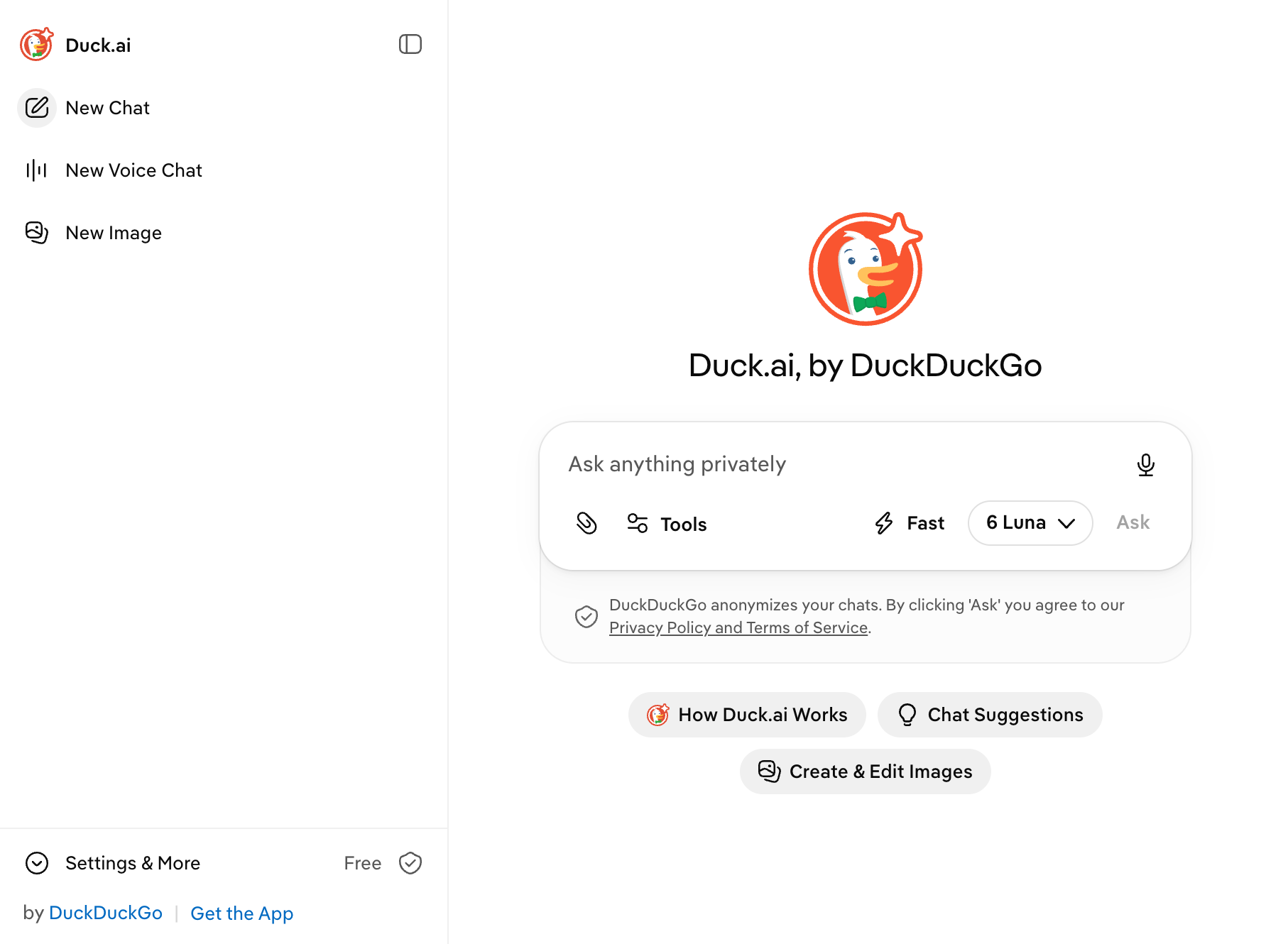
Choose an available model. For a short rewrite or simple question, start with a lower-cost option; DuckDuckGo’s model guide explains how each model draws on your usage allowance.
Enter one clear task. Include the source, audience, length, and details that must remain unchanged. Leave out private information the task does not need.
Review the answer before continuing. Check names, numbers, dates, and any claim absent from the input. Ask for a focused correction rather than restarting with a vague request to make it better.
Save useful output outside the chat. Recent Chats are stored locally by default, so they are not a substitute for your own working document.
For more ideas, Things to Ask ChatGPT shows how to give an AI a goal and output format. The same prompting approach can help in Duck.ai, even though different models may produce different answers.
Which Models Can You Use for Free?
DuckDuckGo lists the following model choices for its free and paid plans.
Access | Models listed by DuckDuckGo |
|---|---|
Free | Claude Haiku 5.5; Mistral Small 4; GPT-6 Luna; GPT-5.4 mini; gpt-oss-120b; Gemma 4 31B |
Plus adds | GPT-5.6 Terra; Claude Sonnet 5.5 |
Pro adds | Claude Opus 5.5; GPT-5.6 Sol; higher reasoning effort and twice the Plus usage allowance |
The usage cost shown in the model guide is the amount a prompt consumes from your allowance, not a separate charge you pay for each message. More advanced models can use more of that allowance. For a routine copy edit, trying an extra-low-cost model first can leave more room for later questions.
To compare two models, open a new chat for each and give them the same prompt. Check which response follows your instructions and preserves the details.
Two Useful Writing Tasks to Try
We tried the email prompt below in Duck.ai using GPT-6 Luna on November 11, 2026. The second prompt is a separate example you can copy.
1. Draft an email without changing the details
Write a polite email of 90–110 words to a fictional student club. Say that its meeting moves from Tuesday to Thursday at 4 p.m. in Room 204. Ask members to confirm by Wednesday noon. Keep every day, time, and room number unchanged. Do not invent a reason for the change. Include a subject line.
Check the meeting time and reply deadline separately. Then remove any invented explanation, such as a scheduling conflict. If the draft gets the facts right but is too long, request a shorter version while explicitly preserving those details.
Our result: GPT-6 Luna preserved Tuesday, Thursday at 4 p.m., Room 204, and Wednesday noon. It supplied a subject line and did not invent a reason for the change. However, the complete response contained 72 whitespace-separated words, including the subject and sign-off, falling short of the requested 90–110 words. It also asked people who had already confirmed to confirm again, an extra instruction we did not request.
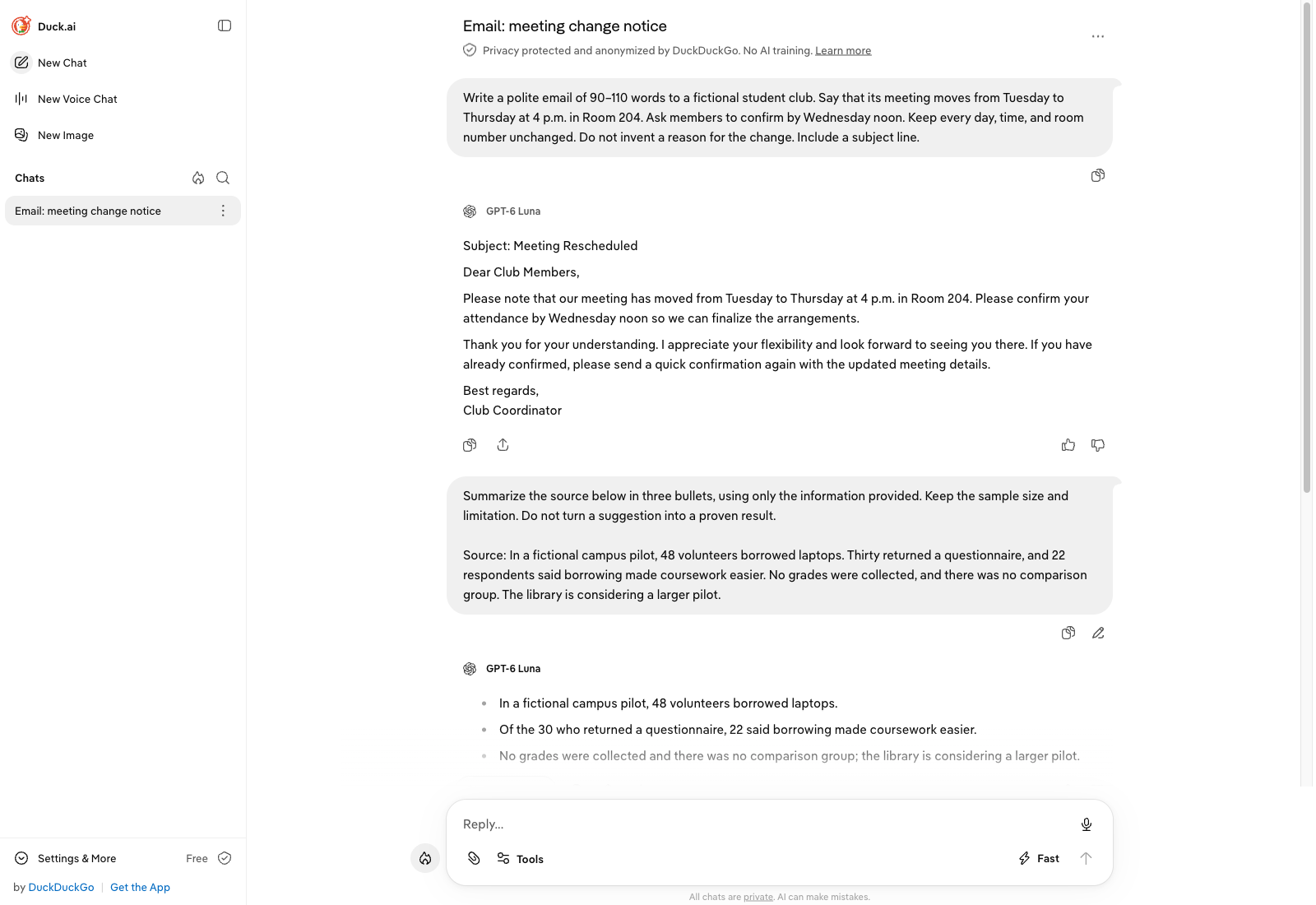
Subject: Meeting Rescheduled
Dear Club Members,
Please note that our meeting has moved from Tuesday to Thursday at 4 p.m. in Room 204. Please confirm your attendance by Wednesday noon so we can finalize the arrangements.
Thank you for your understanding. I appreciate your flexibility and look forward to seeing you there. If you have already confirmed, please send a quick confirmation again with the updated meeting details.
Best regards,
Club Coordinator
The draft is a usable starting point for this task because the essential logistics stayed correct. Before sending it, remove the extra confirmation request and expand only if the length requirement matters. This test gives us no basis to claim every Duck.ai model follows instructions equally well.
2. Summarize a Reading for Class
Duck AI can also help you get started with a reading assignment. Paste in a passage from an article or lecture notes, then ask it to explain the main points in plain English.
Prompt to try:
Summarize the passage below in three bullet points. Include the main argument and the evidence used to support it. Then suggest two questions I could ask in class.
[Paste your passage here]
This can be useful when you’re working through a long or unfamiliar reading. Once you have the summary, compare it with the original passage to make sure the key points haven’t been missed. You can then ask Duck.ai to explain a section in more detail or help you organize your notes for an essay.
Is Duck AI Private? What the Protection Covers
DuckDuckGo’s privacy explanation says it removes identifying metadata, including your IP address, before forwarding a chat. It also says neither DuckDuckGo nor its model providers use these conversations to train chat models. Those are meaningful protections when you want everyday AI help without opening another provider account.
The policy includes exceptions: some providers may briefly cache chats in memory, and Anthropic has legal and abuse-related retention exceptions. Optional feedback sharing lets DuckDuckGo store and review the conversation you submit. Sync & Backup stores chats with end-to-end encryption.
Keep the prompt itself in mind. Typing your full name or pasting a confidential document still puts that information into the request. For an ordinary email exercise, use fictional names and omit identifiers. Local chat history also matters on a shared device.
Free vs Paid Access, Uploads, and Limits
Free access is a useful starting point. Paid DuckDuckGo subscriptions add advanced models and higher allowances. The subscription bundles Duck.ai with other services; the official subscription guide lists availability in the U.S., U.K., E.U., and Canada, with feature differences by region. Check the current offer for your country before subscribing.
Plan | PDF page limit | Practical starting point |
|---|---|---|
Free | 15 pages | Try a short reading or assignment brief |
Plus | 35 pages | Consider it when you need the added models or allowance |
Pro | 50 pages | Consider it for heavier supported document work |
DuckDuckGo’s upload guide says images and PDFs work with supported models; support is not identical across every model. Spreadsheets are not supported. If you cannot find the upload control, check the model first. For a scanned PDF, also check that its text is legible before asking for a detailed summary.
There is no single daily message count that usefully describes every model and task. Allowances depend on model cost and the service’s current limits. Follow the notice in your chat, save your work, and switch tasks when necessary rather than assuming every paid prompt costs the same amount.
Who Should Use Duck.ai?
Duck.ai is an appealing option for people who want free access to several models and a privacy layer for everyday chat. Start with a short writing task whose facts you know. Our email test preserved the essential details but missed the length target and added an unnecessary instruction. That makes Duck.ai useful for a first draft of a routine message, with a final check before sending.
For regular spreadsheet analysis, a particular provider’s app features, or sustained advanced-model work, compare those exact needs with the available tools and subscription offer. Our DeepAI review provides another example of choosing an AI service by the task rather than by the length of its feature list.
Overall, Duck.ai is a convenient choice if you want to try different AI models without creating a separate account for each one. It works well as a starting point for everyday questions and writing tasks.
If you want another place to chat with different models, you can also explore EssayDone AI Chat. For longer assignments, WriterGPT can help you turn your ideas and notes into a more structured draft.