






What is ChatGPT Plus? Worth the $20 or Stick to Free?

If you’ve been using ChatGPT, you’ve probably heard of ChatGPT Plus and wondered what it actually offers—and whether it’s worth paying for.
After spending a lot of time exploring its features, I can break down how it works, what benefits it brings, and how it stacks up against the free version. By the end, you’ll have a clear picture to decide if upgrading makes sense for you.
ChatGPT Plus Benefits: A Practical Decision Guide
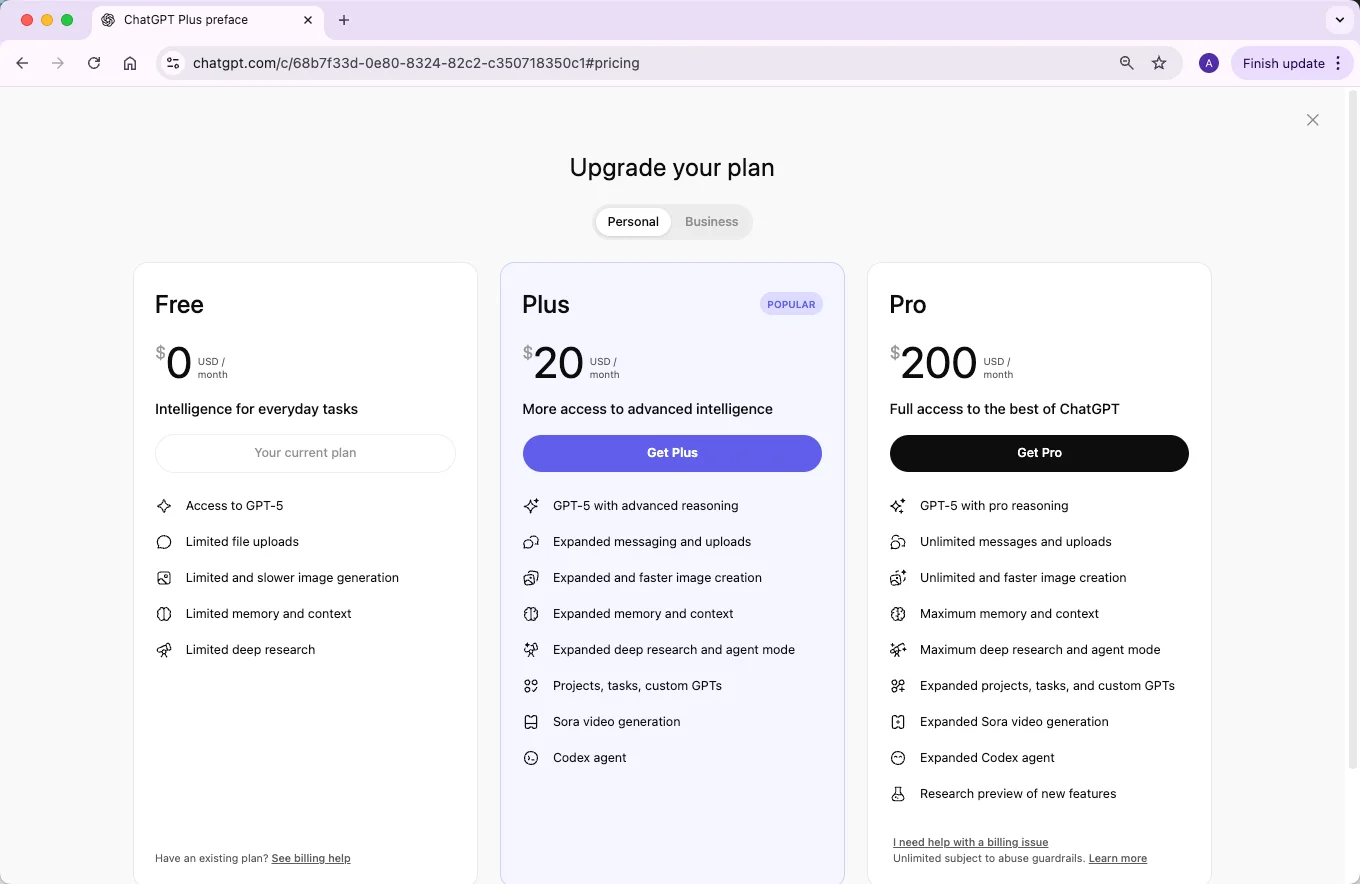
ChatGPT Plus is a paid individual plan that currently costs $20 per month. OpenAI describes it as providing broader model and tool access, higher limits than Free, faster responses, and priority access during high-demand periods. Exact model availability and caps can change, so check the current model picker and subscription page before upgrading.
Consider Plus when… | Free may be enough when… | What to verify first |
|---|---|---|
You regularly reach visible message or tool limits | You use chat occasionally and can wait for a reset | Which limit is blocking your actual work and how often it occurs. |
You depend on file analysis, images, voice, or research tools | Most tasks are short text questions | Whether the needed feature is available in your region and account. |
Peak-time access and response speed affect deadlines | A delay has little practical cost | Current service conditions and the plan's stated priority benefits. |
You need broader model options for complex tasks | The available Free model handles your workload | The models shown in your account today; rollouts can change availability. |
Plus does not include API usage; API billing is separate. Upgrade for a recurring workflow benefit, not simply because a single prompt produced a weak answer.
What Is ChatGPT Plus?
ChatGPT Plus is OpenAI’s paid personal subscription for the ChatGPT app. It provides enhanced access for users who need more messages, more advanced tools, and higher availability than the Free plan usually offers.
Plus is not a guarantee of unlimited use or instant answers. Model access, message limits, image generation, file uploads, deep research, agent mode, and other tools can vary as OpenAI updates ChatGPT.
How Much Does ChatGPT Plus Cost?
In the U.S., ChatGPT Plus is listed by OpenAI at $20 per month. Pricing, taxes, currency, app-store billing, and plan availability can vary by country, so always check the upgrade screen in your own account before subscribing.
Features of ChatGPT Plus (as of September 2025)
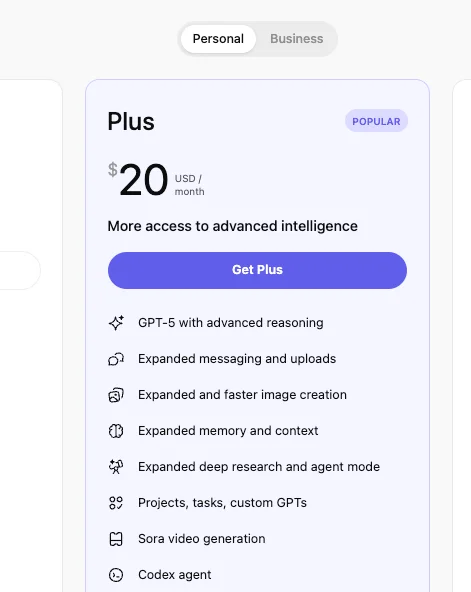
ChatGPT Plus is designed for users who need more than the Free tier. Current feature names and limits change, but Plus commonly focuses on expanded access to:
- More messages with OpenAI’s current flagship ChatGPT models
- Higher limits for file uploads, image tools, and data analysis compared with Free
- Access to advanced reasoning or thinking modes when available for the plan
- Image generation and image understanding with higher paid-tier allowances
- Memory, projects, and custom instructions for more personalized workflows
- Deep research, agent mode, and other advanced tools when included in the plan
- GPTs or custom AI workflows, subject to account and regional availability
- Earlier or broader access to selected new ChatGPT features than many free users
ChatGPT Plus vs Free Version
The upgrades are noticeable for heavy users, but not everyone needs them. Here is a safer way to compare the plans without relying on exact caps that can change.
| Feature | Free | Plus |
|---|---|---|
| Priority Access | Standard access; limits may appear sooner during busy periods | Enhanced access and higher availability, still subject to plan limits |
| Response speed | Good for casual use, but slower during demand spikes | Often faster and more consistent for frequent work |
| Message Limits | Lower dynamic limits for flagship models and advanced tools | Higher paid-tier limits, with fallback behavior after limits are reached |
| Model Access | Access to current default models with stricter usage limits | Expanded access to current and advanced model options when available |
| Tools | Basic access to tools such as files, images, and data analysis with tighter limits | More room for file analysis, image generation, data analysis, projects, and related tools |
| Best For | Casual questions, light drafting, and occasional AI help | Students, writers, researchers, coders, and professionals who use ChatGPT often |
Is ChatGPT Plus Worth It?
Even after seeing the differences between the free version and ChatGPT Plus, you might still be unsure whether upgrading is necessary. To help you decide, it’s worth considering a few key points about how you use ChatGPT and what you expect from it.
1. Are You Willing to Wait?
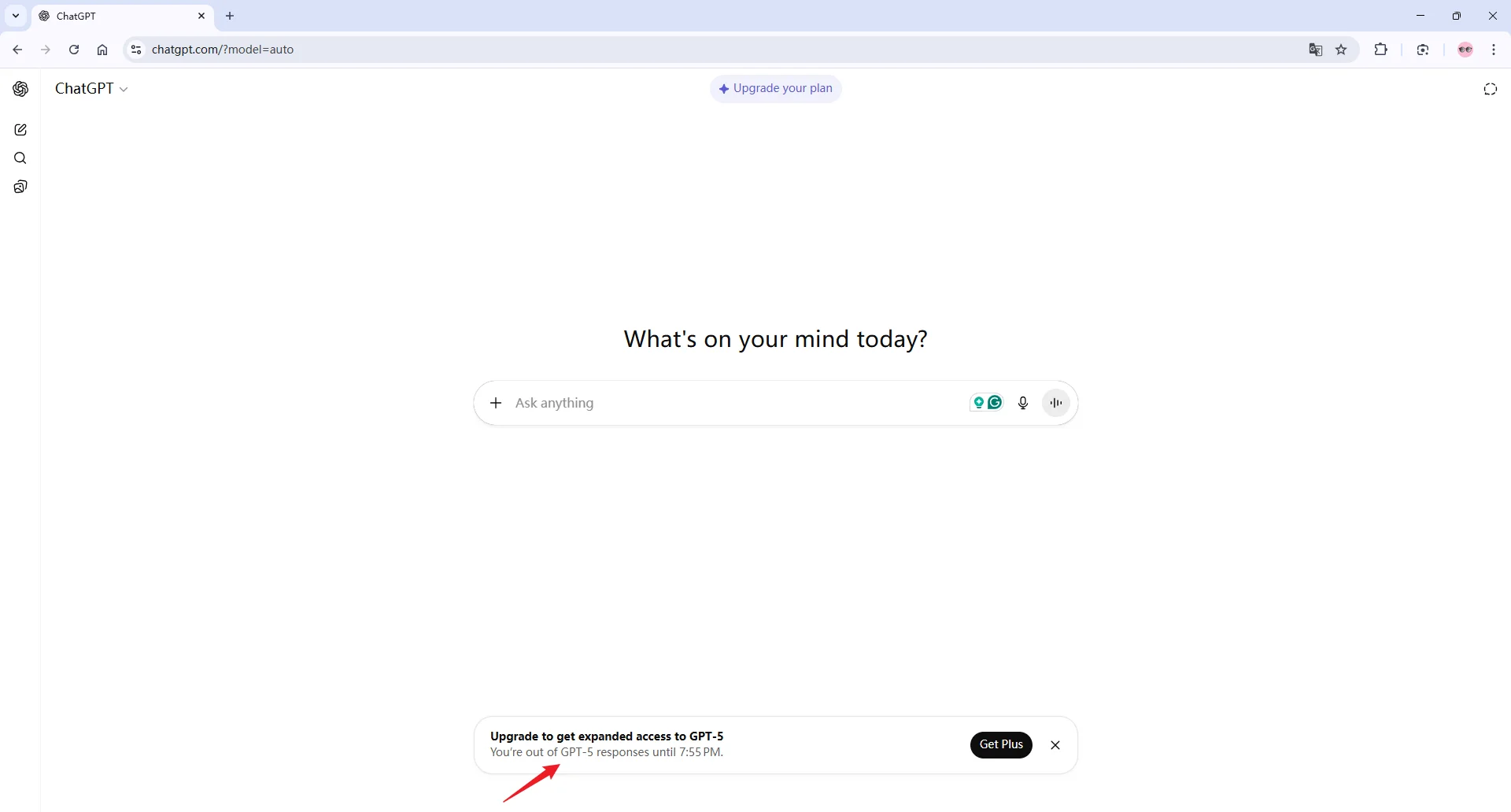
One of the practical reasons to pay for Plus is higher availability. Free users can run into stricter limits or slower access during busy periods, while Plus is built for heavier use.
If delays interrupt writing, studying, coding, or research sessions, Plus may save time. If you only use ChatGPT occasionally, waiting a little may not justify another monthly subscription.
2. Do You Need Further Research?
If your goal is in-depth writing or detailed research, this is where ChatGPT Plus really shines. GPT-5, available through the Plus version, handles complex queries with better organization, reasoning, and indexing of information. For instance, when I needed to summarize a multi-step process for a blog post, Plus could generate a structured outline with clear subheadings, while the free version sometimes produced repetitive or less organized content.
That said, for general copywriting, social media posts, or casual content, the free version is usually sufficient. Plus can reduce the time you spend editing and restructuring, but it doesn’t replace your judgment. Even with Plus, I always double-check facts, especially for timely or technical information—its accuracy is excellent, but not infallible.
3. Are You Concerned About Image Generation?
If visuals are part of your workflow, Plus offers a notable advantage. The free version allows some image generation (via limited tools or GPT-4o-mini), but the results can feel less detailed and take longer to process.
With Plus, I’ve found images to be sharper, more creative, and generated with less waiting time. For example, generating concept art for blog headers or social media posts takes a few seconds in Plus, whereas it might take much longer—or require multiple attempts—in the free version.
4. Do You Plan to Create a Custom Agent?
Custom agents let you build an AI assistant tailored to specific tasks—like summarizing research, managing workflow, or even responding in a branded tone. Free users don’t have access to this feature, while Plus subscribers can experiment with it. I’ve tested a small custom agent to handle repetitive blog research tasks, and it saved me at least 20–30 minutes per article. For anyone looking to automate or personalize their AI interactions, this feature alone can justify the subscription.
5. Do You Collaborate with Teams?
Even if you’re not in a formal “Business” plan, having faster responses and access to more advanced features can help you collaborate efficiently. I’ve shared Plus-generated research outlines with colleagues, and it’s easier to produce cohesive work quickly than using the free version.
6. Do You Value Early Access to New Features?
Plus users often receive broader or earlier access to selected ChatGPT features than free users. If you like testing new tools and can tolerate changing limits, that can be useful.
If you mainly need stable, predictable writing support, choose based on the features you use every week rather than novelty.
How to Access ChatGPT Plus?
Log in to your ChatGPT account. Once inside, you’ll notice the standard interface with your chat history on the left.
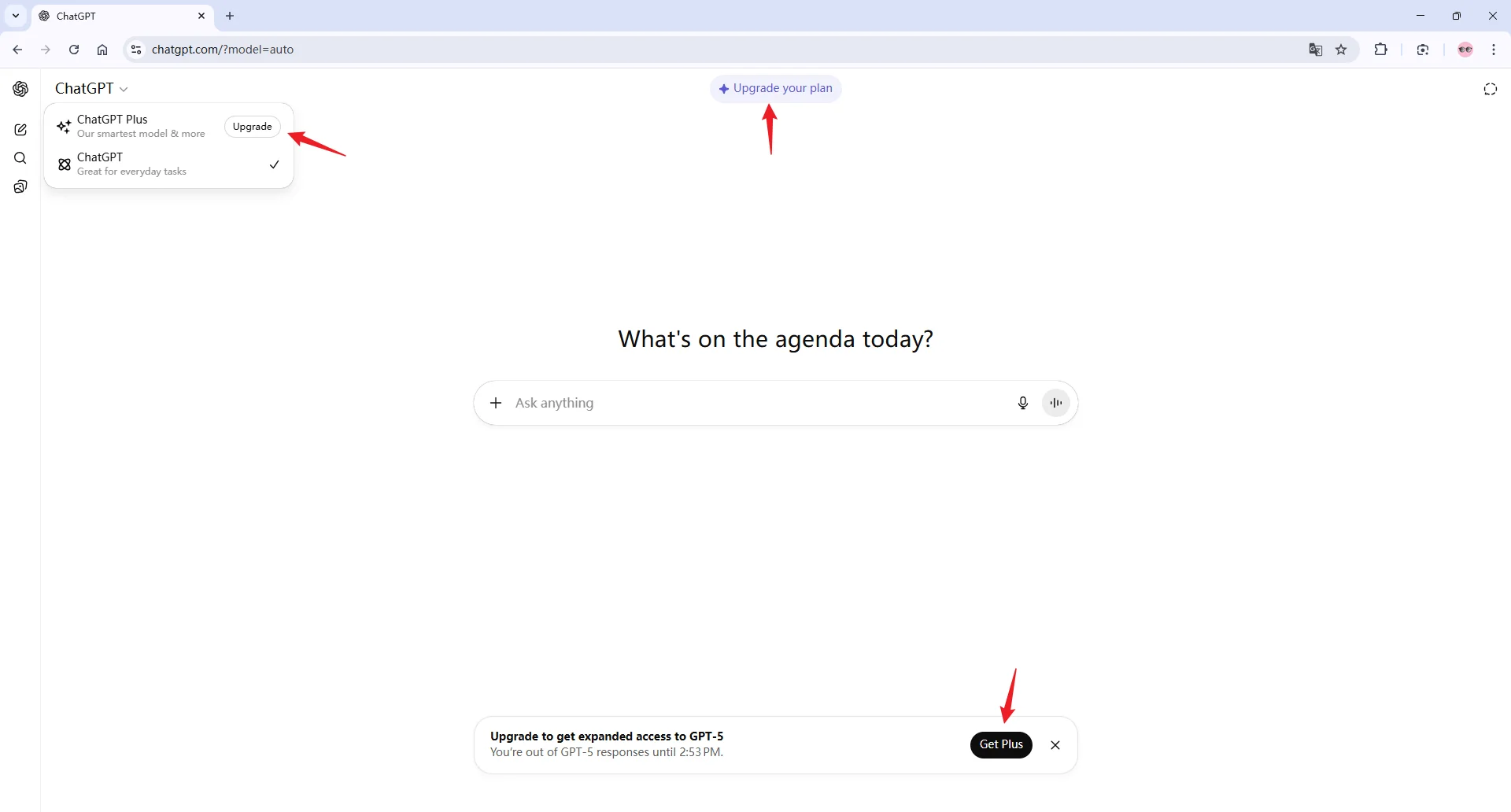
To subscribe to Plus, you have two options:
Look for the “Upgrade” button at the top of the homepage. It’s usually highlighted to make it easy to spot.
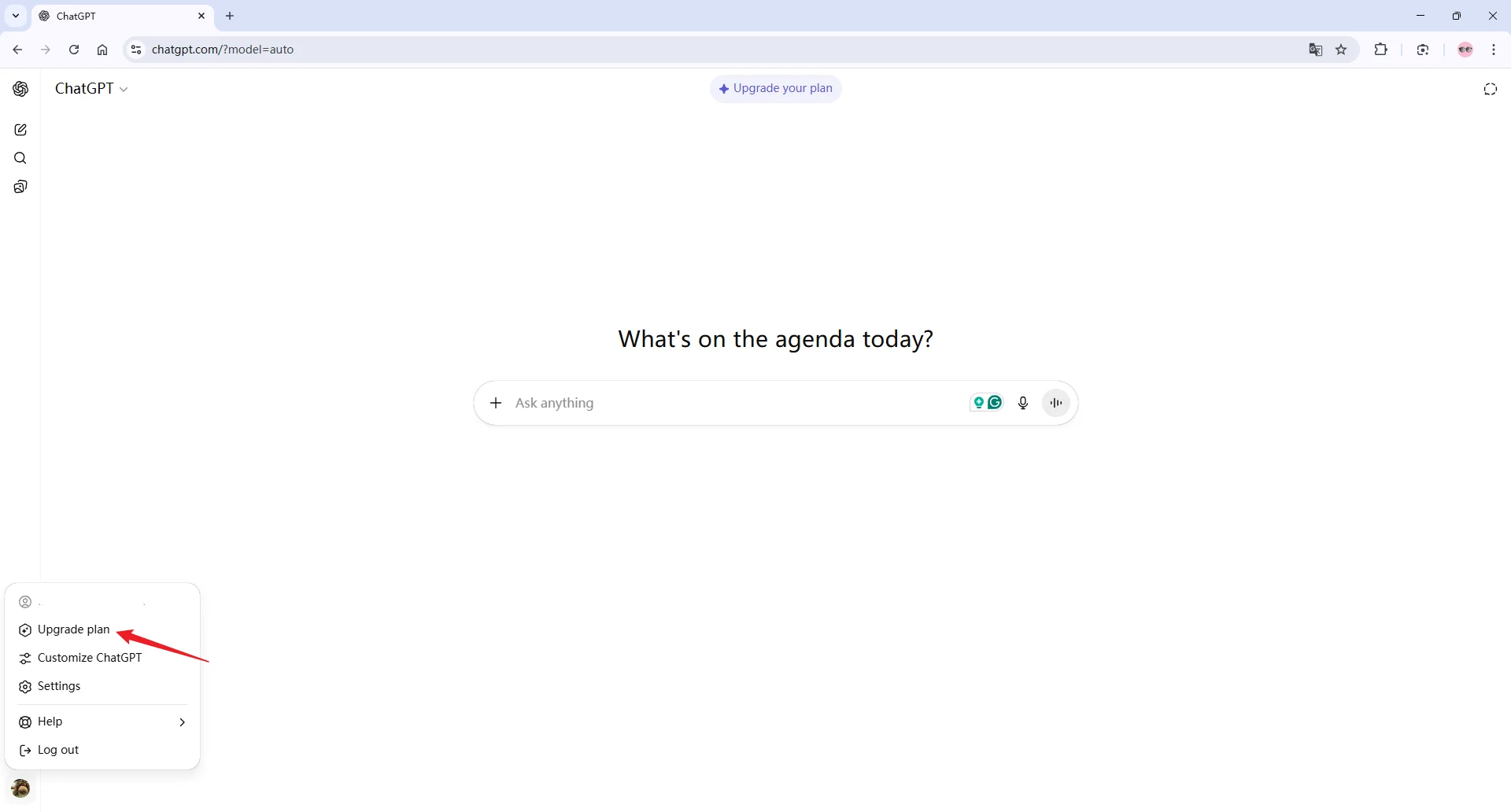
Or, click your profile picture in the top-right corner, then select “Upgrade Plan” from the dropdown menu.
From there, you’ll be guided through the checkout process, and once payment is complete, your account will switch to Plus automatically.
Alternatives to Access to ChatGPT Plus
If you’ve spent hours using ChatGPT Plus like I have, you know it’s powerful—but not without its limits. Usage caps and wait times can slow you down, especially when everyone’s online at once.
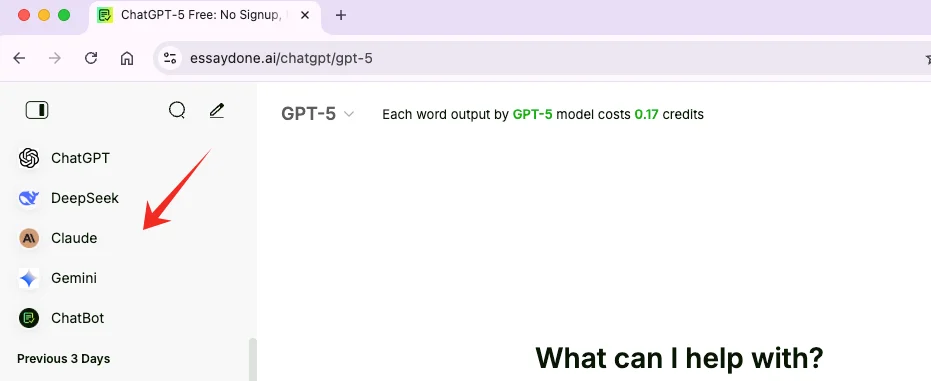
That’s why I’ve been exploring alternatives, and EssayDone AI Chat stands out. It gives you full access to all ChatGPT models, so you can jump between GPT-4 for routine tasks and GPT-5 for complex or urgent work—no queues, no interruptions.
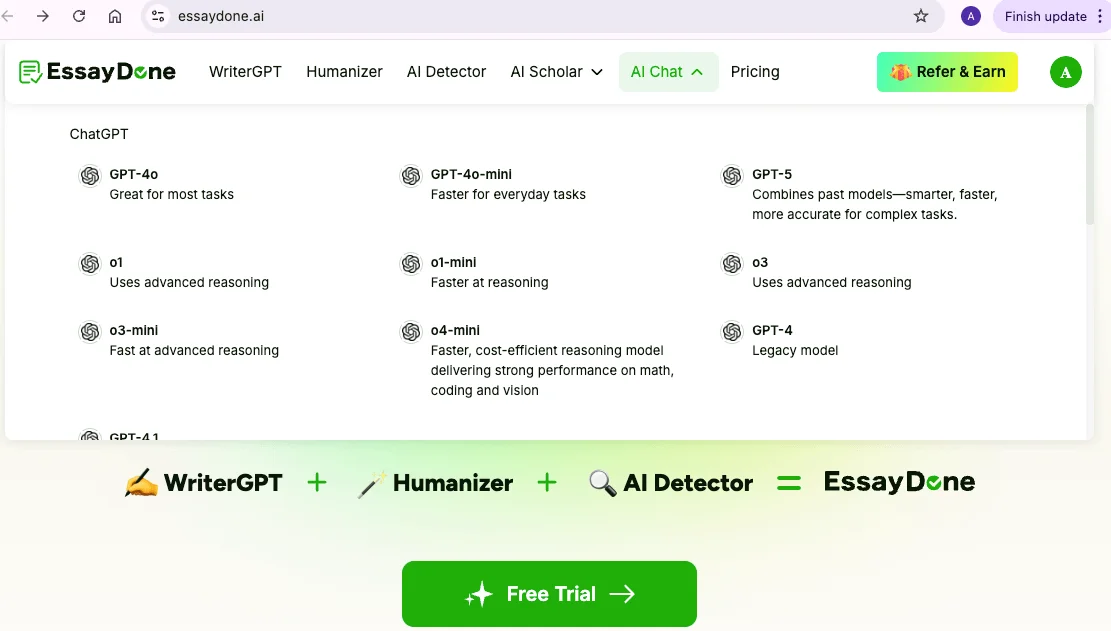
What’s more, EssayDone works alongside other AI platforms like Claude, Gemini, or DeepSeek, letting you pick the right tool for the job and get the best results every time.
Conclusion
ChatGPT Plus is best for people who use ChatGPT often and need higher access to current models, file tools, image generation, data analysis, research features, or custom workflows. The Free plan is still a good choice for casual questions and light drafting.
Before paying $240 a year, compare Plus with the specific task you need done. For academic or content writing, WriterGPT can help structure drafts, while Humanizer can help polish wording after you review the content.