




Top 10 Must-Know FAQs About the ChatGPT Official Website

Looking for the ChatGPT official website can be confusing because there are many lookalike apps, browser extensions, and AI tools using similar names.
This FAQ explains where to access ChatGPT safely, how the website and official apps work, what free and paid access include, why login or loading problems happen, and how to use ChatGPT more effectively.
Is ChatGPT an App or a Website?
ChatGPT is available as both a website and supported apps. The official web address is chatgpt.com. When installing an app, begin from OpenAI's official website or verify that the store listing identifies OpenAI as the developer. A third-party service can use a similar name or icon without being the official ChatGPT product.
Access method | Best for | Safety check |
|---|---|---|
Official website | Using ChatGPT from a browser without installing software | Confirm the domain is chatgpt.com before entering account or payment details. |
Mobile app | Voice, photos, and use while away from a computer | Open the store link from OpenAI or verify the developer and permissions. |
Desktop app | A dedicated workflow on a supported computer | Download only through an official OpenAI page or a verified app-store listing. |
Third-party integration | Using an external product that connects to an AI service | Read its privacy policy, requested permissions, billing terms, and data controls separately. |
Quick Authenticity Check
Do not reuse a password on an unfamiliar site that claims to be ChatGPT.
Confirm the domain before signing in, upgrading, or uploading private documents.
Treat a connected tool as a separate service with its own terms, even if it uses OpenAI technology.
1. What Is the Official ChatGPT Website?
The official website for ChatGPT is chat.openai.com. This is the only legitimate site where you can directly access and use ChatGPT. If you come across lookalike websites or apps that ask for logins or payments outside of OpenAI’s official domain, be cautious—they may not be trustworthy.
What is ChatGPT?
ChatGPT is OpenAI’s AI assistant for conversation, writing, learning, coding help, research support, image understanding, file analysis, and everyday problem solving. You type or speak a request, and ChatGPT responds based on the context you provide.
It is useful for drafts and explanations, but you should still check important facts, links, calculations, medical advice, legal advice, and financial decisions with reliable sources.
2. How to Use ChatGPT Online?
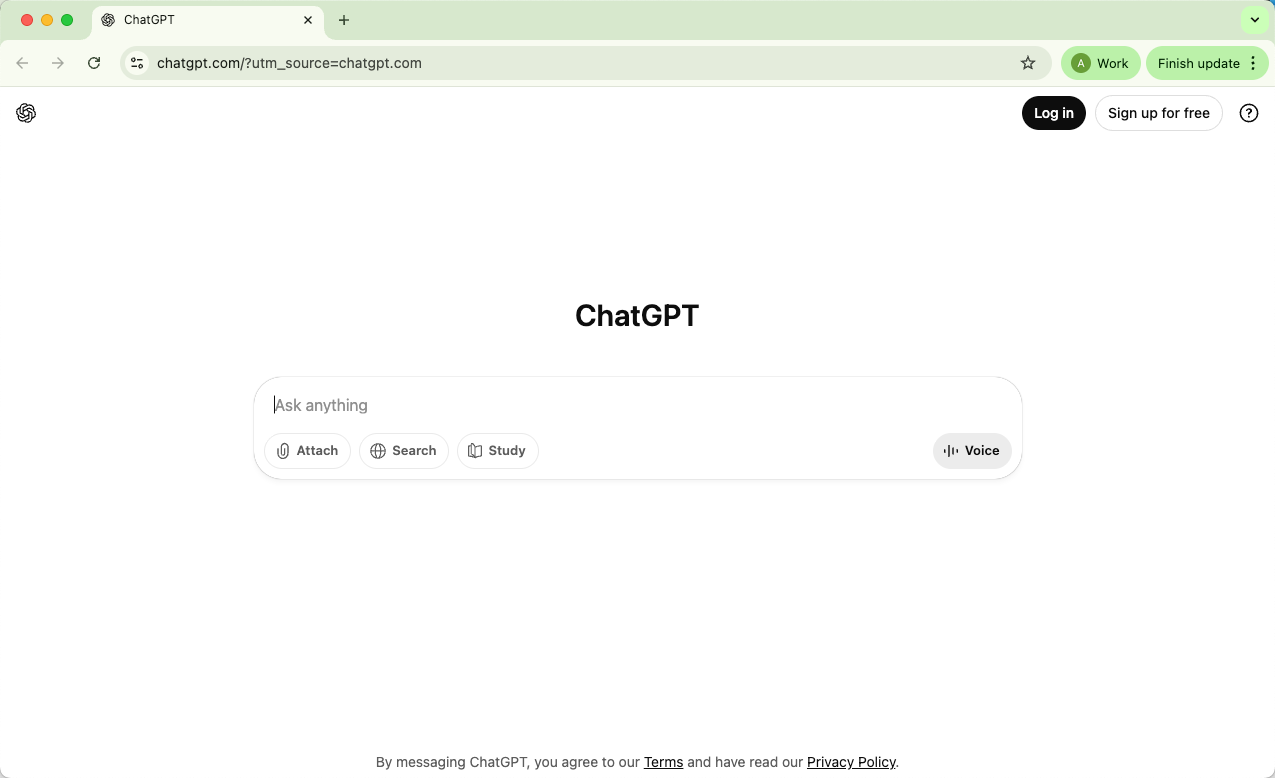
You can use ChatGPT online by visiting chat.openai.com in your browser. After signing in with a free OpenAI account, you can start chatting right away.
The interface is simple: a text box at the bottom for your questions, and a conversation window where ChatGPT responds in real time.
Key Features on the Website
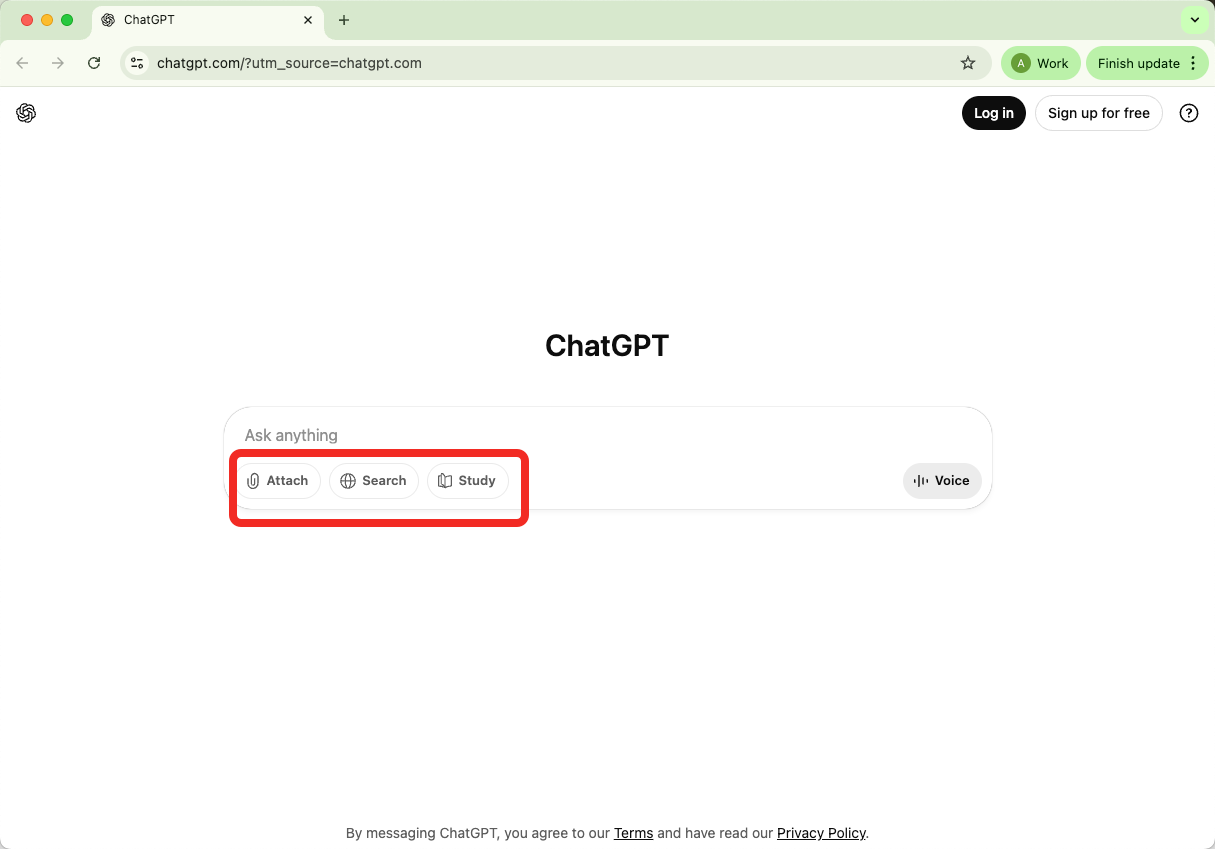
ChatGPT features change over time, but the website usually centers on a few practical tools:
Attach: Upload supported files, screenshots, or content for analysis when your plan allows it.
Search: Ask ChatGPT to look for current information when search is available for your account.
Study: Use ChatGPT for explanations, quizzes, summaries, and step-by-step learning help.
Conversation: Continue multi-turn chats and refine answers with follow-up questions.
Coding: Ask for debugging help, code explanations, test ideas, and small script drafts.
Writing: Draft, rewrite, outline, or polish content with clear instructions and human review.
Plugins and Advanced Tools (Pro Users)
ChatGPT’s advanced tools are no longer best described as old-style plugins. Depending on your plan and rollout, you may see tools such as:
Web search for current information and source-aware answers.
Data analysis for files, tables, calculations, and charts.
GPTs, projects, agent mode, or connectors for more specialized workflows.
3. Is ChatGPT Free?
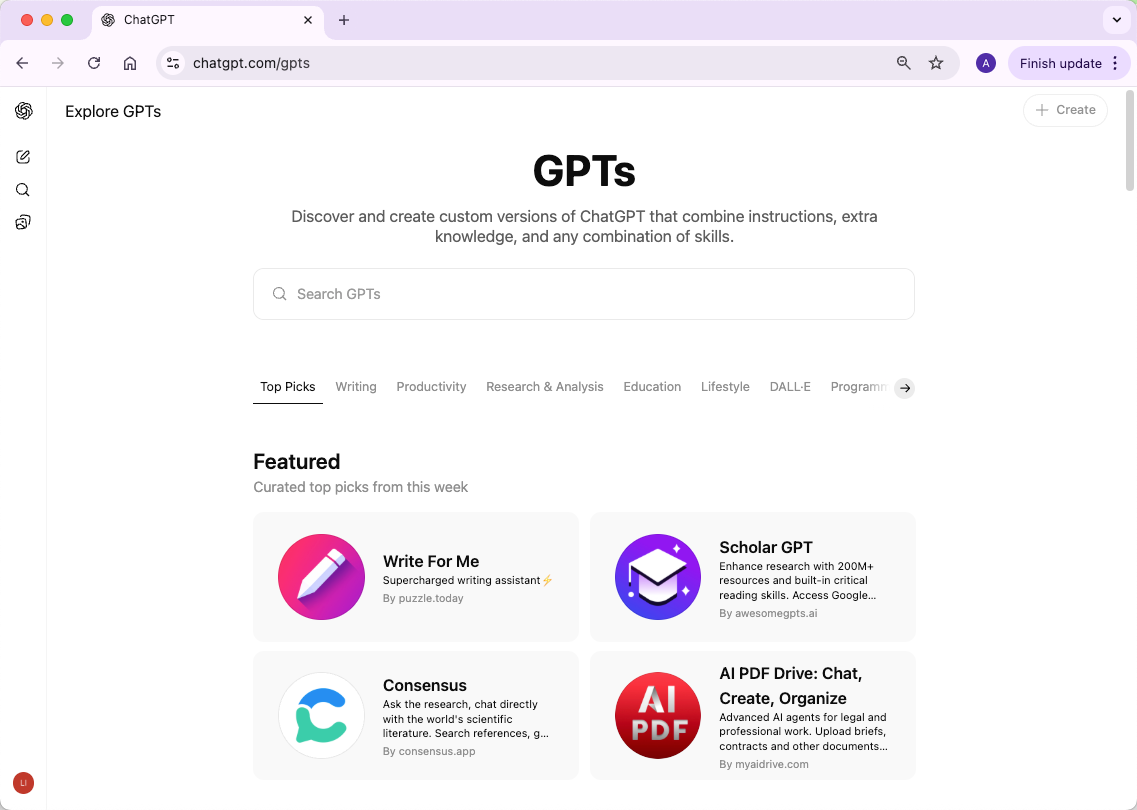
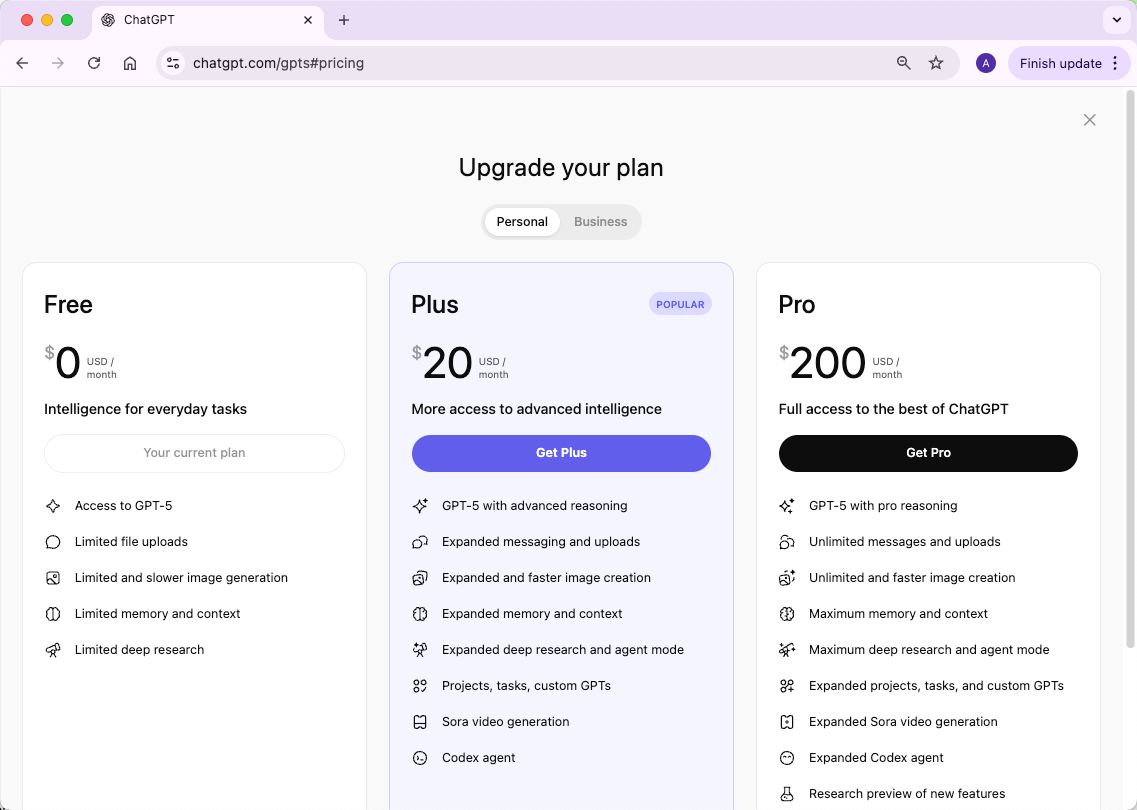
Yes, ChatGPT is free to use, but with some limitations. By creating a free account at chat.openai.com, you can access the AI (as of August 2025, this includes GPT-5). However, if you want advanced models or extra features such as faster responses and priority access during busy times, you’ll need a paid plan.
ChatGPT Website Pricing
Free Plan: Available with standard access and dynamic limits for models and tools.
Paid personal plans: Plus and Pro options can provide higher limits, broader access, and more advanced tools. Pricing and features vary by country and account.
App: Your account works across the official website and the mobile or desktop apps. Subscription access usually follows your signed-in account, though app-store billing details can vary.
API Pricing (for Developers)
The OpenAI API is separate from the ChatGPT website subscription. Developers pay based on API usage, which can include model choice, input tokens, output tokens, tool calls, and other platform settings.
If you only want to chat, use the ChatGPT website or app. If you are building a product, automation, or internal tool, review OpenAI’s API pricing and usage dashboard before launching.
4. Does ChatGPT Have an Official App? How to Download It?
Yes, ChatGPT has official mobile and desktop apps from OpenAI. The app can sync your account, chats, and subscription status across supported devices when you sign in with the same account.
Only download ChatGPT from official OpenAI pages or trusted app stores. Avoid unofficial downloads that ask for your password, payment details, or API key.
How to Download the Original ChatGPT App
You should only download ChatGPT from official sources. Below is a table with the verified download URLs for each platform:
Platform | Official Download URL |
Website (all platforms) | |
iOS (iPhone/iPad) | |
Android | |
macOS | https://persistent.oaistatic.com/sidekick/public/ChatGPT.dmg |
Windows | |
Desktop App Info | |
Chrome Extension | https://chromewebstore.google.com/detail/chatgpt-search/ejcfepkfckglbgocfkanmcdngdijcgld |
5. Can You Use ChatGPT Without Logging In?
Yes, ChatGPT can be tried before creating an account in supported regions. Logged-out use is more limited, and you may need to sign in to save conversations, use more features, manage subscriptions, or access higher limits.
Logged-out use: useful for quick one-off questions when available.
Signed-in use: better for saved chats, settings, subscriptions, and cross-device continuity.
Privacy controls: review ChatGPT settings so you understand how your chats and data controls work.
Alternatives
While you can’t use the official ChatGPT without an account, some third-party platforms integrate OpenAI’s models and may allow access to ChatGPT’s capabilities. For example, EssayDone AI Chat lets you use all ChatGPT models without hourly limits.
It also provides access to other AI chat models, such as DeepSeek and Claude.ai, giving you more flexibility in exploring different AI tools.
6. Are There Other Sites Similar to ChatGPT?
Yes, there are several websites and platforms that offer AI chat capabilities similar to ChatGPT. Some popular alternatives include:
EssayDone AI Chat – Offers access to multiple AI models and fewer usage limits.
Claude.ai – A conversational AI with a focus on safety and long-form responses.
Bing AI – Microsoft’s AI chatbot integrated with web search for real-time information.
ChatSonic – An AI chat platform that includes voice, images, and real-time data features.
Gemini – AI chat with advanced reasoning and creative capabilities.
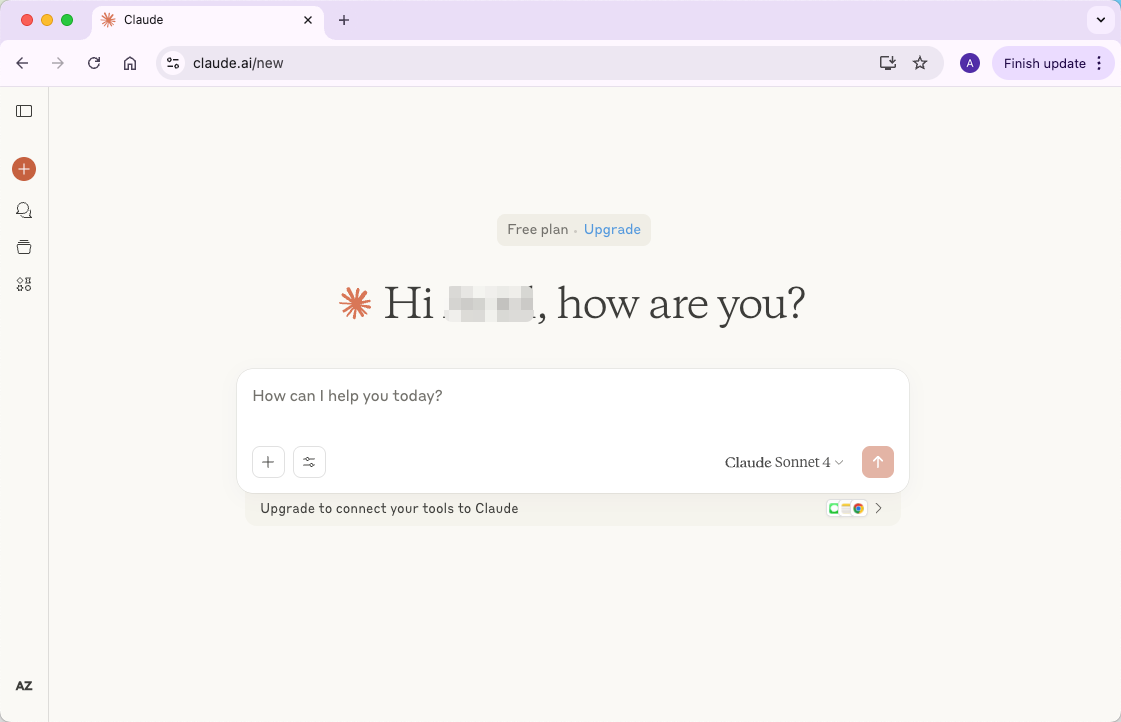
These platforms provide options if you’re looking for features or models beyond the official ChatGPT website.
7. Why Can’t You Use the ChatGPT Website or App?
ChatGPT access problems usually come from connection issues, service incidents, account problems, browser/app bugs, regional availability, or old cached data. Work through the common causes below before assuming your account is broken.
1. Internet or Network Issues
If your internet connection is slow, unstable, filtered by a workplace or school network, or routed through a VPN, ChatGPT may load slowly or fail to respond. Try another network or device to isolate the cause.
2. Server Outages
OpenAI services can occasionally have incidents or maintenance. If ChatGPT is down for many users, refreshing repeatedly will not fix it. Check the service status and try again later.
3. Regional Restrictions
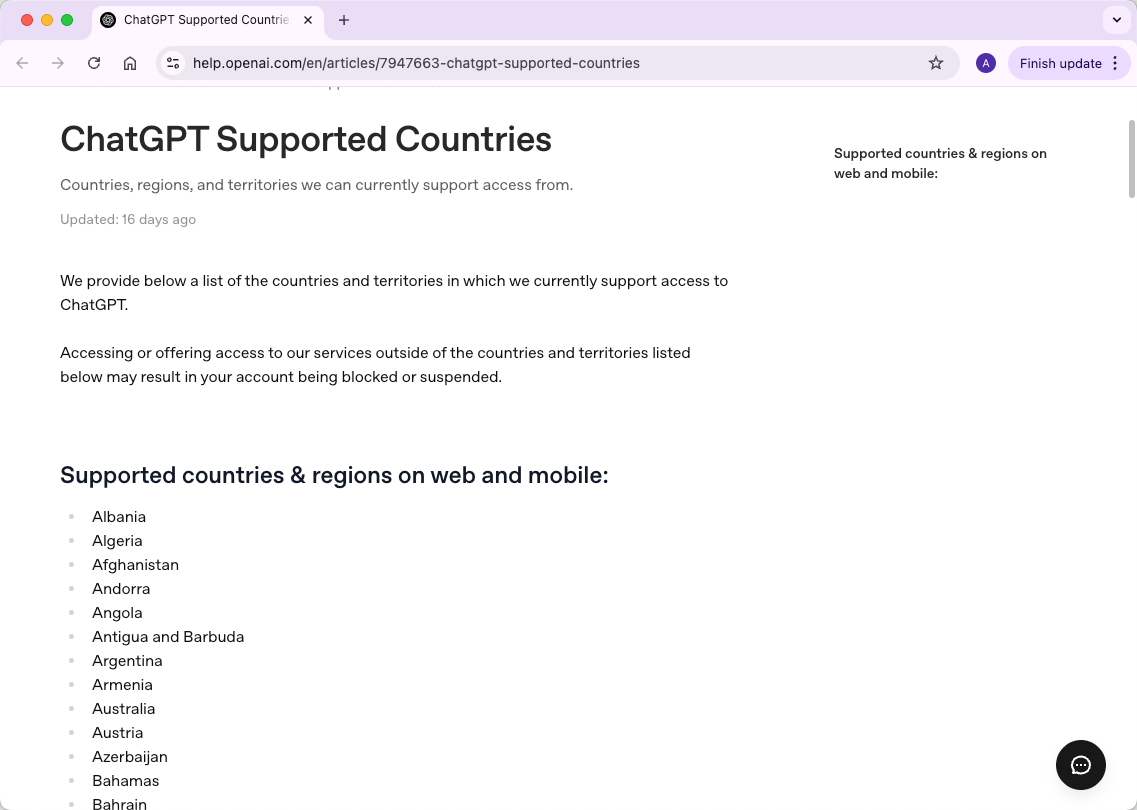
ChatGPT availability can vary by country, region, and local requirements. If the website, app, or specific feature is unavailable where you are, you may see login, download, or access limits.
4. Login or Account Problems
Login trouble can happen if you use the wrong sign-in method, an old password, a blocked account, or a browser session that needs refreshing. Use the same login method you used when you created the account.
5. Outdated App or Browser
Older app versions and unsupported browsers can cause blank pages, missing buttons, upload errors, or login loops. Update the app, try a current browser, or test on another device.
6. Cache and Cookies
Corrupted cookies or cached site data can stop ChatGPT from loading correctly. Clear site data, refresh the page, sign out and back in, or reinstall the app if the issue persists.
In short: check your connection, update your browser or app, confirm service status, and then review account settings if the problem continues.
8. Who Owns the ChatGPT Website?
The official ChatGPT website, chat.openai.com, is owned and operated by OpenAI, a research organization and technology company focused on developing advanced artificial intelligence.
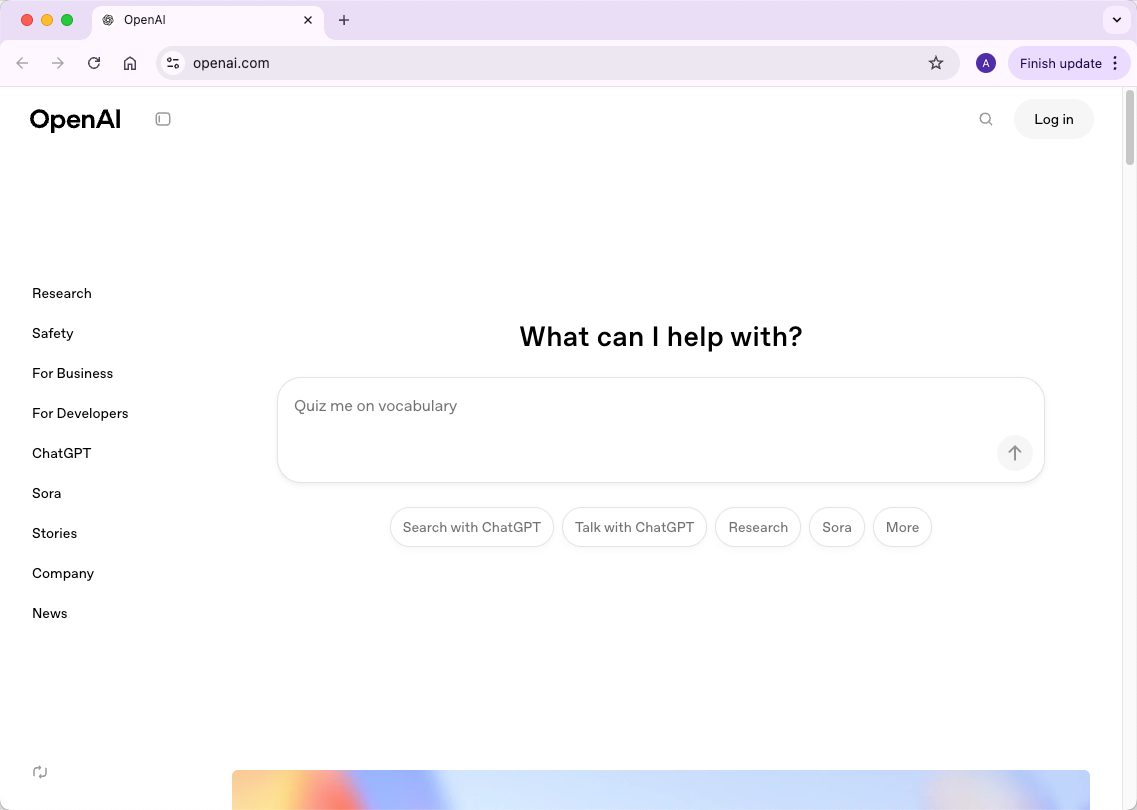
OpenAI was founded in 2015 by Elon Musk, Sam Altman, Greg Brockman, Ilya Sutskever, and others, with the goal of creating safe and beneficial AI for everyone. Today, OpenAI develops AI models like GPT-3, GPT-4, and GPT-5, which power ChatGPT.
In short: OpenAI is the organization behind ChatGPT, and it controls the official website, mobile apps, and API services.
9. Is ChatGPT a Safe Website?
Yes, the official ChatGPT website (chat.openai.com) is generally safe to use. OpenAI has strong security measures in place to protect user data and prevent unauthorized access.
That said, it’s worth noting that your conversations might be used to improve AI training, though this feature can be disabled in your account settings. Also, always make sure you use legitimate API integration tools and official apps to avoid security risks.
In short: ChatGPT is safe for personal and professional use, as long as you stick to official platforms and manage your privacy settings.
10. What Are Some Practical Tips for Using ChatGPT Effectively?
Using ChatGPT isn’t just about logging in — knowing a few practical strategies can help you get better results and make the experience smoother.
Start with Clear Prompts
Think of ChatGPT like talking to a helpful assistant. The clearer you are, the better the answer. Instead of saying “Tell me about AI,” try “Explain how AI chatbots work in simple terms with an example.” Adding context or specifics really improves responses.Use Follow-Up Questions
Don’t expect perfection on the first try. ChatGPT responds to your instructions, so if an answer is incomplete or confusing, ask a follow-up: “Can you explain that in simpler words?” or “Give me a step-by-step example.” Treat it like a conversation.Fact-Check Important Information
Even though ChatGPT is smart, it can sometimes get things wrong or use outdated info. For anything critical—like health, legal, or financial advice—double-check with trusted sources before relying on it.Be Specific About Tone and Style
You can tell ChatGPT how you want the answer. For example, “Explain this like I’m five” or “Write a professional email draft.” This helps get responses that match your needs.Use Lists, Examples, and Constraints
If you need a structured answer, ask for a list or set a limit: “Give me 5 tips for blogging” or “Summarize this in under 100 words.” Constraints make responses more useful and readable.Leverage Conversation History
ChatGPT remembers previous messages in the same session, which is handy for multi-step projects. You can build on earlier answers instead of starting over each timeExperiment and Explore
Try different approaches and questions. You can use ChatGPT for writing, brainstorming, coding help, language practice, or learning complex topics. Don’t be afraid to play around to discover new ways it can help you.
Conclusion
The safest way to use the ChatGPT official website is to start from OpenAI’s official pages, avoid lookalike apps, and understand what changes when you are logged in, logged out, free, or paid.
For writing workflows, WriterGPT can help organize longer drafts, while Humanizer can help polish AI-assisted text after you check accuracy and originality.