



YouScan AI Detector Review: Accuracy, Features & More

YouScan AI Detector promises to tell you whether a piece of text is AI-generated.
I decided to put it to the test, exploring how it works, its accuracy, and where it succeeds or falls short.
Along the way, I compare it to other AI detectors and share insights from real tests. Whether you’re a student or a writer curious about AI detection, this review breaks it down in a straightforward, first-hand way.
What Is YouScan AI
YouScan is best known for its social listening software — the kind that helps brands and marketers track what people are saying about them online. Recently, the company has taken that same text analysis technology and built something new: an AI detector. It’s designed for anyone who wants to check whether a piece of writing might have been created by artificial intelligence.
What Is YouScan AI Detector
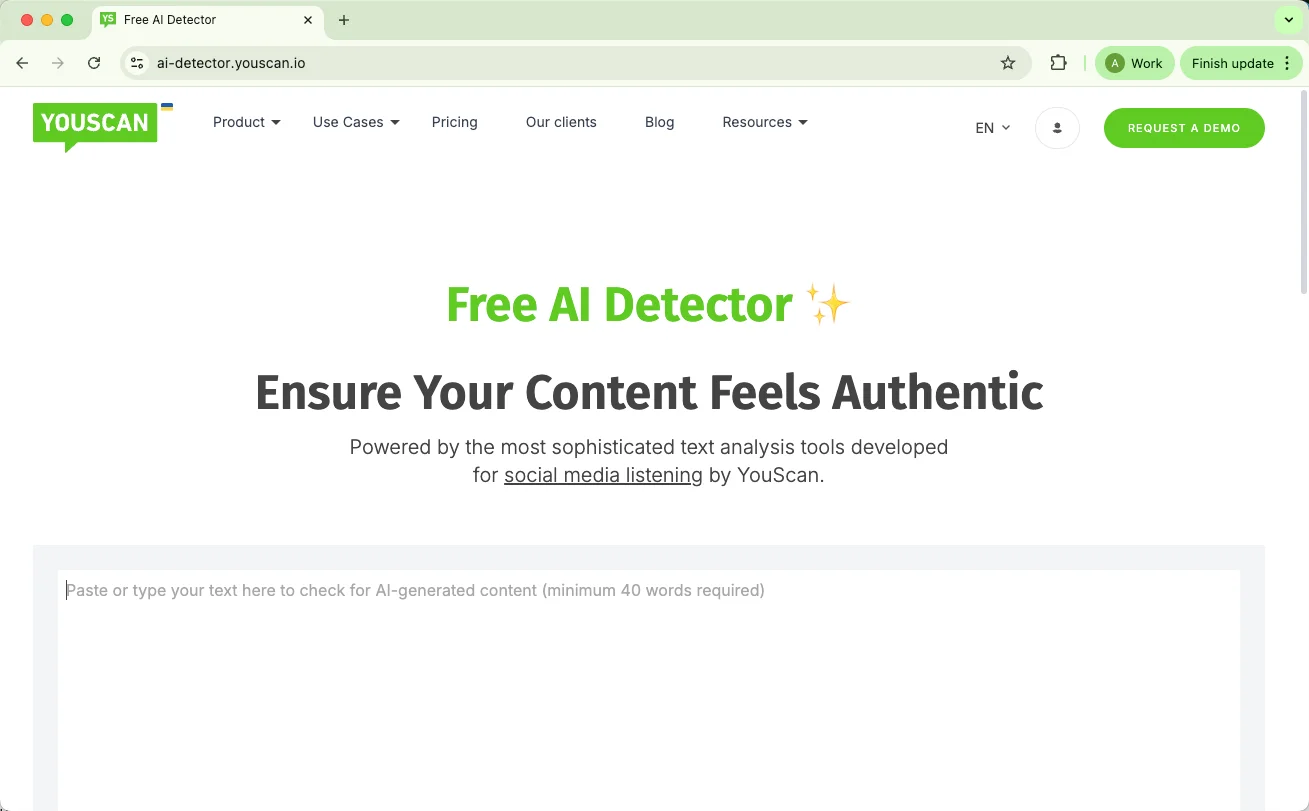
The YouScan AI Detector is a simple, web-based tool that estimates how likely a text is AI-generated. It uses YouScan’s existing language models, which were originally trained to recognize tone, sentiment, and style in social media posts. Instead of measuring mood, though, this version focuses on spotting the writing patterns that tend to appear in machine-generated text.
Here’s what using it looks like in practice:
Text input: You just paste your text into the box on the website. There’s no option to upload files or images.
Instant analysis: Within seconds, the system returns a score showing how likely the content is to be AI-written.
Optional feedback: It sometimes points out sentences that seem more automated, which can help you decide what to edit.
Right now, the detector only supports text-based analysis — so it won’t scan documents or media files. You can use it freely at first, but after a few checks, it requires a Google sign-in to keep things fair and prevent overuse.
How Accurate Is YouScan AI Detector
After getting a feel for how YouScan’s AI Detector works, the next logical question is how accurate it really is. On its official page, YouScan claims that the detector can instantly analyze text to make sure it “reads as human and feels engaging.” The tool promises an instant AI score to gauge authenticity, along with clear feedback about which parts may sound automated. It also highlights data privacy — no storage or sharing of user content — and mentions support for multiple languages and formats.
These are solid claims, but I wanted to see how they hold up in practice. To test them, I ran three short experiments using different types of text: one written entirely by AI, one blending human and AI writing, and one where an AI text was “humanized” through another tool.
Test 1: Pure AI Text
Setup:
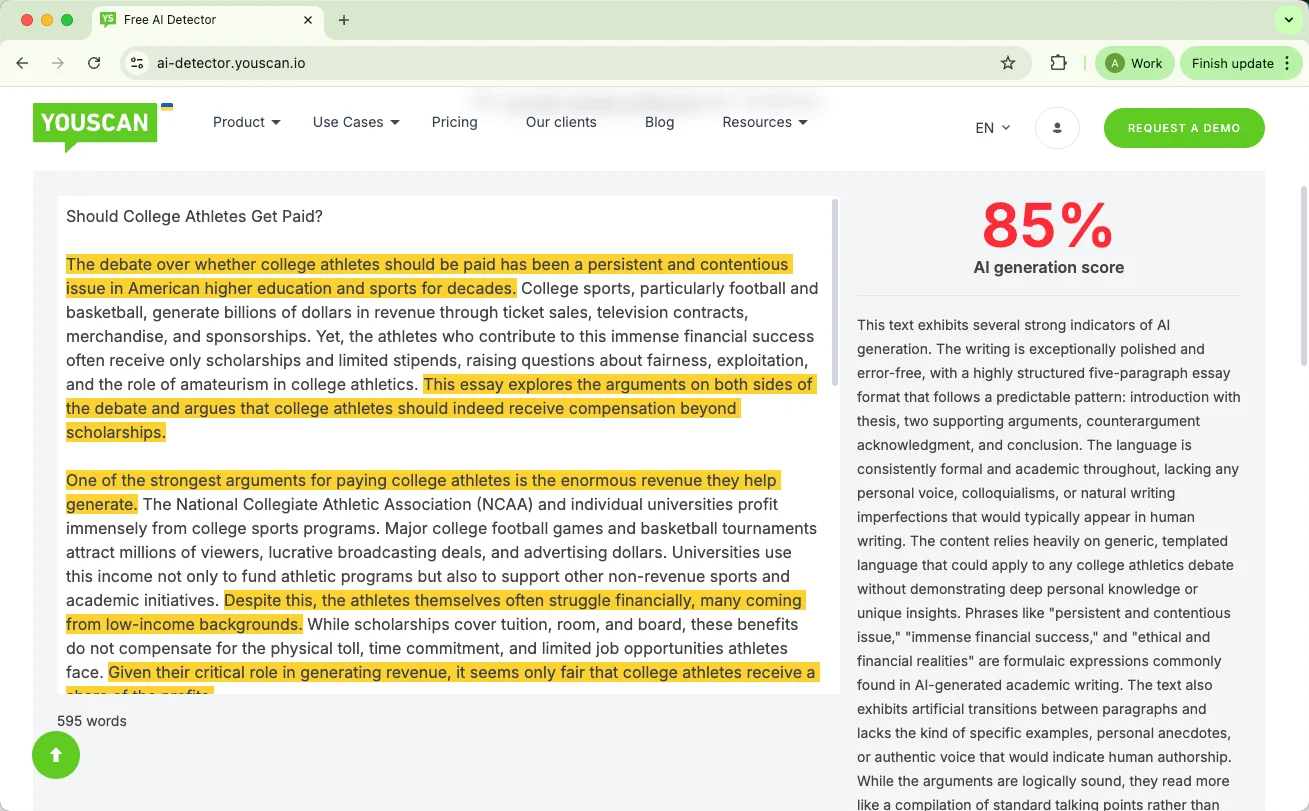
For the first test, I used a paragraph generated entirely by ChatGPT-4, without any manual editing. The goal here was to see how well YouScan can recognize a text that’s 100% AI-written.
Results:
The detector returned an 85% AI-generated score, which suggests that it correctly identified the text as mostly produced by a machine.
Observations:
This result feels reasonable — the writing was clean, structured, and slightly too formal, all traits typical of AI output. YouScan’s detector seemed to pick up on those clues effectively.
Test 2: Mixed AI + Human Writing
Setup:
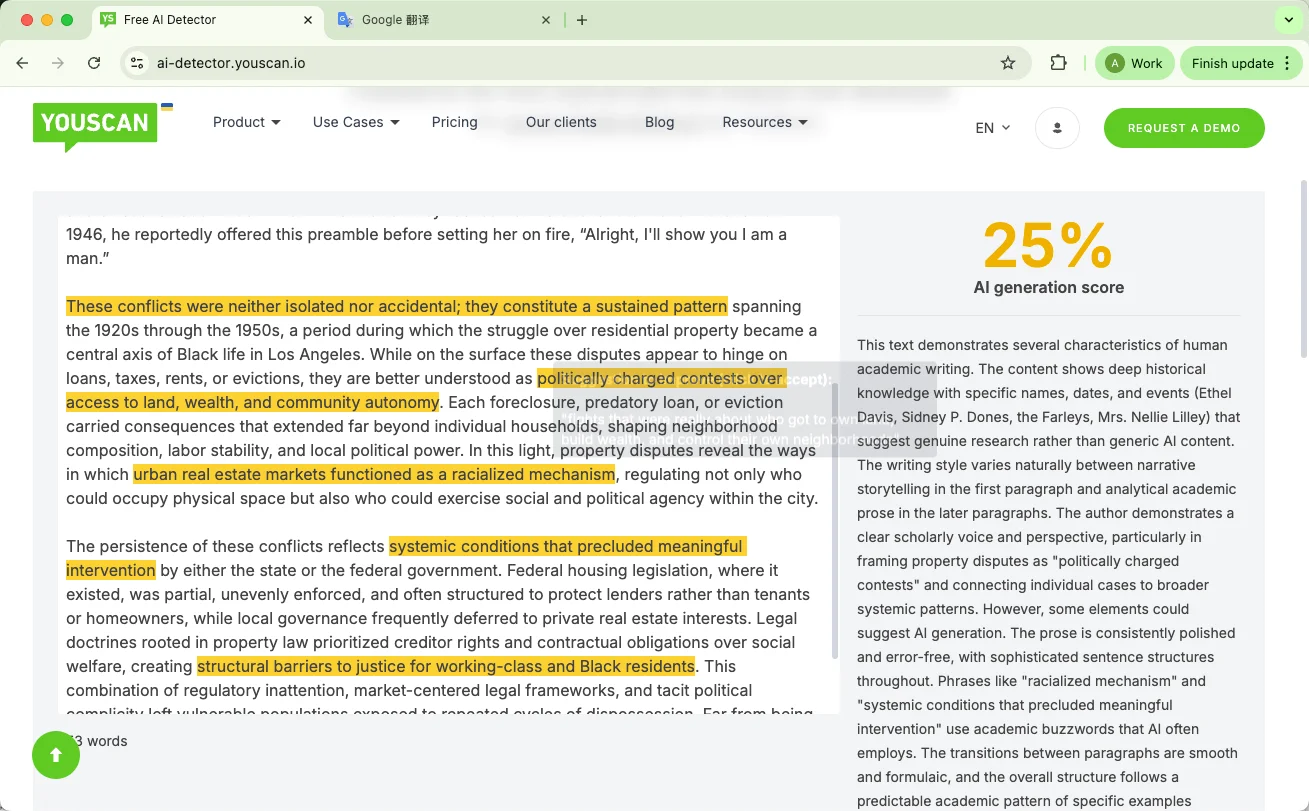
Next, I tested how YouScan handles hybrid writing. I used a paragraph from a pre-ChatGPT academic essay (entirely human-written) and then asked ChatGPT-4 to continue it. The combined text ended up with 187 human words out of 454 total — roughly 41% human content.
Results:
25% AI-generated score
Observations:
This one was a bit surprising. Given that more than half the text was AI-written, I expected a higher AI percentage. The low score might suggest that the tool weighs writing style consistency more heavily than content source. Because the essay’s tone stayed formal and academic throughout, YouScan may have interpreted it as cohesive human writing rather than a mix. This could indicate that the detector has trouble picking up subtle stylistic shifts between human and AI segments
Test 3: Humanized AI Text (via QuillBot)
Setup:
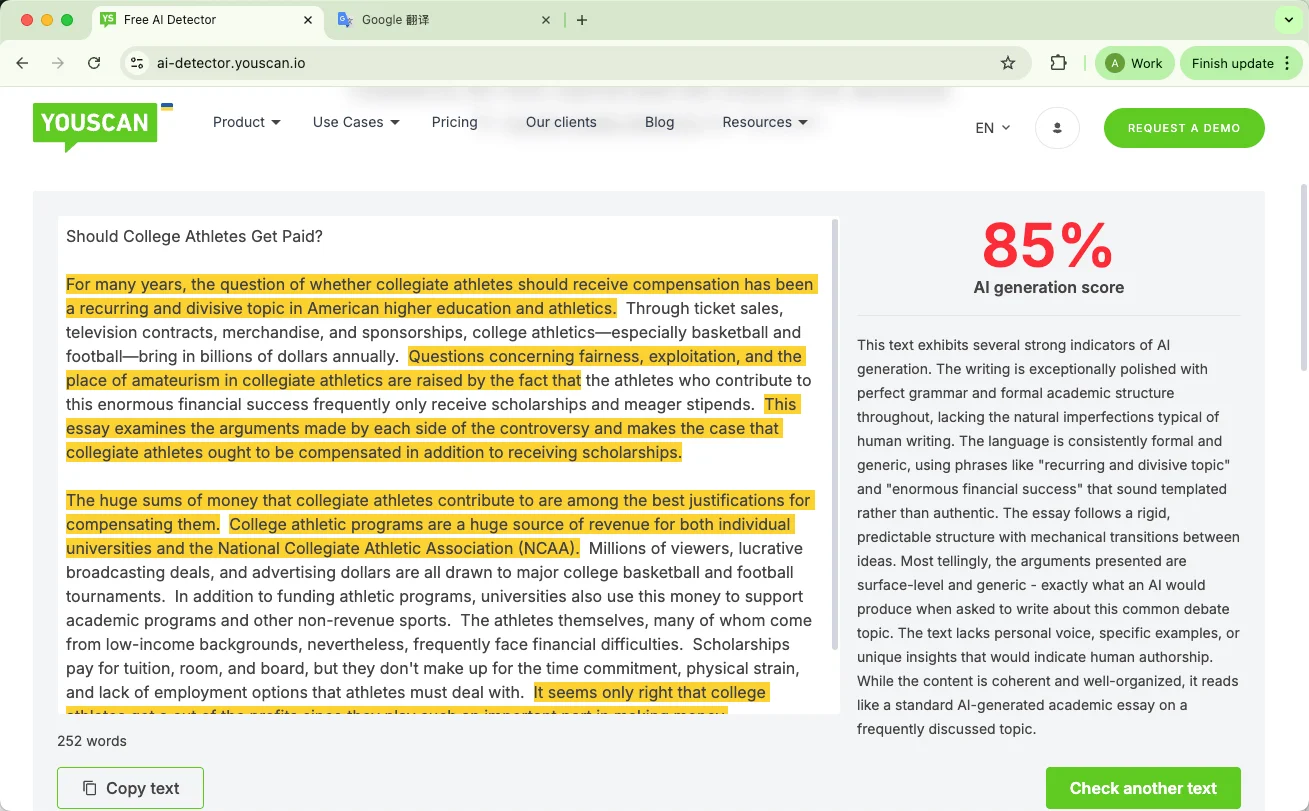
For the final test, I took the same AI-generated text from Test 1 and ran it through QuillBot’s AI Humanizer (basic mode) to see if YouScan could still recognize it as machine-produced after being “humanized.”
Results:
The detector gave the modified text an 85% AI-generated score, identical to the first test.
Observations:
This was an interesting outcome. Despite QuillBot’s attempts to make the language sound more natural, YouScan still flagged it as heavily AI-written. That suggests the detector focuses less on surface-level style changes and more on underlying structure or phrasing patterns — a potential strength when facing paraphrased AI content.
YouScan AI Detector: Pros and Cons
After testing YouScan’s AI Detector in different writing situations, I wanted to step back and look at the bigger picture — what it does well, and where it falls short. I also checked user discussions and professional review platforms to see if others had similar experiences.
Pros
1. Easy to Use
The YouScan AI Detector’s simplicity is one of its biggest strengths. You paste your text, click analyze, and get a result almost instantly. There’s no setup process or technical knowledge required, which makes it approachable for casual users — especially students or writers who just want a quick authenticity check.
2. Reasonable Accuracy
In my own tests, YouScan performed fairly well, especially with purely AI-generated content. It consistently identified machine-written text with high confidence, even when I tried to disguise it with paraphrasing tools. That suggests its detection algorithm looks beyond surface-level wording and catches deeper patterns in writing structure.
3. Helpful Explanations and Suggestions
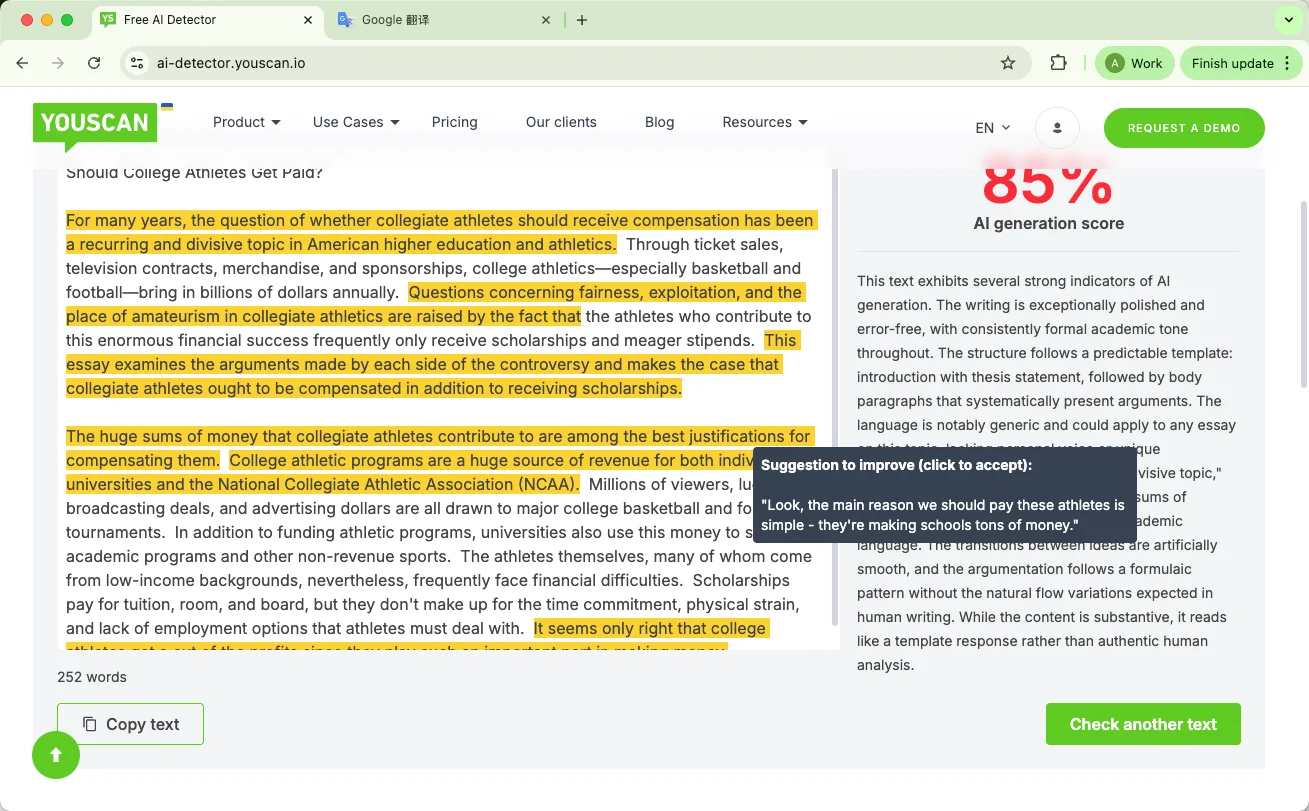
While it doesn’t break down every sentence, YouScan gives a short overview of why a piece of writing might seem AI-generated. Some users also noted that the detector offers quick optimization suggestions — you can even apply them with a single click, which can be handy for polishing marketing or social posts.
4. Privacy and Accessibility
YouScan states that it doesn’t store or share analyzed content, which gives some reassurance to users working with unpublished drafts. It’s also web-based and free for initial checks, making it easy to access without committing to a subscription.
Cons
1. Limited Transparency
Although YouScan provides general reasoning for its AI judgment, it doesn’t offer sentence-level explanations. For anyone hoping to see exactly which parts of their writing seem AI-like, the feedback may feel too broad.
2. Mixed Accuracy with Complex Texts
When dealing with blended or heavily edited text, YouScan’s scoring can be inconsistent. For instance, in the mixed-content test, it underestimated the AI portion by quite a margin.
3. Requires Login After Free Checks
You can use the detector freely at first, but after three scans, it requires a Google login. It’s a small step, but it interrupts the workflow if you’re testing multiple drafts in one session.
4. Not Geared Toward Academic Use
The interface and feedback style clearly cater to marketers and content creators. For students or researchers who need detailed, sentence-level analysis for essays or academic papers, YouScan’s feedback may not be specific enough to be useful.
5. Occasional Speed and Performance Issues
While the detector is generally fast, some users have mentioned occasional slowdowns during analysis. That’s consistent with broader YouScan feedback on its main platform — when handling large data sets, it can lag slightly.
YouScan AI Detector Pricing
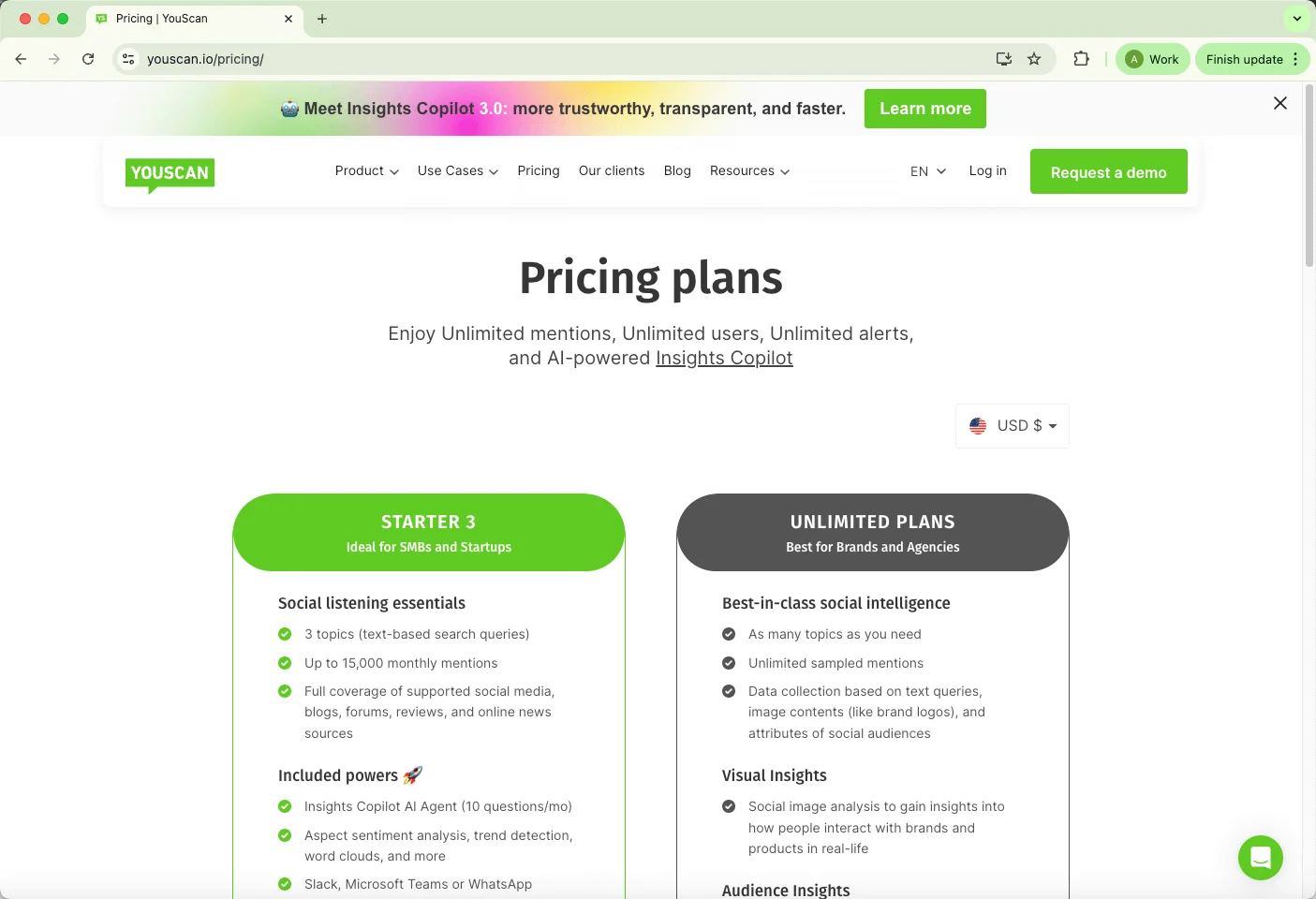
YouScan’s AI Detector is currently free to use. There’s no stated word limit, and the site doesn’t clearly mention a maximum number of checks per day. However, after a few free scans, it does require a Google sign-in for continued use. This seems intended more for preventing spam than limiting access.
YouScan’s main platform — which focuses on social listening and marketing analytics — operates on a subscription basis, starting from the Starter plan at $299 per month (billed annually).
Those paid tiers unlock broader marketing tools rather than expanding AI detection limits. Features like topic tracking, sentiment analysis, Insights Copilot AI Agent, and integrations with platforms such as Slack or Microsoft Teams fall under those premium plans. The AI Detector seems to function as a free companion tool, separate from the full product ecosystem.
Can You Bypass YouScan AI Detector?
Ever wondered if it’s actually possible to slip past the YouScan AI Detector? I asked myself the same question when testing different AI-written drafts. The short answer: yes — but there’s a catch.
Here’s the thing — tweaking your text just to fool a detector isn’t enough. You can tinker with phrases or sentence length, but if your writing becomes stilted or confusing, it defeats the purpose. Readers notice unnatural flow, clunky word choices, and uneven sentence patterns far more than AI scores.
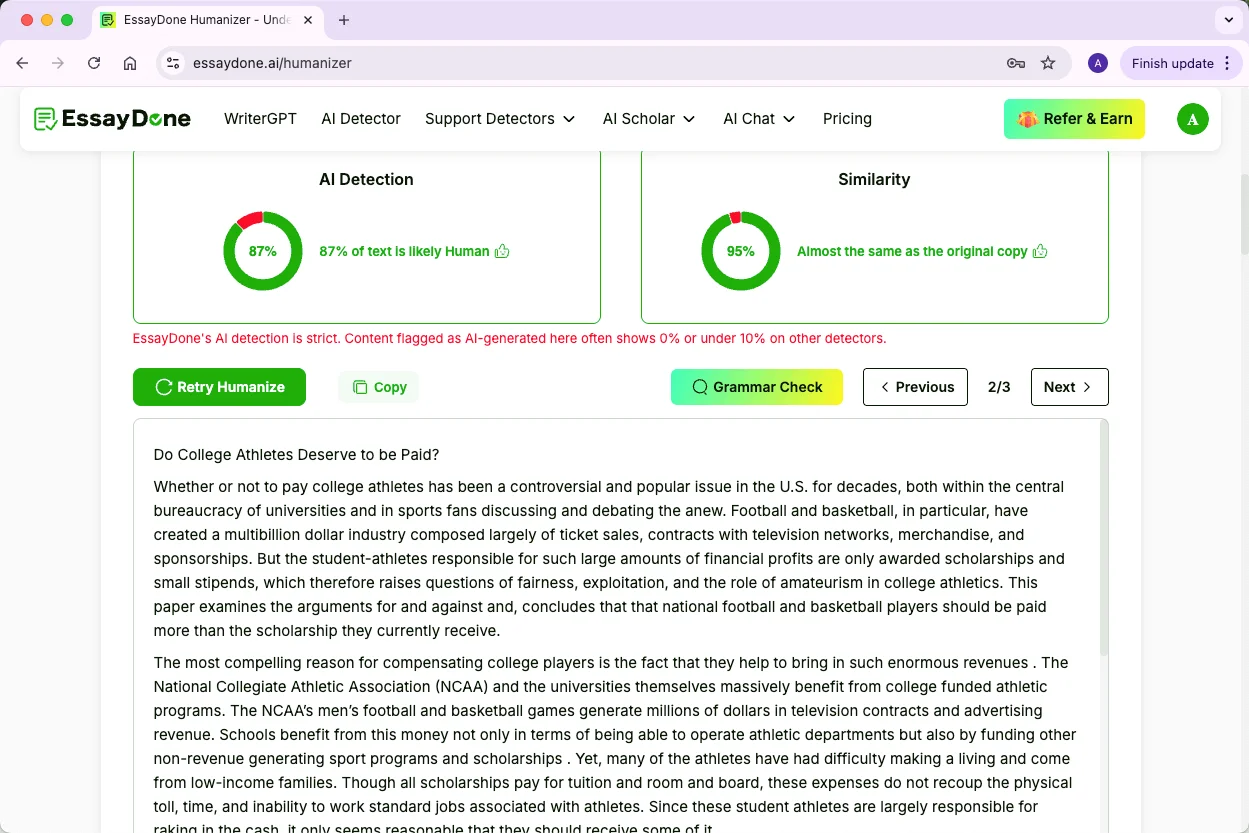
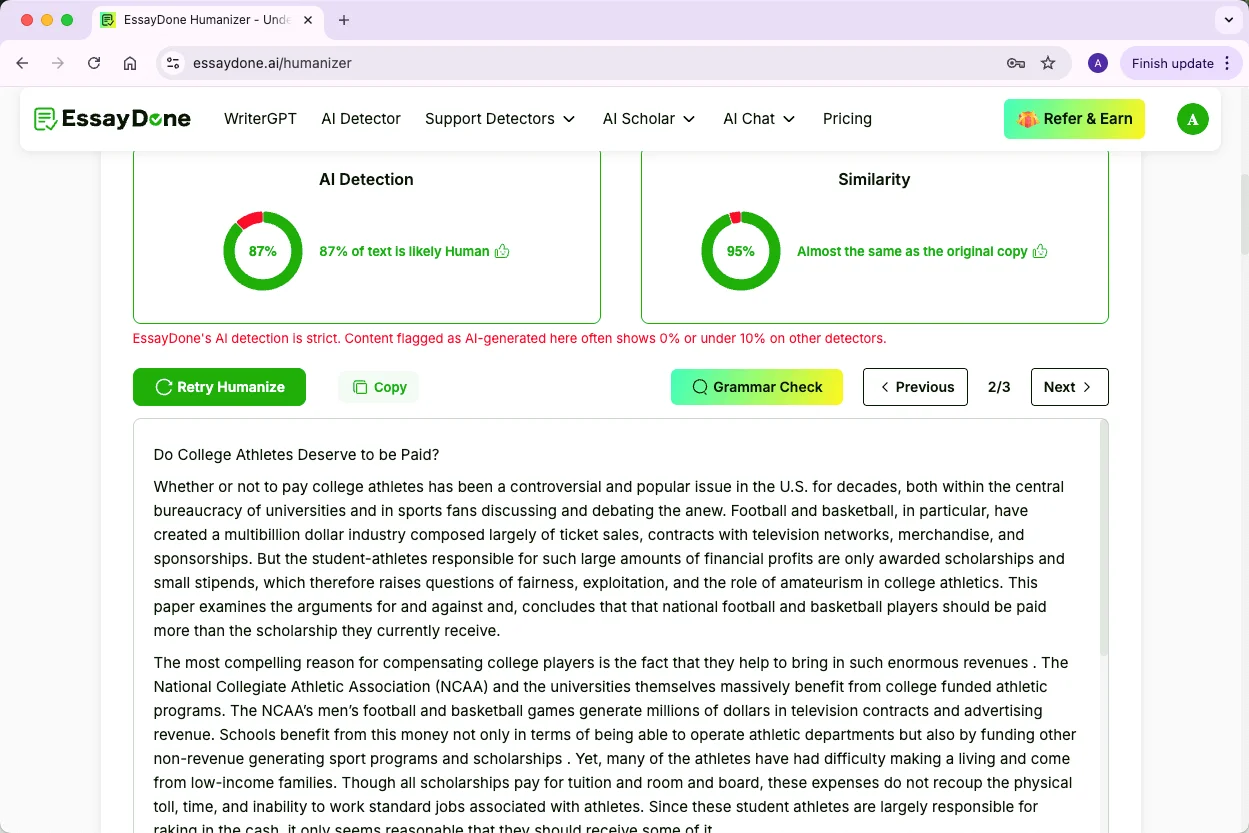
This is where the EssayDone Humanizer comes in. I tried it on some of my AI drafts, and here’s what it does well:
Reduces AI detection scores without making the text awkward
Improves sentence structure, so ideas connect smoothly
Refines word choices for a more natural vocabulary
Smooths stylistic patterns, making the writing consistent and readable
Produces human-like text, not just a scrambled mix of AI sentences
In other words, it’s not just about “tricking” the detector — it’s about making AI-generated content feel like something a person actually wrote.
5 Alternatives to YouScan AI Detector
If you’re exploring AI detection beyond YouScan, there are several other tools that offer unique features. Here’s a quick rundown of five options I’ve tried or researched:
1. Originality.ai
Originality.ai combines AI detection with plagiarism, grammar, and fact-checking tools, making it more of a full-suite content analysis platform. It supports multiple file formats, including PDFs and DOCX, and provides sentence-level feedback, which is useful if you want detailed insights on where AI patterns appear.
2. GPTZero
GPTZero is designed specifically for spotting AI-generated text and gives sentence-level analysis along with basic writing feedback. It supports common document formats like PDF and DOCX, and includes plagiarism checks and citation tools, making it suitable for students and educators.
3. EssayDone AI Detector
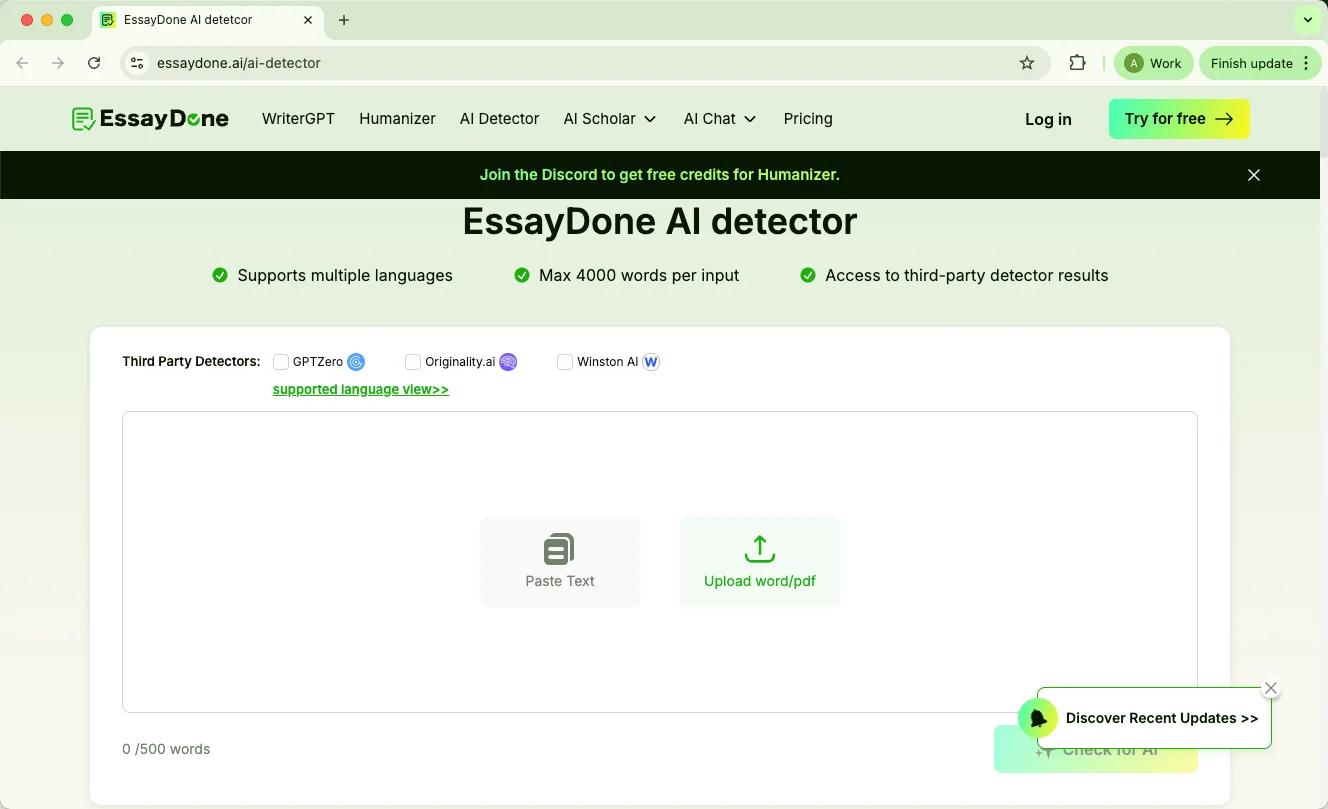
EssayDone AI Detector stands out by letting you see results from multiple AI detectors — including GPTZero, Originality.ai, and Winston AI — all at once. It supports multiple languages and allows up to 4,000 words per input, making it convenient for longer essays or articles. This all-in-one approach gives users a broader perspective on content authenticity without switching between different tools.
4. Copyleaks
Copyleaks covers both AI detection and plagiarism in a single report and supports over 30 languages. It works mostly via copy-paste input and offers extras like a shared data hub and Google Docs integration, though it doesn’t provide sentence-level analysis.
5. ZeroGPT
ZeroGPT is a lightweight, text-focused AI detector that also offers a plagiarism check and AI summarizer. It’s easy to access online without a login, making it convenient for quick checks, but it doesn’t provide in-depth sentence-level feedback.
FAQ
Is YouScan AI Detector 100% accurate?
No. YouScan provides a probability score, not a definitive answer. It works well for clearly AI-generated text but can give false positives or negatives, especially with mixed AI-human content or heavily edited writing.
How to bypass YouScan AI Detector?
You can try professional tools like EssayDone Humanizer or focus on improving clarity, sentence flow, and originality, while properly integrating AI-generated content where allowed.
Will my professor use an AI detector?
Possibly. Many universities and instructors now use AI detection tools, though policies differ. Always check your course or school guidelines for AI usage rules.
Can I use AI detectors on my own work before submission?
Yes. Running your draft through a detector can highlight text that reads mechanically, helping you revise for readability and human-like style. It’s a useful self-editing step rather than a way to cheat.
Are AI detectors legal?
Yes. Using them is legal, but you should respect privacy and copyright rules when submitting someone else’s work or sensitive material.
Is YouScan AI Detector free?
The AI detector is free to use for initial scans, with no clear word or check limit. After several scans, it requires a Google sign-in. Paid subscriptions mainly unlock other features in the broader YouScan platform, not the detector itself.
Conclusion
We’ve gone through YouScan AI Detector, looked at how it works, its accuracy in different tests, pros and cons, pricing, and some alternatives.
Overall, it gives a quick sense of whether text may be AI-generated, but it isn’t perfect and can miss subtle cases or mixed writing. I hope this breakdown helps you understand what the tool does and what to expect, so you can make informed choices when checking your own writing or exploring AI detection options.