






130+ Best ChatGPT Examples: Level Up Your Work and Projects

Looking for useful ChatGPT examples you can copy, adapt, and actually run?
This guide groups practical prompts for studying, coding, writing, marketing, job hunting, planning, data work, and creative projects.
You will also see examples for ChatGPT agent-style workflows, where the task needs multiple steps instead of one quick answer. Use these examples as starting points, then add your own context, source material, audience, and success criteria.
1. ChatGPT for Learning & Research
ChatGPT can help students and researchers unpack difficult material, compare ideas, summarize notes, and plan study sessions. It works best when you provide the source text, course level, citation expectations, and the kind of explanation you need.
Use these ChatGPT examples as study prompts, not as a replacement for reading, checking sources, or doing your own analysis.
1. Simplifying Academic Papers
Turn dense, jargon-heavy text into plain, understandable language. For a stronger ChatGPT example, add real context and ask for the format you want before reusing the answer.
Prompt: “Simplify this research abstract so a high school student can understand it. Add the class level, source material, deadline, and whether you want bullets or a short explanation.”
2. Explaining Complex Concepts
Break down tough topics in science, math, or philosophy. For a stronger ChatGPT example, add real context and ask for the format you want before reusing the answer.
Prompt: “Explain quantum entanglement in simple terms with an everyday analogy. Add the class level, source material, deadline, and whether you want bullets or a short explanation.”
3. Creating Study Guides or Summaries
Generate concise guides for exams or projects. For a stronger ChatGPT example, add real context and ask for the format you want before reusing the answer.
Prompt: “Summarize this 20-page chapter into a one-page study guide. Add the class level, source material, deadline, and whether you want bullets or a short explanation.”
4. Making Flashcards
Turn key facts or definitions into flashcards for easier memorization. For a stronger ChatGPT example, add real context and ask for the format you want before reusing the answer.
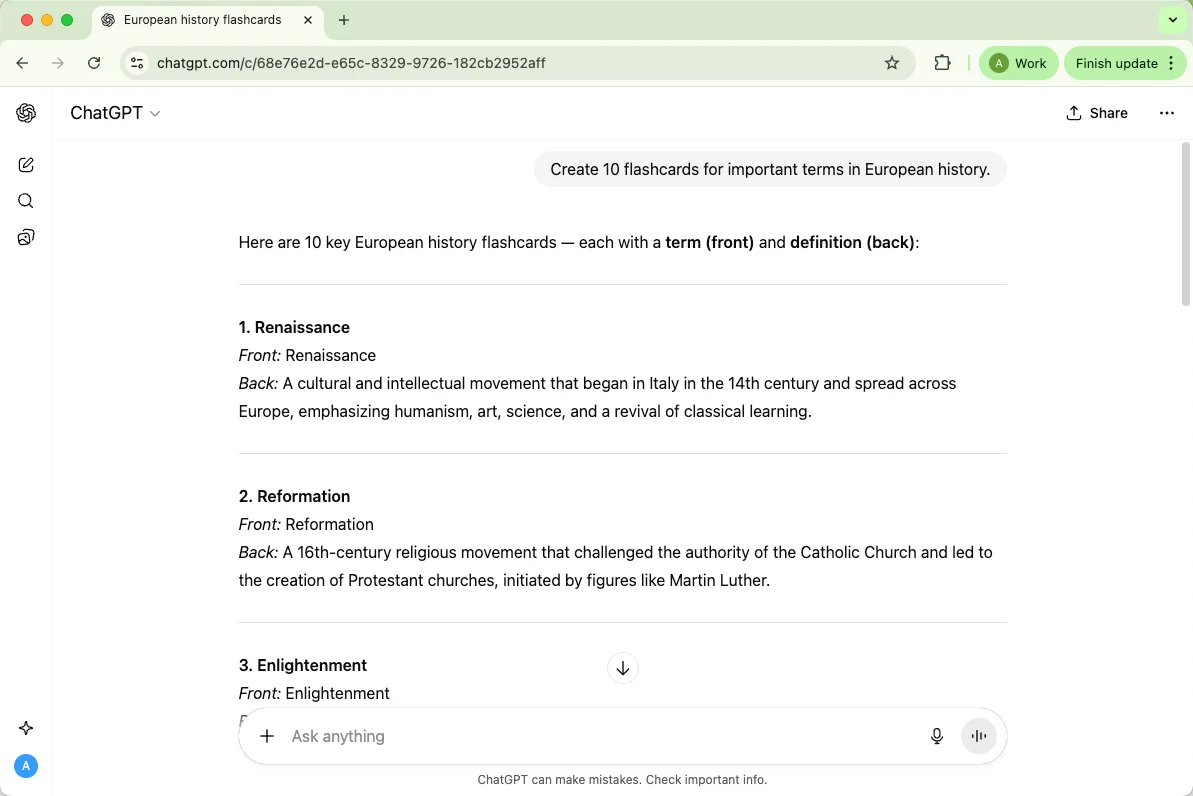
Prompt: “Create 10 flashcards for important terms in European history. Add the class level, source material, deadline, and whether you want bullets or a short explanation.”
5. Comparing Theories
Analyze similarities and differences between concepts or models. For a stronger ChatGPT example, add real context and ask for the format you want before reusing the answer.
Prompt: “Compare the classical and Keynesian economic theories in simple terms. Add the class level, source material, deadline, and whether you want bullets or a short explanation.”
6. Translating Academic Text
Help with understanding content in a different language. For a stronger ChatGPT example, add real context and ask for the format you want before reusing the answer.
Prompt: “Translate this German research abstract into English while keeping technical terms accurate. Add the class level, source material, deadline, and whether you want bullets or a short explanation.”
7. Explaining Math or Legal Terms
Get plain-language explanations for complicated formulas or legal jargon. For a stronger ChatGPT example, add real context and ask for the format you want before reusing the answer.
Prompt: “Explain the quadratic formula as if teaching it to a beginner. Add the class level, source material, deadline, and whether you want bullets or a short explanation.”
8. Writing Essay Outlines
Plan essays and papers with clear structure and flow. For a stronger ChatGPT example, add real context and ask for the format you want before reusing the answer.
Prompt: “Create a detailed outline for an essay on climate change policy. Add the class level, source material, deadline, and whether you want bullets or a short explanation.”
9. Brainstorming Research Questions
Generate fresh ideas for papers, theses, or projects. For a stronger ChatGPT example, add real context and ask for the format you want before reusing the answer.
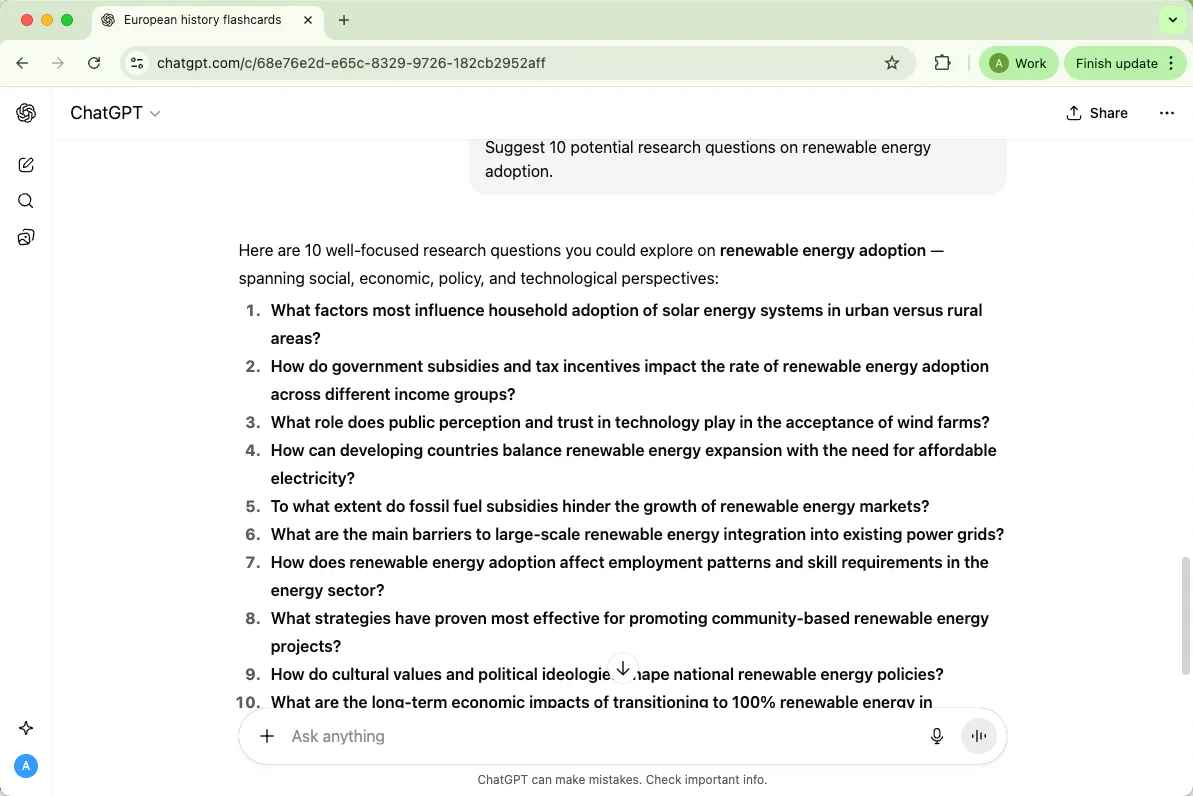
Prompt: “Suggest 10 potential research questions on renewable energy adoption. Add the class level, source material, deadline, and whether you want bullets or a short explanation.”
10. Summarizing Historical Events
Condense events into understandable summaries for study or reference. For a stronger ChatGPT example, add real context and ask for the format you want before reusing the answer.
Prompt: “Summarize the causes and effects of the French Revolution in a few paragraphs. Add the class level, source material, deadline, and whether you want bullets or a short explanation.”
2. ChatGPT for Productivity & Everyday Tasks
For daily work, ChatGPT is useful when a task has a clear input and a clear output: an email, checklist, summary, template, schedule, or report draft. The more specific you are about audience, deadline, and tone, the more usable the first answer will be.
Here are practical examples for turning scattered tasks into organized next steps.
1. Writing Professional Emails
Craft clear, polite, and professional emails in seconds. For a stronger ChatGPT example, add real context and ask for the format you want before reusing the answer.
Prompt: “Write a professional email to a client following up on a meeting. Add the audience, deadline, priority level, and exact output format.”
2. Summarizing Meeting Notes
Turn long meeting transcripts into concise, actionable summaries. For a stronger ChatGPT example, add real context and ask for the format you want before reusing the answer.
Prompt: “Summarize these meeting notes into key action items. Add the audience, deadline, priority level, and exact output format.”
3. Drafting Reports
Generate structured reports with clear headings and key insights. For a stronger ChatGPT example, add real context and ask for the format you want before reusing the answer.
Prompt: “Draft a monthly sales report based on this data. Add the audience, deadline, priority level, and exact output format.”
4. Writing Cover Letters
Customize your cover letters quickly for different job applications. For a stronger ChatGPT example, add real context and ask for the format you want before reusing the answer.
Prompt: “Write a cover letter for a marketing manager position using this resume. Add the audience, deadline, priority level, and exact output format.”
5. Creating To-Do Lists
Organize tasks and priorities for better productivity. For a stronger ChatGPT example, add real context and ask for the format you want before reusing the answer.
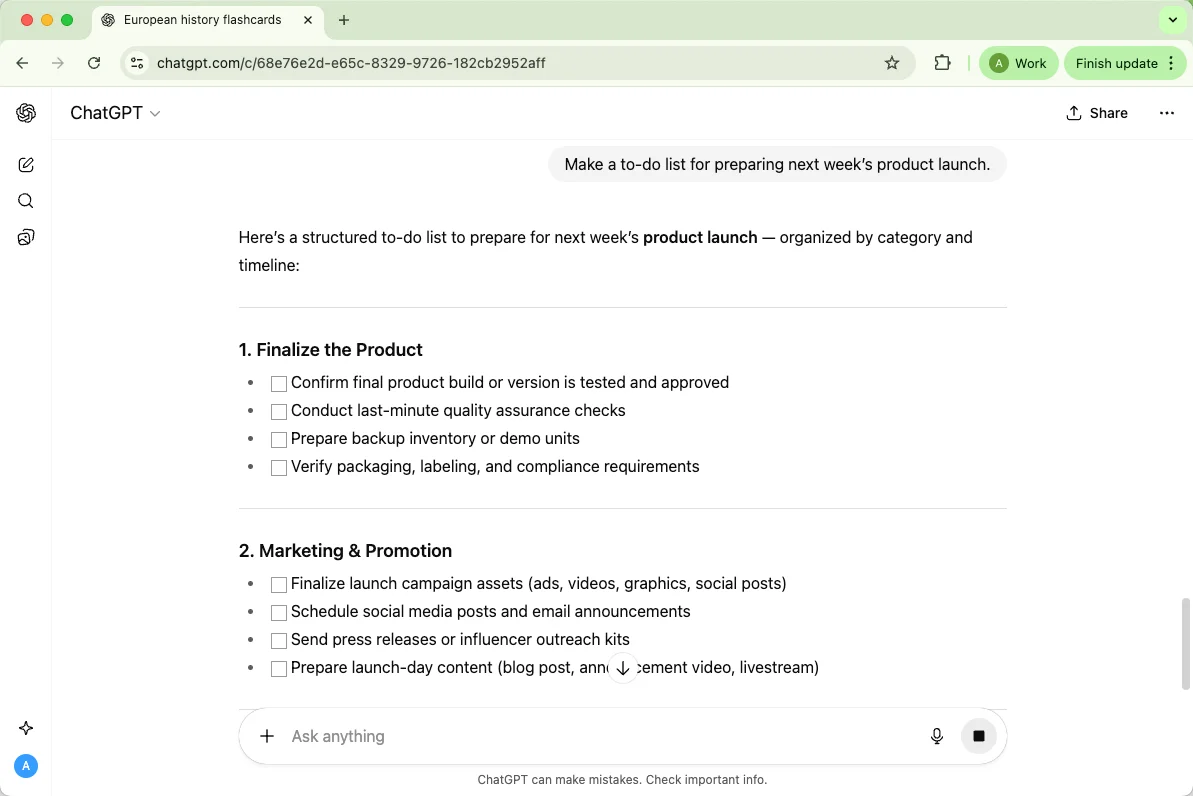
Prompt: “Make a to-do list for preparing next week’s product launch. Add the audience, deadline, priority level, and exact output format.”
6. Writing Proposals
Generate well-structured proposals for clients or internal projects. For a stronger ChatGPT example, add real context and ask for the format you want before reusing the answer.
Prompt: “Draft a project proposal for implementing a new social media campaign. Add the audience, deadline, priority level, and exact output format.”
7. Scheduling Templates
Build reusable templates for recurring planning and scheduling. For a stronger ChatGPT example, add real context and ask for the format you want before reusing the answer.
Prompt: “Create a weekly meeting schedule template for our remote team. Add the audience, deadline, priority level, and exact output format.”
8. Writing SOPs (Standard Procedures)
Document standard processes clearly and consistently. For a stronger ChatGPT example, add real context and ask for the format you want before reusing the answer.
Prompt: “Write a step-by-step SOP for onboarding new employees. Add the audience, deadline, priority level, and exact output format.”
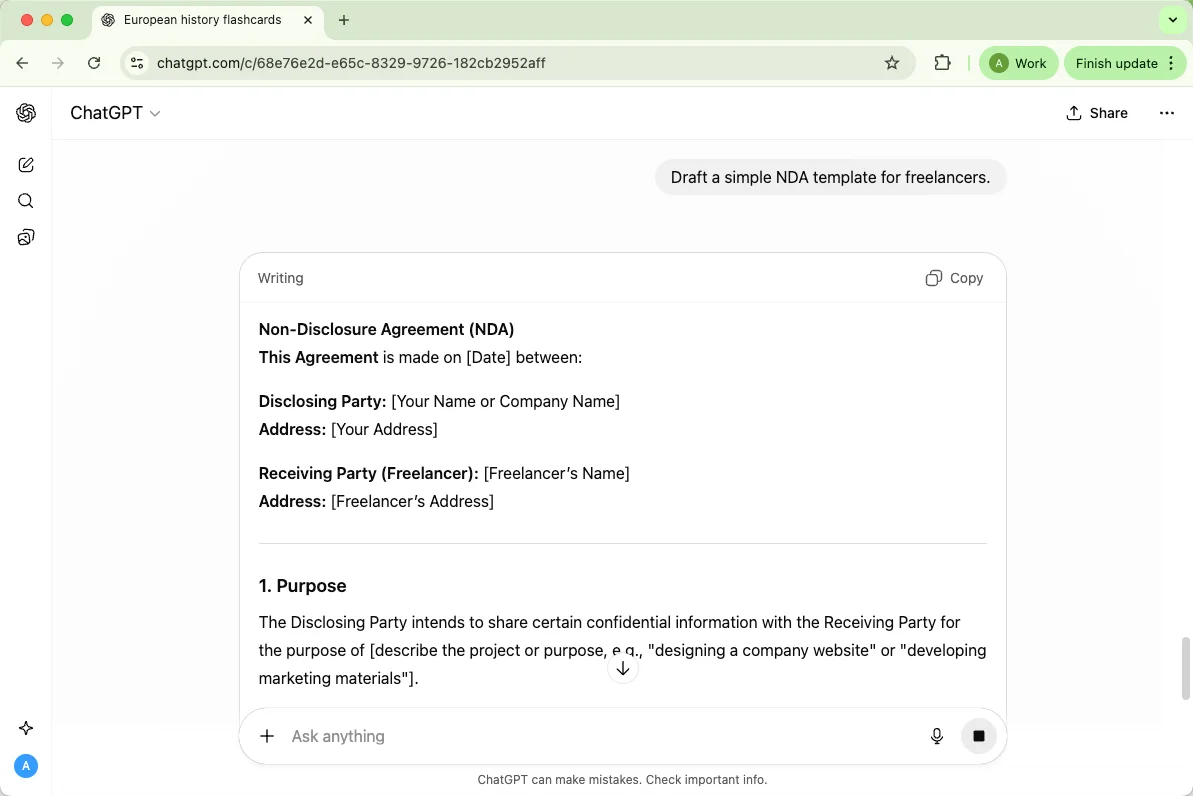
9. Drafting Legal or HR Documents
Generate first drafts for contracts, agreements, or HR communications. For a stronger ChatGPT example, add real context and ask for the format you want before reusing the answer.
Prompt: “Draft a simple NDA template for freelancers. Add the audience, deadline, priority level, and exact output format.”
10. Writing Polite Refusals
Respond to requests or invitations professionally without offending anyone. For a stronger ChatGPT example, add real context and ask for the format you want before reusing the answer.
Prompt: “Write a polite email declining a business partnership proposal. Add the audience, deadline, priority level, and exact output format.”
3. ChatGPT for Marketing & Business
Marketing prompts work better when they include the product, target customer, channel, offer, and brand voice. ChatGPT can draft options quickly, but you should still check claims, pricing, and compliance details before publishing anything.
Use these examples to brainstorm, outline, and polish business content.
1. Crafting Social Media Captions
Generate catchy, engaging captions for Instagram, Twitter, or LinkedIn. For a stronger ChatGPT example, add real context and ask for the format you want before reusing the answer.
Prompt: “Write 5 creative Instagram captions for a new eco-friendly product launch. Add the product, audience, channel, offer, and brand voice.”
2. Ad Copy Generation
Produce persuasive copy for ads that grab attention. For a stronger ChatGPT example, add real context and ask for the format you want before reusing the answer.
Prompt: “Create ad copy for a Facebook campaign promoting online coding courses. Add the product, audience, channel, offer, and brand voice.”
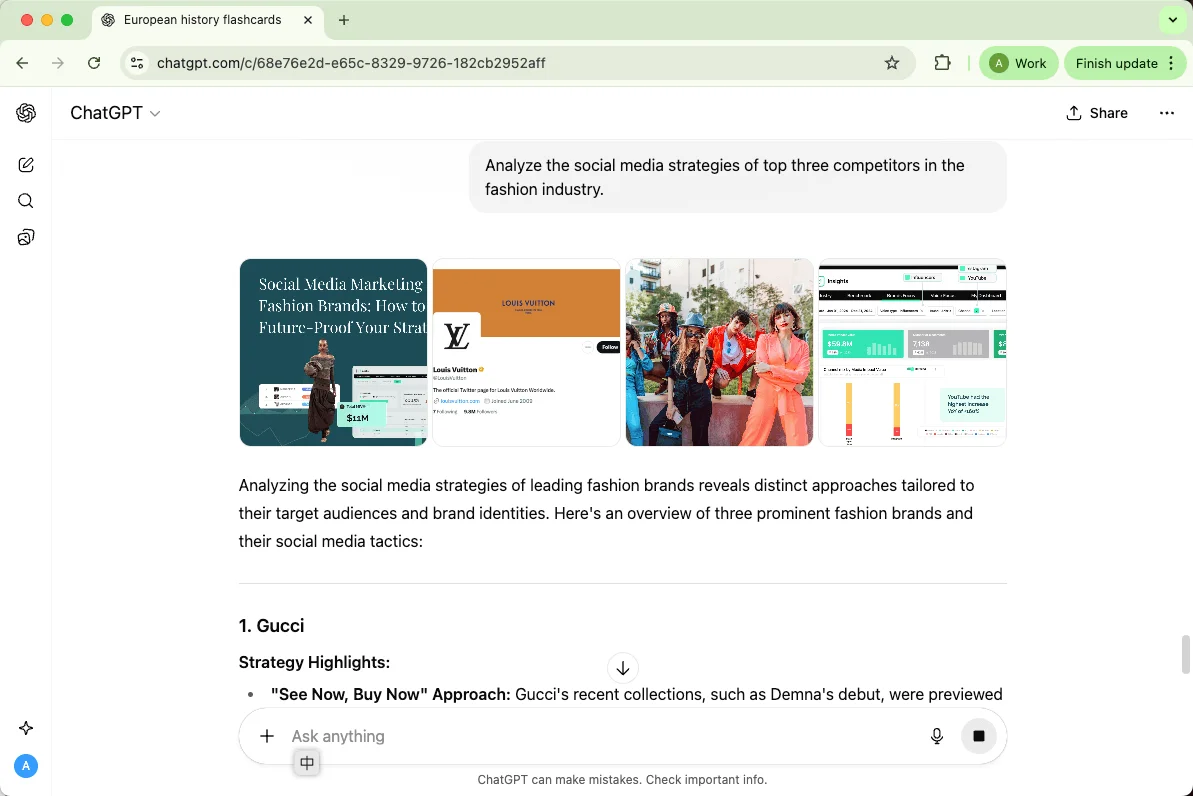
3. Competitor or Audience Analysis
Get insights into competitors or target audiences quickly. For a stronger ChatGPT example, add real context and ask for the format you want before reusing the answer.
Prompt: “Analyze the social media strategies of top three competitors in the fashion industry. Add the product, audience, channel, offer, and brand voice.”
4. Brand Voice Development
Define or refine your brand’s tone across all platforms. For a stronger ChatGPT example, add real context and ask for the format you want before reusing the answer.
Prompt: “Help me create a friendly and approachable brand voice for a startup app. Add the product, audience, channel, offer, and brand voice.”
5. Sales Pitch Writing
Draft concise and persuasive sales pitches for products or services. For a stronger ChatGPT example, add real context and ask for the format you want before reusing the answer.
Prompt: “Write a compelling 60-second sales pitch for a new productivity tool. Add the product, audience, channel, offer, and brand voice.”
6. Content Calendar Creation
Plan and organize content across weeks or months efficiently. For a stronger ChatGPT example, add real context and ask for the format you want before reusing the answer.
Prompt: “Create a one-month content calendar for a wellness blog, including blog posts and social media. Add the product, audience, channel, offer, and brand voice.”
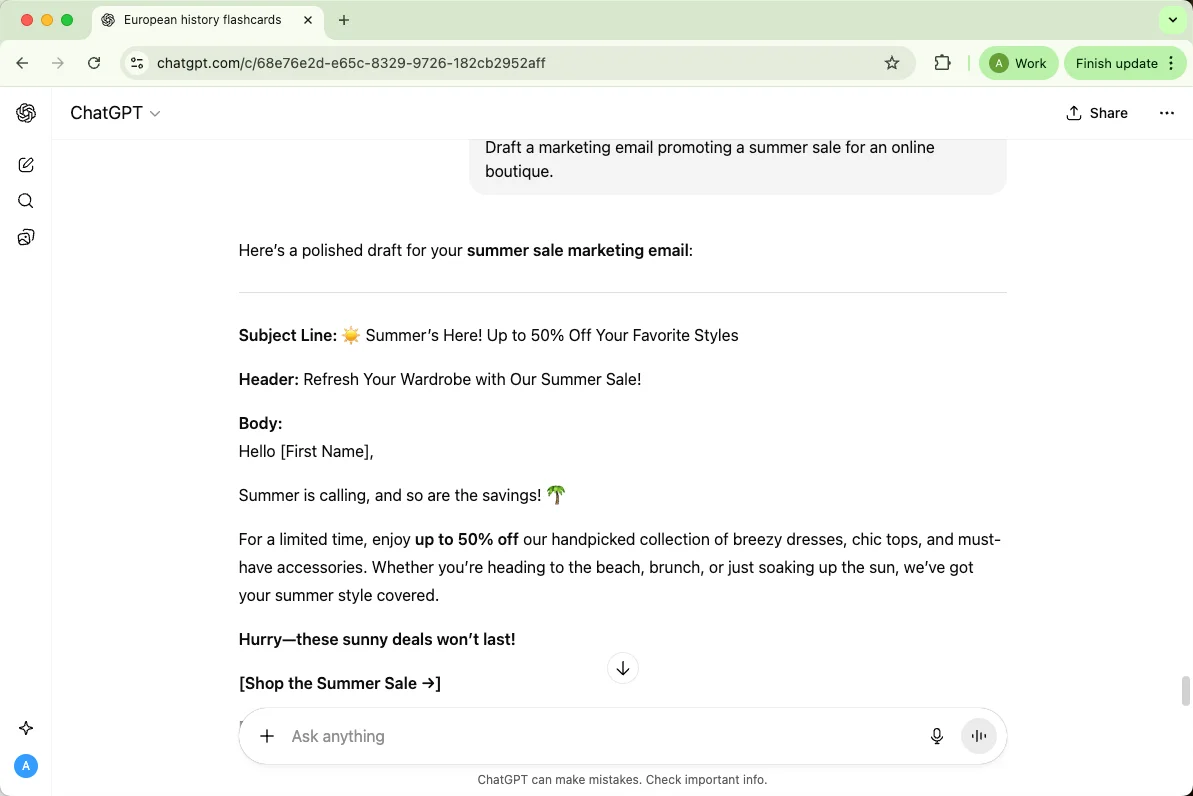
7. Marketing Email Templates
Write email campaigns that engage and convert customers. For a stronger ChatGPT example, add real context and ask for the format you want before reusing the answer.
Prompt: “Draft a marketing email promoting a summer sale for an online boutique. Add the product, audience, channel, offer, and brand voice.”
8. Customer Personas
Develop detailed profiles of ideal customers to target campaigns effectively. For a stronger ChatGPT example, add real context and ask for the format you want before reusing the answer.
Prompt: “Create 3 customer personas for a tech gadget e-commerce store. Add the product, audience, channel, offer, and brand voice.”
9. Product FAQ Writing
Generate helpful FAQs to support customers and reduce repetitive inquiries. For a stronger ChatGPT example, add real context and ask for the format you want before reusing the answer.
Prompt: “Write 10 FAQs for a new smart home device. Add the product, audience, channel, offer, and brand voice.”
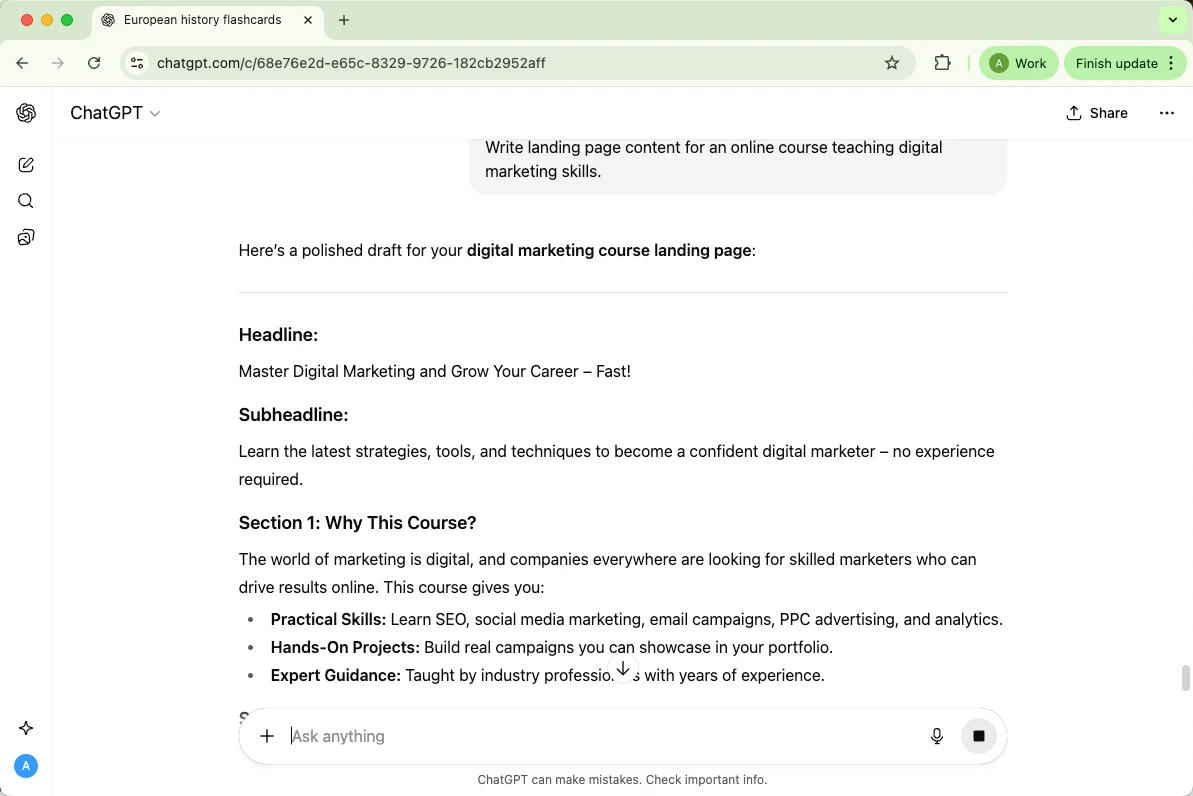
10. Writing Landing Page Copy
Craft persuasive copy for website landing pages to boost conversions. For a stronger ChatGPT example, add real context and ask for the format you want before reusing the answer.
Prompt: “Write landing page content for an online course teaching digital marketing skills. Add the product, audience, channel, offer, and brand voice.”
4. ChatGPT Examples for Job Hunting & Career Growth
Job-search prompts are most helpful when you paste the role description, your real achievements, and the tone you want. ChatGPT can help shape resumes, cover letters, interview practice, and networking messages, but the final version should still sound like you.
Here are examples for career planning and application materials.
1. Resume Writing & Improvement
Create clear, professional, and optimized resumes. For a stronger ChatGPT example, add real context and ask for the format you want before reusing the answer.
Prompt: “Improve my resume for a software engineering position, emphasizing achievements and technical skills. Add the target role, experience level, company context, and preferred tone.”
2. Tailored Cover Letters
Write customized cover letters for each application. For a stronger ChatGPT example, add real context and ask for the format you want before reusing the answer.
Prompt: “Write a cover letter for a marketing analyst role highlighting my social media experience. Add the target role, experience level, company context, and preferred tone.”
3. Job Interview Practice
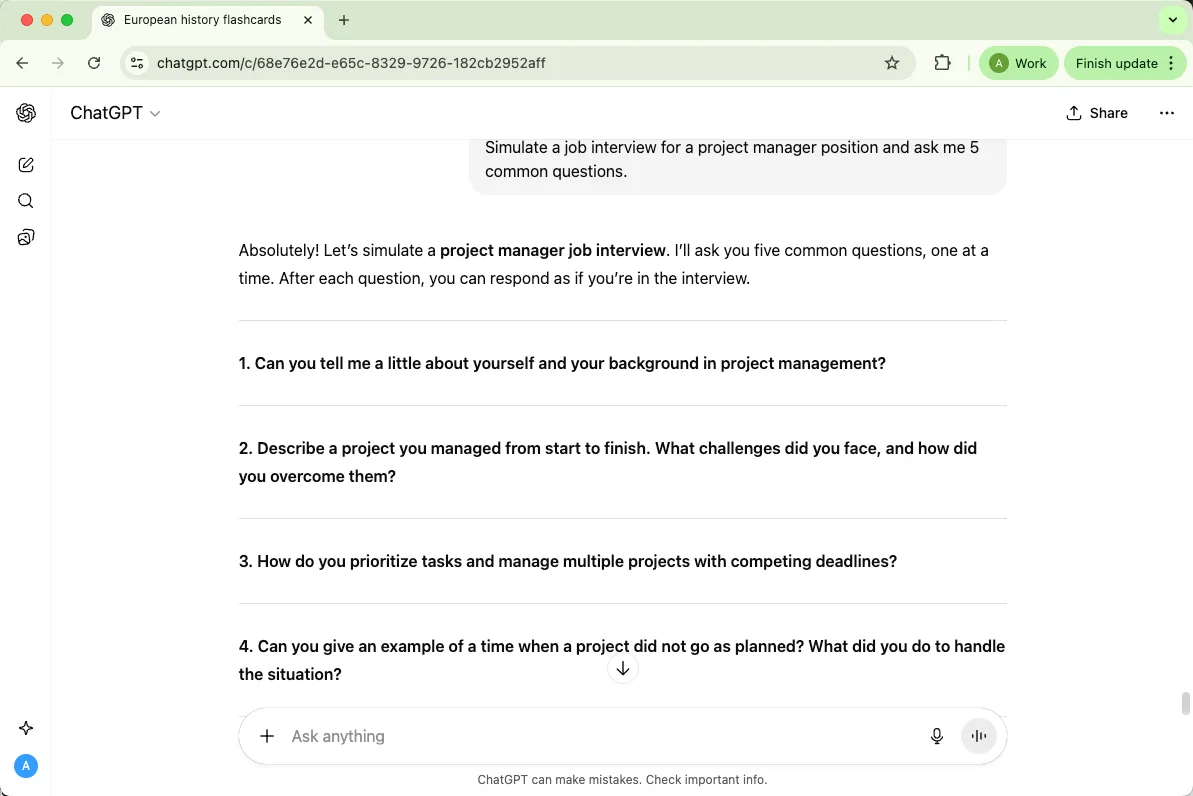
Get realistic mock interview questions and suggested answers. For a stronger ChatGPT example, add real context and ask for the format you want before reusing the answer.
Prompt: “Simulate a job interview for a project manager position and ask me 5 common questions. Add the target role, experience level, company context, and preferred tone.”
4. Crafting LinkedIn Bios
Optimize your LinkedIn profile to attract recruiters. For a stronger ChatGPT example, add real context and ask for the format you want before reusing the answer.
Prompt: “Write a LinkedIn bio for a data scientist emphasizing analytics and problem-solving skills. Add the target role, experience level, company context, and preferred tone.”
5. Writing Follow-Up Emails
Send polite and effective follow-ups after interviews or networking. For a stronger ChatGPT example, add real context and ask for the format you want before reusing the answer.
Prompt: “Draft a follow-up email thanking the recruiter after a first-round interview. Add the target role, experience level, company context, and preferred tone.”
6. Summarizing Job Descriptions
Quickly understand the key responsibilities and qualifications. For a stronger ChatGPT example, add real context and ask for the format you want before reusing the answer.
Prompt: “Summarize this job posting for a UX designer into key responsibilities and skills. Add the target role, experience level, company context, and preferred tone.”
7. Listing Key Skills Per Role
Identify the top skills recruiters expect for specific positions. For a stronger ChatGPT example, add real context and ask for the format you want before reusing the answer.
Prompt: “List the top 10 skills needed for a product manager role in tech. Add the target role, experience level, company context, and preferred tone.”
8. Personal Branding Tips
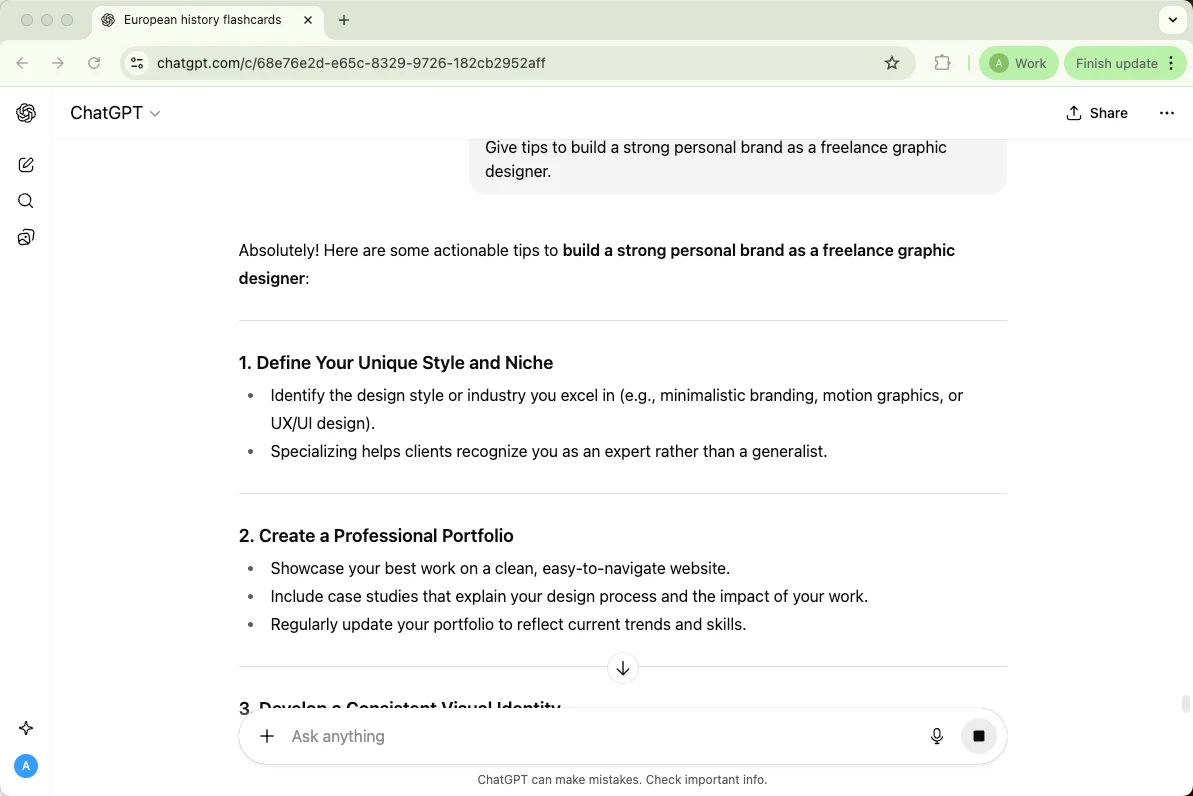
Enhance your professional presence across platforms. For a stronger ChatGPT example, add real context and ask for the format you want before reusing the answer.
Prompt: “Give tips to build a strong personal brand as a freelance graphic designer. Add the target role, experience level, company context, and preferred tone.”
9. Negotiating Salary Scripts
Prepare professional scripts for salary and benefits negotiations. For a stronger ChatGPT example, add real context and ask for the format you want before reusing the answer.
Prompt: “Write a polite script to negotiate a higher salary for a job offer. Add the target role, experience level, company context, and preferred tone.”
10. Career Path Exploration
Get guidance on potential growth opportunities or role transitions. For a stronger ChatGPT example, add real context and ask for the format you want before reusing the answer.
Prompt: “Suggest career paths for someone with experience in marketing and project management. Add the target role, experience level, company context, and preferred tone.”
5. ChatGPT for Creativity & Entertainment
Feeling stuck or just looking for fun? ChatGPT can be your creative partner, helping you brainstorm ideas, write stories, design games, or even come up with jokes. Whether for personal projects or just to spark your imagination, it keeps the creative juices flowing.
Here’s how you can use it for entertainment and creativity:
1. Writing Short Stories
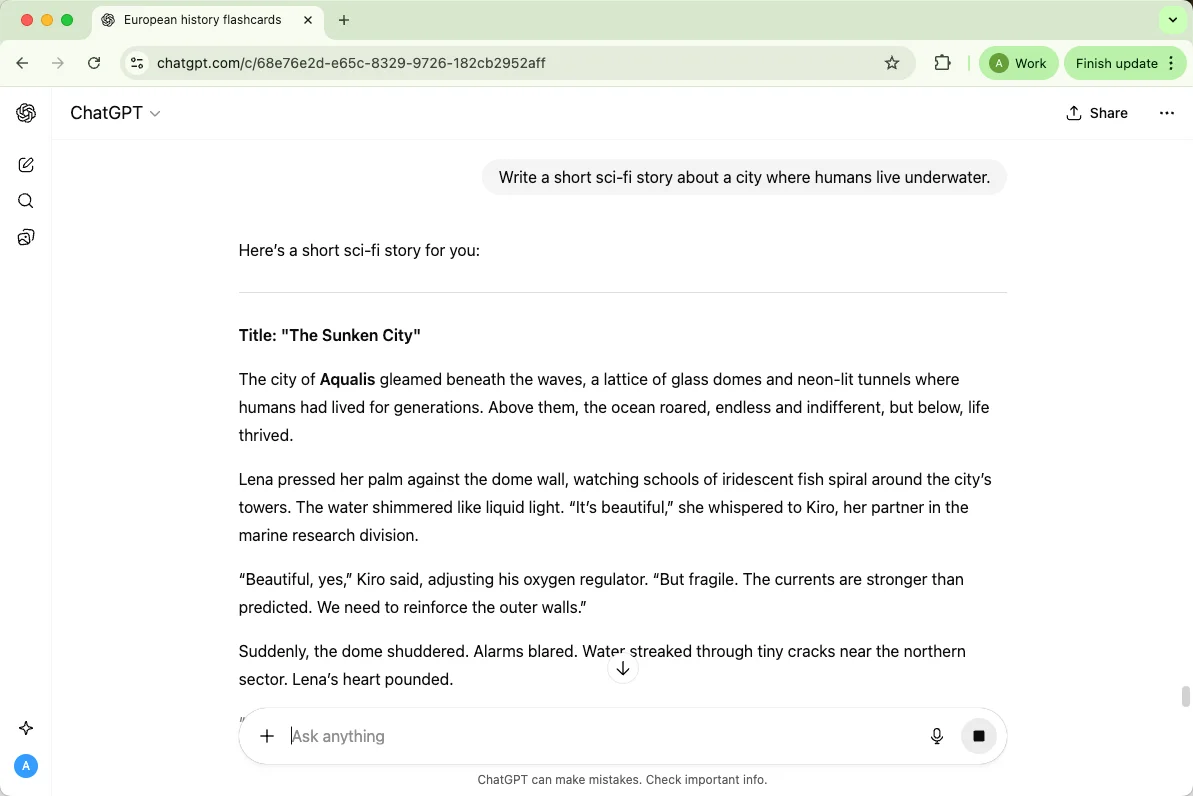
Generate engaging stories for any theme or genre. For a stronger ChatGPT example, add real context and ask for the format you want before reusing the answer.
Prompt: “Write a short sci-fi story about a city where humans live underwater. Add the genre, mood, length, audience, and creative boundaries.”
2. Brainstorming Movie Plots
Develop compelling plots or storylines for films. For a stronger ChatGPT example, add real context and ask for the format you want before reusing the answer.
Prompt: “Give me 5 thriller movie plot ideas with a plot twist at the end. Add the genre, mood, length, audience, and creative boundaries.”
3. D&D Character Creation
Build unique tabletop RPG characters with detailed backstories. For a stronger ChatGPT example, add real context and ask for the format you want before reusing the answer.
Prompt: “Create a D&D character profile for an elf rogue with a mysterious past. Add the genre, mood, length, audience, and creative boundaries.”
4. Game Idea Generation
Brainstorm concepts for video or board games. For a stronger ChatGPT example, add real context and ask for the format you want before reusing the answer.
Prompt: “Suggest 10 creative game ideas suitable for mobile platforms. Add the genre, mood, length, audience, and creative boundaries.”
5. Writing Jokes and Riddles
Get funny or clever jokes for entertainment or social media. For a stronger ChatGPT example, add real context and ask for the format you want before reusing the answer.
Prompt: “Write 5 clean, funny riddles for kids. Add the genre, mood, length, audience, and creative boundaries.”
6. Brainstorming Podcast Ideas
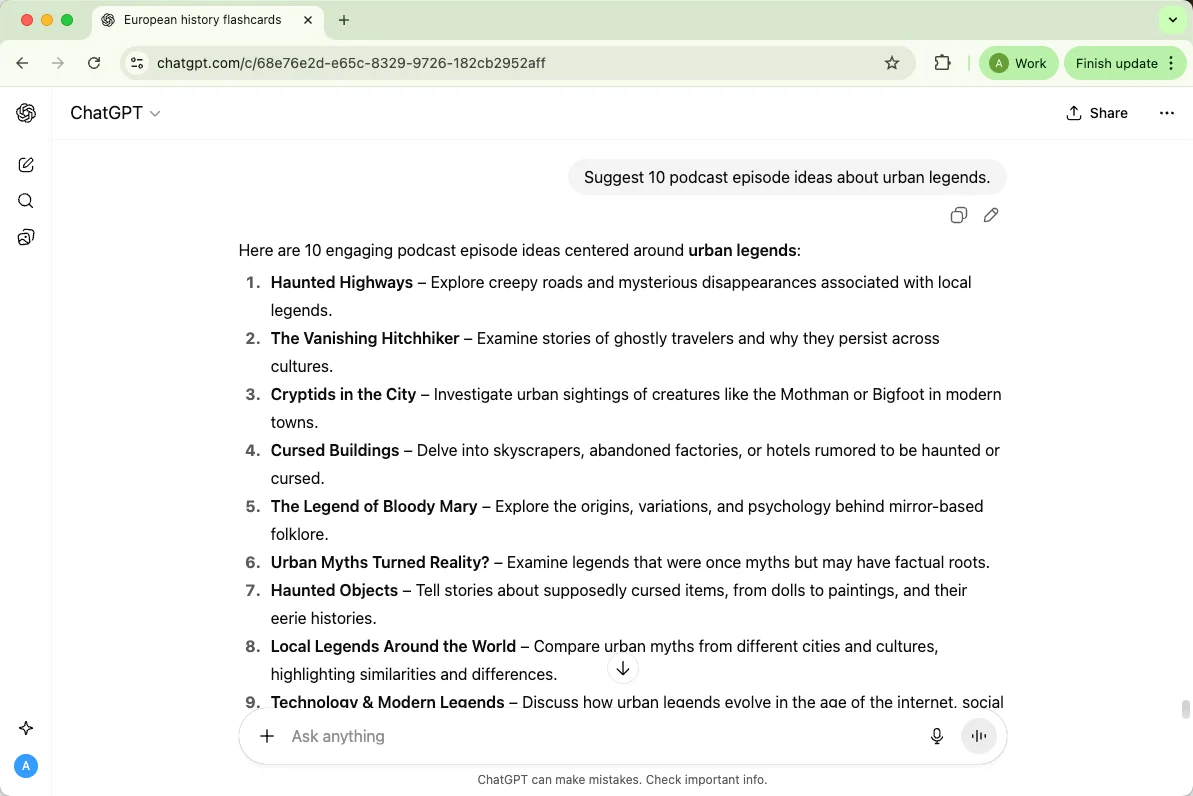
Plan topics or formats for engaging podcasts. For a stronger ChatGPT example, add real context and ask for the format you want before reusing the answer.
Prompt: “Suggest 10 podcast episode ideas about urban legends. Add the genre, mood, length, audience, and creative boundaries.”
7. Creating Interactive Fiction
Build text-based stories where readers make choices. For a stronger ChatGPT example, add real context and ask for the format you want before reusing the answer.
Prompt: “Write an interactive fiction scenario set in a haunted mansion. Add the genre, mood, length, audience, and creative boundaries.”
8. Role-Playing Scenes
Simulate dialogue or scenarios for practice or storytelling. For a stronger ChatGPT example, add real context and ask for the format you want before reusing the answer.
Prompt: “Role-play a negotiation between a medieval king and a rebel leader. Add the genre, mood, length, audience, and creative boundaries.”
9. Writing Screenplays
Draft scripts or scene ideas for short films or plays. For a stronger ChatGPT example, add real context and ask for the format you want before reusing the answer.
Prompt: “Write a one-page screenplay scene for a romantic comedy in a café. Add the genre, mood, length, audience, and creative boundaries.”
10. Making Fun Quizzes
Design quizzes for friends, students, or social media. For a stronger ChatGPT example, add real context and ask for the format you want before reusing the answer.
Prompt: “Create a fun personality quiz to determine someone’s ideal vacation spot. Add the genre, mood, length, audience, and creative boundaries.”
6. ChatGPT Examples for Coding and Development
For coding tasks, include the language, framework, expected behavior, error message, and a small input/output example. ChatGPT can explain code, suggest tests, and draft snippets, but you should run and review anything before using it in production.
These examples are useful for debugging, learning, and planning development work.
1. Debugging Code
ChatGPT can spot logic or syntax issues and suggest fixes in plain English. For a stronger ChatGPT example, add real context and ask for the format you want before reusing the answer.
Prompt: “Here’s my Python code. It’s throwing an error — can you help me find and fix it. Add the language, framework, input example, expected output, and any error message.”
2. Writing Algorithms or Functions
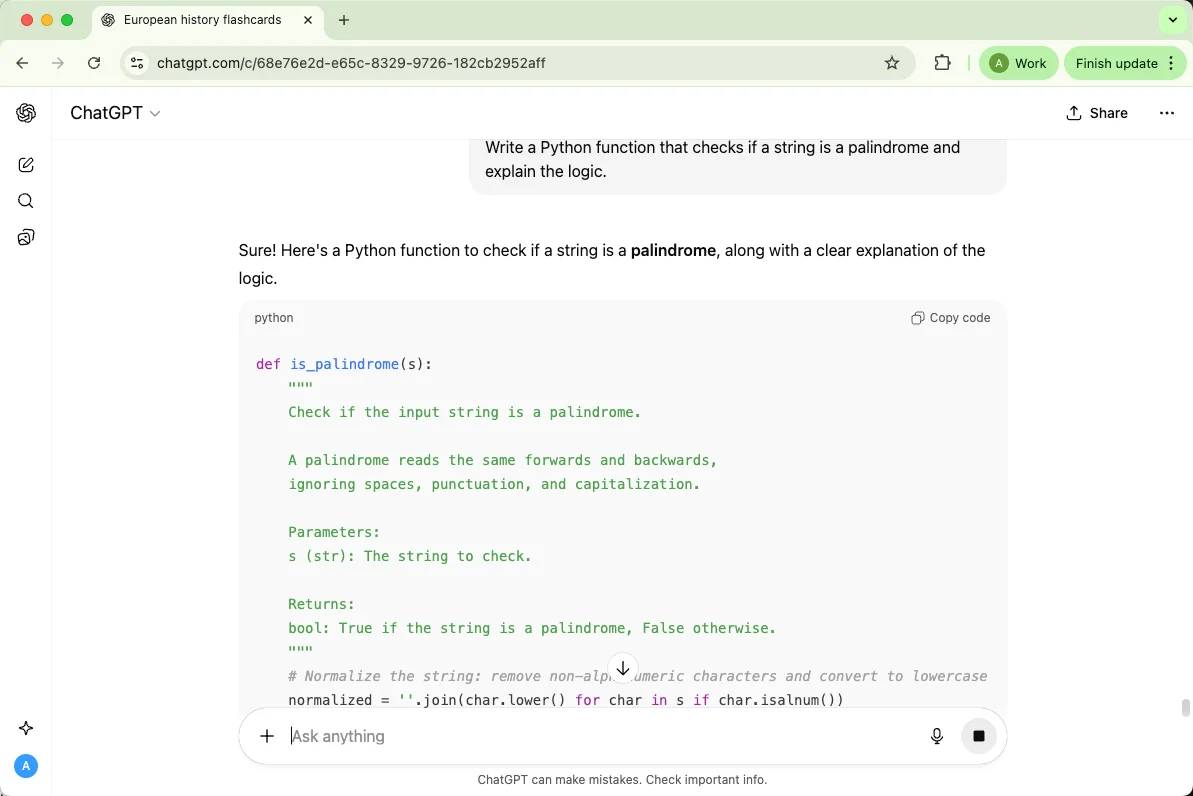
Need a quick function to handle a task? ChatGPT can draft it and even explain how it works. For a stronger ChatGPT example, add real context and ask for the format you want before reusing the answer.
Prompt: “Write a Python function that checks if a string is a palindrome and explain the logic. Add the language, framework, input example, expected output, and any error message.”
3. Converting Between Programming Languages
Easily translate code from one language to another without rewriting everything manually. For a stronger ChatGPT example, add real context and ask for the format you want before reusing the answer.
Prompt: “Convert this JavaScript function into Python and explain any syntax changes. Add the language, framework, input example, expected output, and any error message.”
4. Creating Code Snippets or Templates
Save time by asking for reusable code templates for common tasks. For a stronger ChatGPT example, add real context and ask for the format you want before reusing the answer.
Prompt: “Create a reusable HTML and CSS template for a product card layout. Add the language, framework, input example, expected output, and any error message.”
5. Generating Documentation
ChatGPT can summarize your code and write clear docstrings or README sections. For a stronger ChatGPT example, add real context and ask for the format you want before reusing the answer.
Prompt: “Generate a short README for this Python project explaining its purpose and how to run it. Add the language, framework, input example, expected output, and any error message.”
6. Explaining Code Step-by-Step
Paste your code and let ChatGPT break it down in simple terms — great for learning or onboarding. For a stronger ChatGPT example, add real context and ask for the format you want before reusing the answer.
Prompt: “Explain what this JavaScript function does, line by line. Add the language, framework, input example, expected output, and any error message.”
7. Writing SQL Queries
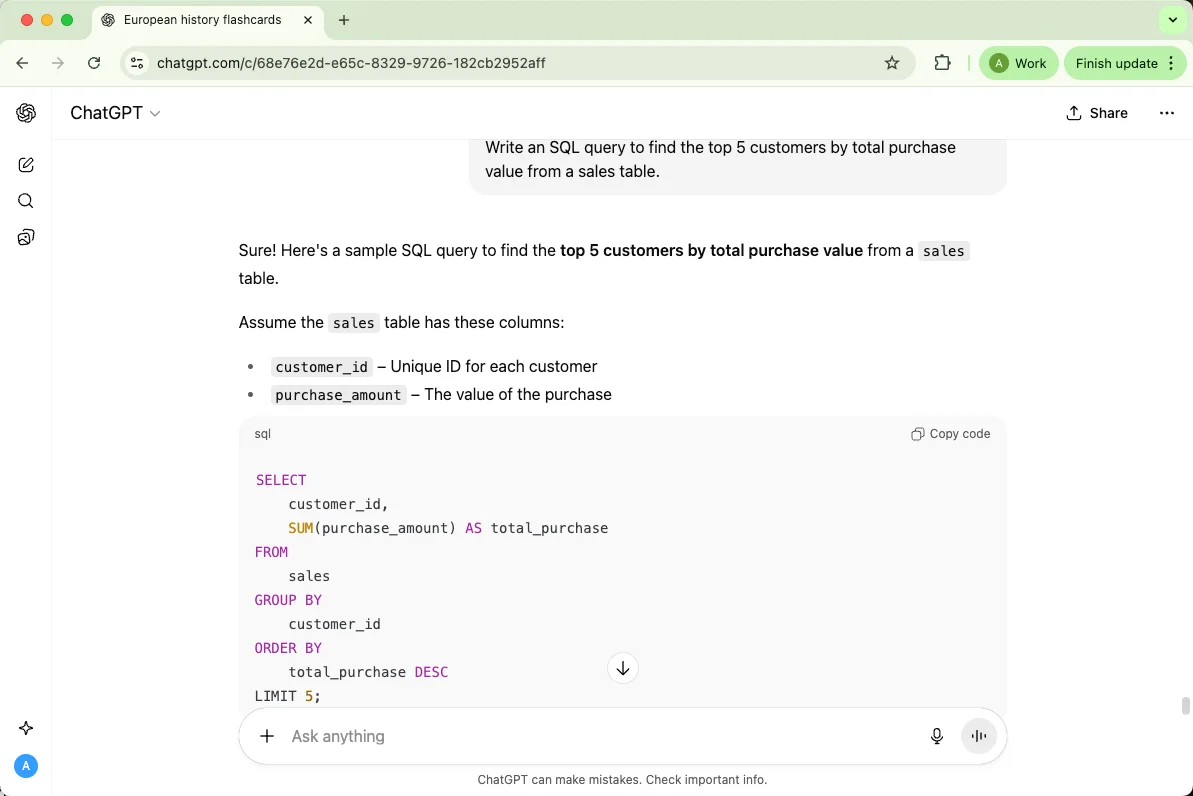
If you’re not fluent in SQL, ChatGPT can build and optimize queries for you. For a stronger ChatGPT example, add real context and ask for the format you want before reusing the answer.
Prompt: “Write an SQL query to find the top 5 customers by total purchase value from a sales table. Add the language, framework, input example, expected output, and any error message.”
8. Optimizing Performance
Ask for suggestions to make your code faster or more efficient. For a stronger ChatGPT example, add real context and ask for the format you want before reusing the answer.
Prompt: “Here’s my Python loop — can you suggest a more efficient way to handle this operation. Add the language, framework, input example, expected output, and any error message.”
9. Building APIs or Backend Logic
ChatGPT can sketch out an API structure or backend logic for your app idea. For a stronger ChatGPT example, add real context and ask for the format you want before reusing the answer.
Prompt: “Outline a simple REST API structure for a task management app with user authentication. Add the language, framework, input example, expected output, and any error message.”
10. Generating Unit Tests
Testing can be tedious, but ChatGPT can help generate test cases automatically. For a stronger ChatGPT example, add real context and ask for the format you want before reusing the answer.
Prompt: “Write unit tests in Jest for this JavaScript function that calculates discounts. Add the language, framework, input example, expected output, and any error message.”
7. ChatGPT Examples for Data and Analysis
Let’s be real — data work can get messy fast. From cleaning up spreadsheets to drawing insights from reports, it’s easy to drown in numbers. That’s where ChatGPT steps in. It won’t crunch massive datasets for you, but it will help you make sense of them, generate summaries, and even guide you through analysis logic like a friendly data-savvy mentor.
You can think of it as having a data assistant who understands plain English and can translate your questions into structured insights.
Here are 10 ways to make ChatGPT your go-to data sidekick:
1. Summarizing Reports
Got a long data report or table? ChatGPT can summarize the key points in seconds. For a stronger ChatGPT example, add real context and ask for the format you want before reusing the answer.
Prompt: “Summarize the main insights from this sales performance report in under 100 words. Add the columns, metric definitions, timeframe, and preferred table or chart format.”
2. Explaining Data Trends
Not sure what your numbers are saying? Ask ChatGPT to help interpret the trends. For a stronger ChatGPT example, add real context and ask for the format you want before reusing the answer.
Prompt: “Explain what these quarterly sales figures suggest about our overall growth trend. Add the columns, metric definitions, timeframe, and preferred table or chart format.”
3. Creating Data Formulas
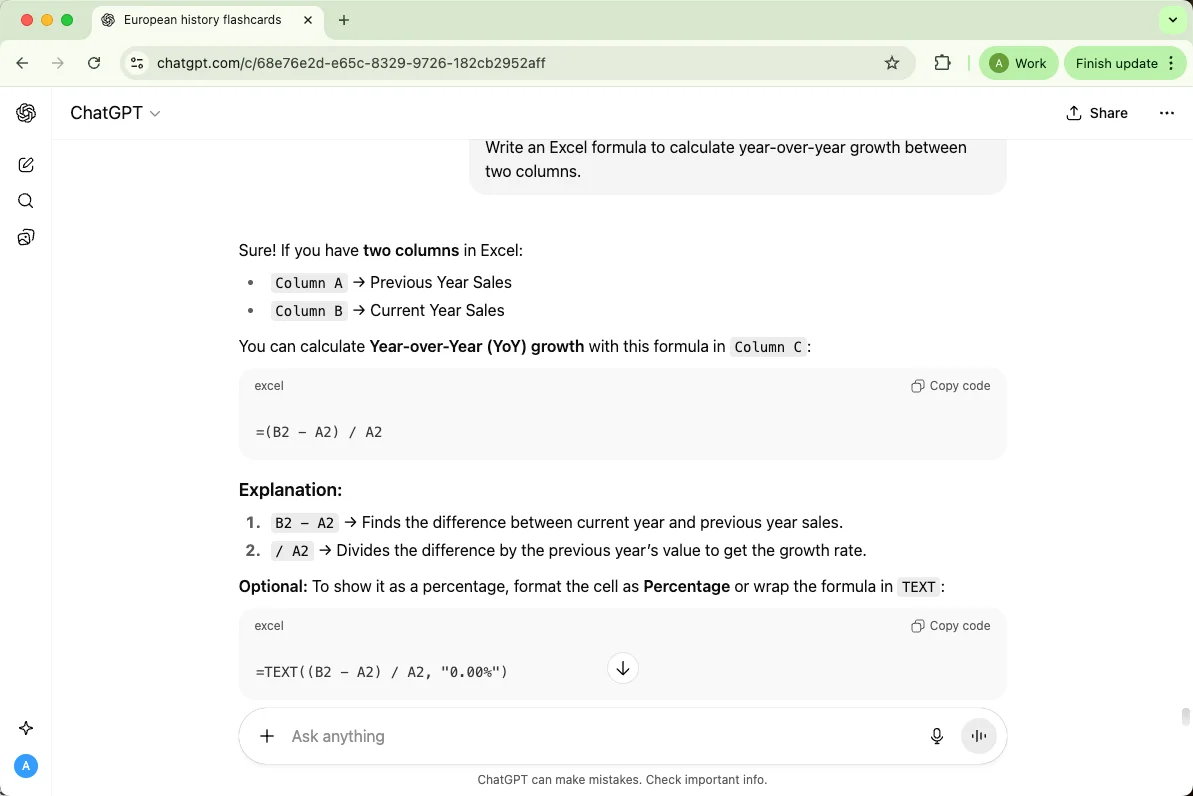
Need an Excel or Google Sheets formula but can’t quite remember the syntax? ChatGPT’s got you. For a stronger ChatGPT example, add real context and ask for the format you want before reusing the answer.
Prompt: “Write an Excel formula to calculate year-over-year growth between two columns. Add the columns, metric definitions, timeframe, and preferred table or chart format.”
4. Designing Dashboards
Before you even open a visualization tool, ChatGPT can outline what your dashboard should include. For a stronger ChatGPT example, add real context and ask for the format you want before reusing the answer.
Prompt: “Suggest the best KPIs and layout for a marketing analytics dashboard in Power BI. Add the columns, metric definitions, timeframe, and preferred table or chart format.”
5. Cleaning and Structuring Data
Messy dataset? ChatGPT can show you how to clean it up or write scripts to automate the process. For a stronger ChatGPT example, add real context and ask for the format you want before reusing the answer.
Prompt: “How can I clean and normalize inconsistent date formats in a CSV using Python. Add the columns, metric definitions, timeframe, and preferred table or chart format.”
6. Generating SQL Queries for Analysis
Need to pull specific insights from a database but not sure how to phrase it in SQL. For a stronger ChatGPT example, add real context and ask for the format you want before reusing the answer.
Prompt: “Write an SQL query to find customers who spent more than $500 last month. Add the columns, metric definitions, timeframe, and preferred table or chart format.”
7. Creating Visualizations
While ChatGPT doesn’t draw graphs directly, it can help you structure code or design ideas for charts. For a stronger ChatGPT example, add real context and ask for the format you want before reusing the answer.
Prompt: “Generate a Python script using matplotlib to plot sales by region as a bar chart. Add the columns, metric definitions, timeframe, and preferred table or chart format.”
8. Performing Statistical Analysis
Need a quick refresher on t-tests or regression? ChatGPT can guide you through the concepts and steps. For a stronger ChatGPT example, add real context and ask for the format you want before reusing the answer.
Prompt: “Explain how to run a linear regression in Python and interpret the coefficients. Add the columns, metric definitions, timeframe, and preferred table or chart format.”
9. Interpreting Metrics
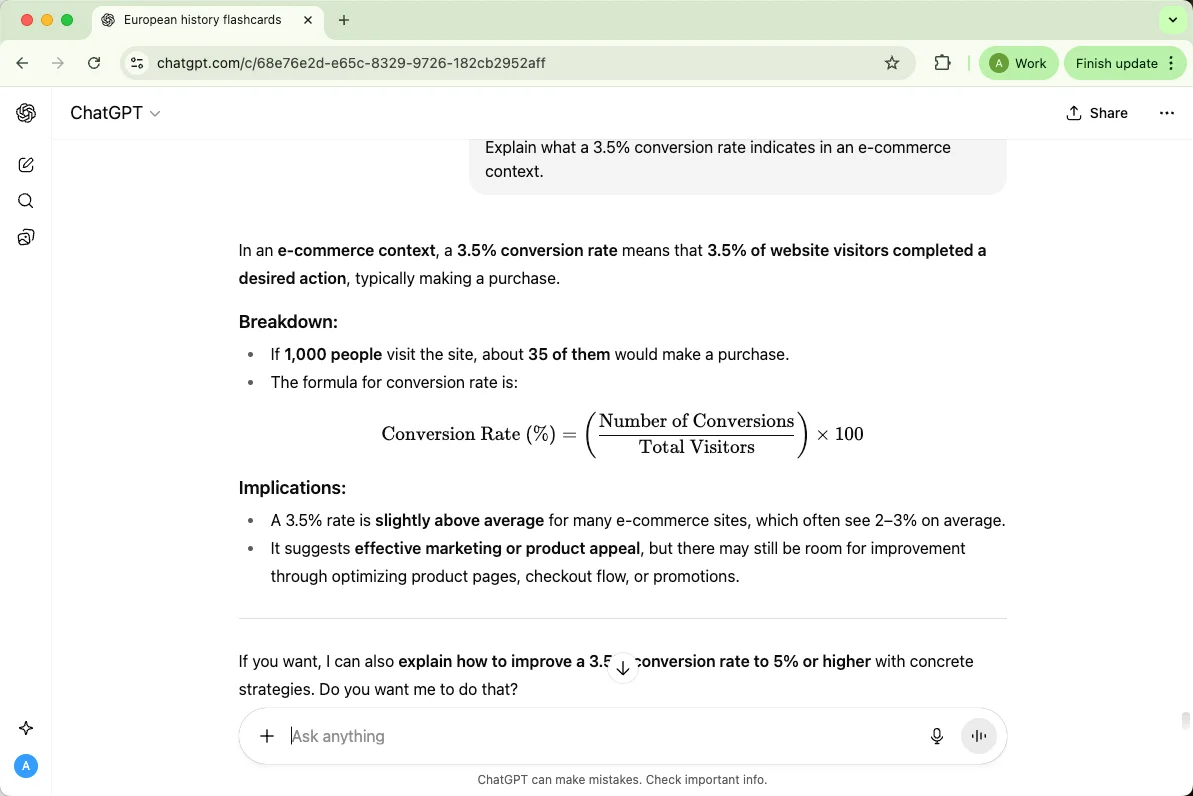
Ever looked at a dashboard and thought, “Okay, but what does that number mean ?” ChatGPT can help translate data into plain language. For a stronger ChatGPT example, add real context and ask for the format you want before reusing the answer.
Prompt: “Explain what a 3.5% conversion rate indicates in an e-commerce context. Add the columns, metric definitions, timeframe, and preferred table or chart format.”
10. Building Analysis Plans
If you’re starting from scratch, ChatGPT can help you plan your approach like a pro analyst. For a stronger ChatGPT example, add real context and ask for the format you want before reusing the answer.
Prompt: “Outline a step-by-step data analysis plan for measuring ad campaign effectiveness. Add the columns, metric definitions, timeframe, and preferred table or chart format.”
8. ChatGPT for Writing and Content Creation
Writing prompts need more than a topic. Add the reader, goal, tone, length, outline, keyword, and examples of what you like or dislike.
For longer academic or content drafts, WriterGPT can help organize the draft path before you polish individual sections in ChatGPT.
1. Blog Post Outlines
Get structure before you write — ChatGPT can generate outlines that save hours. For a stronger ChatGPT example, add real context and ask for the format you want before reusing the answer.
Prompt: “Create an outline for a 1,500-word blog post about sustainable travel tips. Add the reader, search intent, tone, length, and keywords if needed.”
2. Headline Ideas
Need catchy titles? ChatGPT can churn out dozens. For a stronger ChatGPT example, add real context and ask for the format you want before reusing the answer.
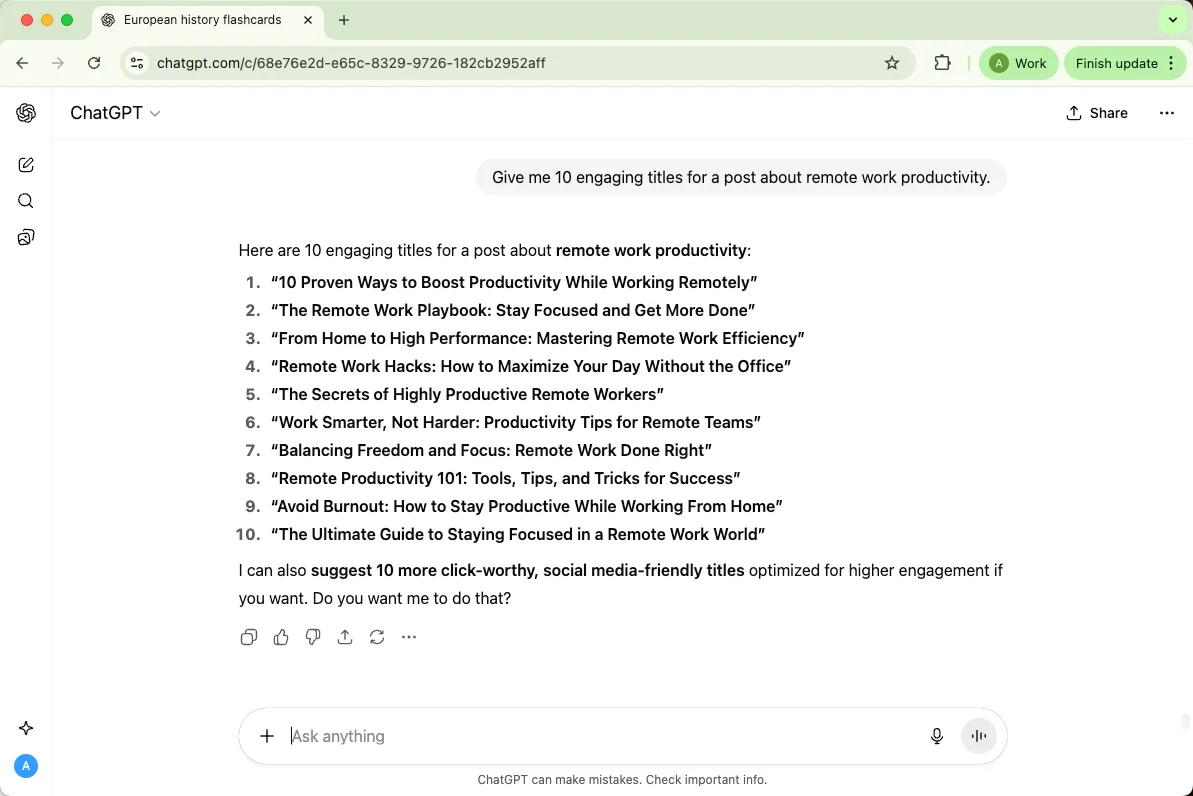
Prompt: “Give me 10 engaging titles for a post about remote work productivity. Add the reader, search intent, tone, length, and keywords if needed.”
3. Rewriting or Polishing Paragraphs
Got a clunky paragraph? Let ChatGPT smooth it out. For a stronger ChatGPT example, add real context and ask for the format you want before reusing the answer.
Prompt: “Rewrite this paragraph to sound more conversational and clear. Add the reader, search intent, tone, length, and keywords if needed.”
4. Expanding Short Drafts
If your writing feels thin, ChatGPT can flesh it out while keeping your tone. For a stronger ChatGPT example, add real context and ask for the format you want before reusing the answer.
Prompt: “Expand this 100-word intro about AI tools into a 250-word engaging section. Add the reader, search intent, tone, length, and keywords if needed.”
5. Ad Copywriting
It’s like having a mini marketing team in chat form. For a stronger ChatGPT example, add real context and ask for the format you want before reusing the answer.
Prompt: “Write 3 variations of a Facebook ad promoting a new fitness app. Add the reader, search intent, tone, length, and keywords if needed.”
6. Social Media Captions
Get caption ideas for Instagram, X, or LinkedIn that fit your style. For a stronger ChatGPT example, add real context and ask for the format you want before reusing the answer.
Prompt: “Give me 5 witty Instagram captions for a coffee brand. Add the reader, search intent, tone, length, and keywords if needed.”
7. Email Drafting
ChatGPT helps you find the right tone — friendly, persuasive, or professional. For a stronger ChatGPT example, add real context and ask for the format you want before reusing the answer.
Prompt: “Write a follow-up email to a client about a pending proposal. Add the reader, search intent, tone, length, and keywords if needed.”
8. Product Descriptions
E-commerce pros, this one’s gold. For a stronger ChatGPT example, add real context and ask for the format you want before reusing the answer.
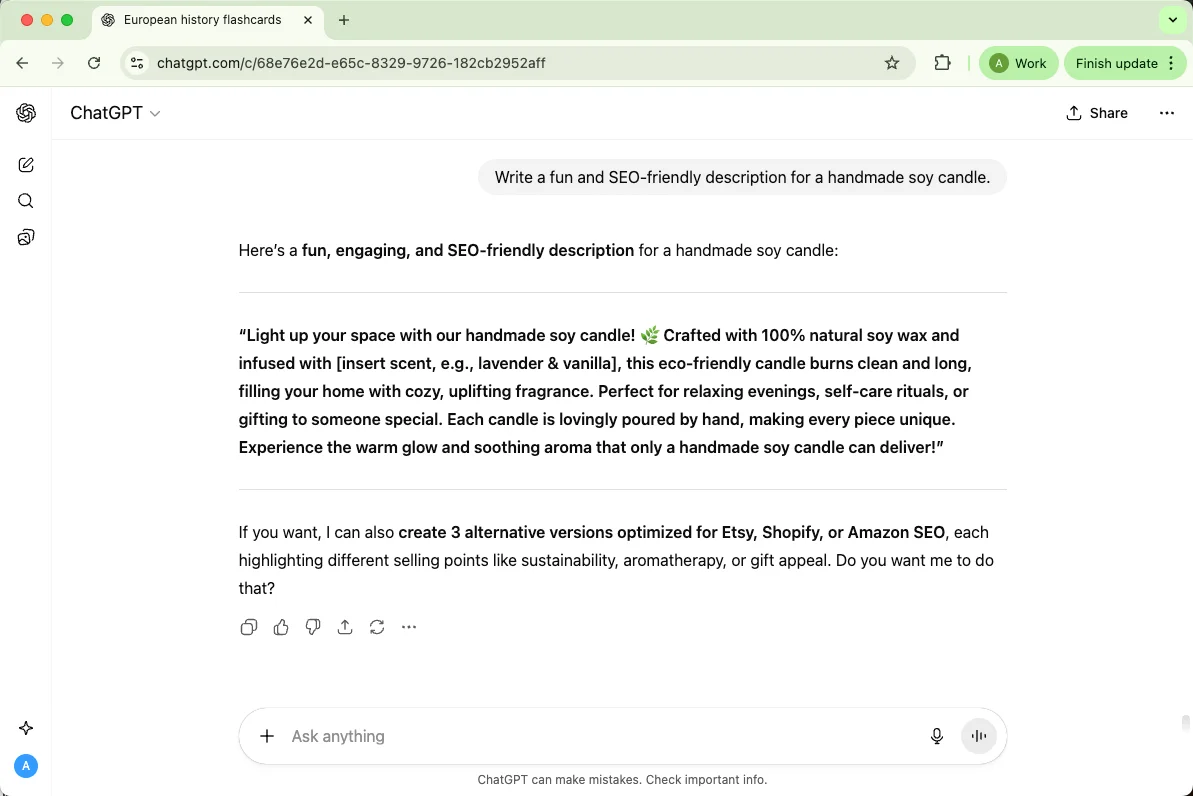
Prompt: “Write a fun and SEO-friendly description for a handmade soy candle. Add the reader, search intent, tone, length, and keywords if needed.”
9. Editing for Tone and Grammar
ChatGPT works like a built-in editor who gets your vibe. For a stronger ChatGPT example, add real context and ask for the format you want before reusing the answer.
Prompt: “Edit this paragraph to sound more confident but still approachable. Add the reader, search intent, tone, length, and keywords if needed.”
10. Creative Storytelling
Feeling imaginative? ChatGPT can co-write stories or character arcs with you. For a stronger ChatGPT example, add real context and ask for the format you want before reusing the answer.
Prompt: “Write a short opening scene for a sci-fi story about a rogue AI. Add the reader, search intent, tone, length, and keywords if needed.”
9. ChatGPT for Planning and Organization
If your brain feels like a dozen browser tabs open at once, ChatGPT can help you close a few. Whether you’re planning a trip, organizing your week, or mapping out a new project, it acts like a personal assistant who never forgets details and never complains about scheduling. You bring the goal — ChatGPT brings structure, reminders, and creative ways to get there. Here are 10 great ways to use ChatGPT for planning and organization:. For a stronger ChatGPT example, add real context and ask for the format you want before reusing the answer.
Prompt: “Help me with chatgpt for planning and organization. Include the reader, search intent, tone, length, and keywords if needed.”
1. Daily To-Do Lists
Start your day with clarity — ChatGPT can build a realistic to-do list based on your goals. For a stronger ChatGPT example, add real context and ask for the format you want before reusing the answer.
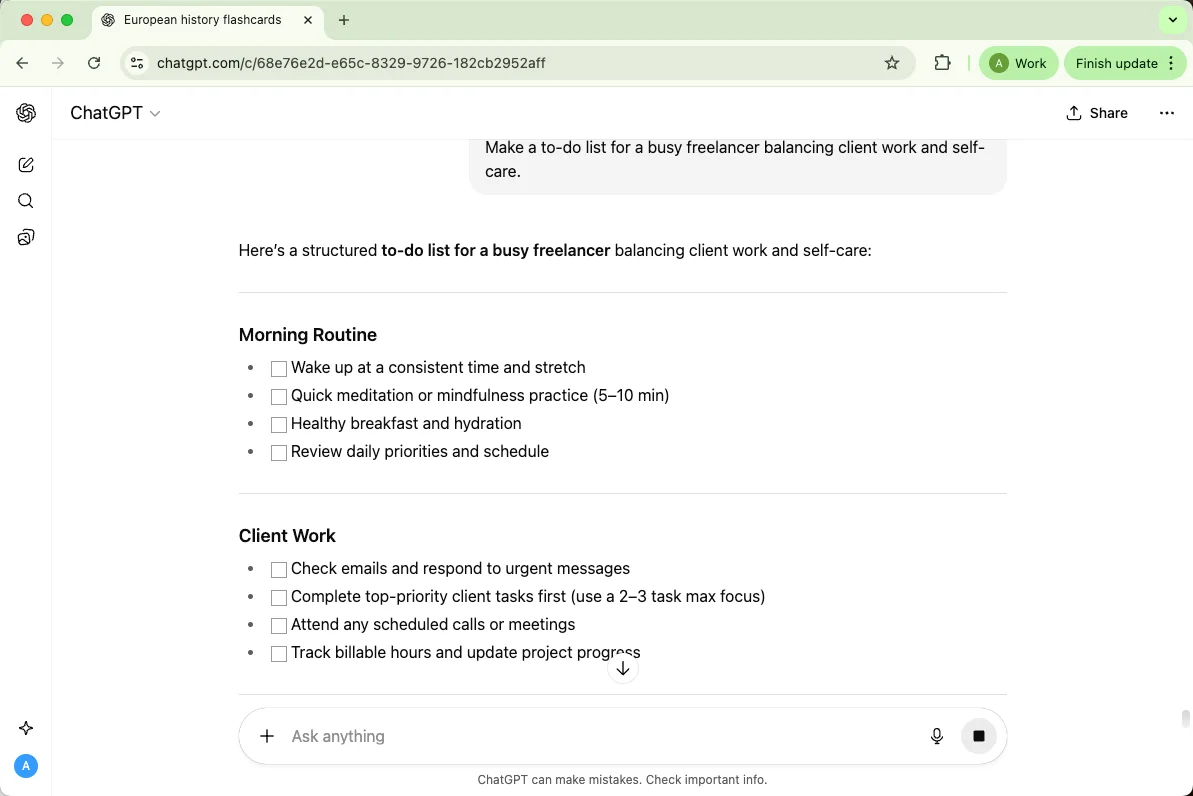
Prompt: “Make a to-do list for a busy freelancer balancing client work and self-care. Add the reader, search intent, tone, length, and keywords if needed.”
2. Weekly Schedules
Too much going on? Let ChatGPT block your week efficiently. For a stronger ChatGPT example, add real context and ask for the format you want before reusing the answer.
Prompt: “Create a balanced weekly schedule for work, workouts, and relaxation. Add the reader, search intent, tone, length, and keywords if needed.”
3. Goal Planning
Turn vague ideas into actionable steps. For a stronger ChatGPT example, add real context and ask for the format you want before reusing the answer.
Prompt: “Break down my goal of learning Python into a 4-week action plan. Add the reader, search intent, tone, length, and keywords if needed.”
4. Meal Planning
Skip the ‘what’s for dinner’ spiral — ChatGPT can plan your meals around budget or diet. For a stronger ChatGPT example, add real context and ask for the format you want before reusing the answer.
Prompt: “Make a 5-day vegetarian meal plan with simple recipes. Add the reader, search intent, tone, length, and keywords if needed.”
5. Event Planning
From parties to conferences, ChatGPT can help you organize every piece. For a stronger ChatGPT example, add real context and ask for the format you want before reusing the answer.
Prompt: “Outline a birthday party plan for 10 people on a $200 budget. Add the reader, search intent, tone, length, and keywords if needed.”
6. Study or Revision Plans
Students, meet your digital study coach. For a stronger ChatGPT example, add real context and ask for the format you want before reusing the answer.
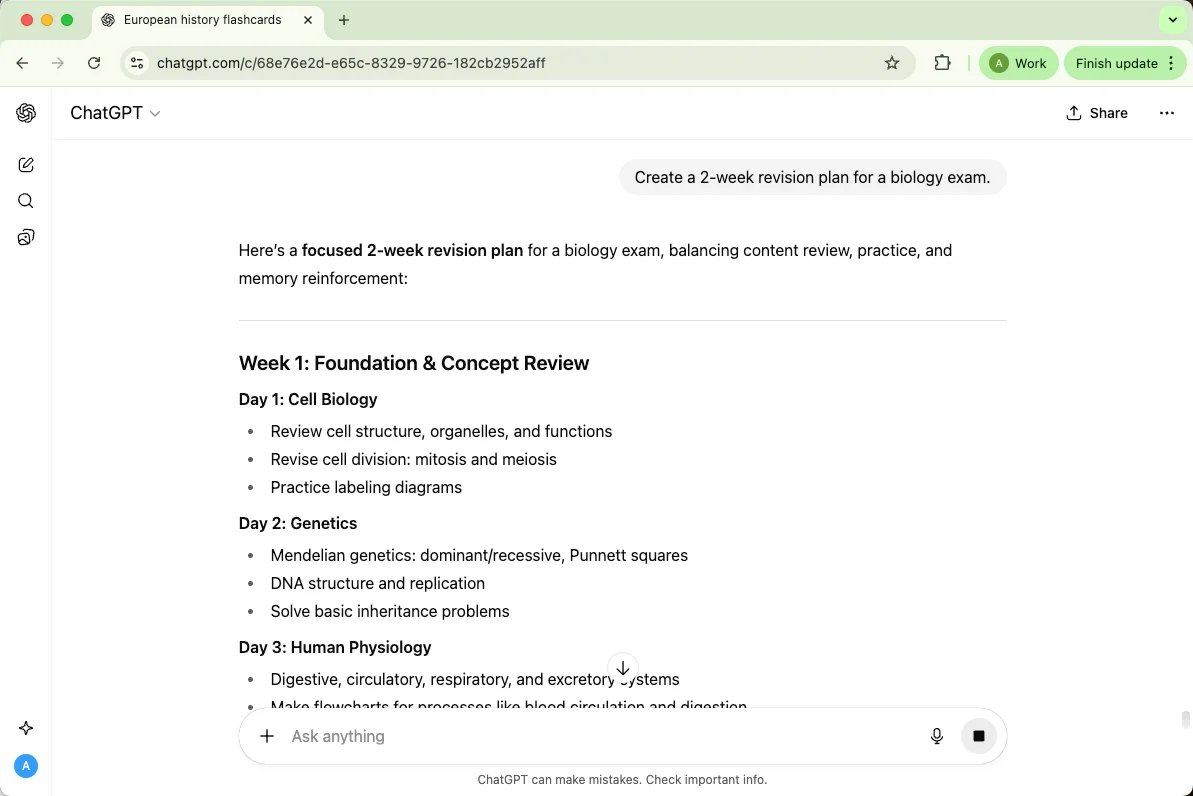
Prompt: “Create a 2-week revision plan for a biology exam. Add the reader, search intent, tone, length, and keywords if needed.”
7. Travel Itineraries
Forget generic travel sites — ChatGPT can craft a trip that fits your vibe. For a stronger ChatGPT example, add real context and ask for the format you want before reusing the answer.
Prompt: “Plan a 4-day trip to Kyoto with cultural and foodie stops. Add the reader, search intent, tone, length, and keywords if needed.”
8. Budget Planning
ChatGPT can help make your finances feel less scary. For a stronger ChatGPT example, add real context and ask for the format you want before reusing the answer.
Prompt: “Create a monthly budget plan for someone earning $3,000 after tax. Add the reader, search intent, tone, length, and keywords if needed.”
9. Fitness Routines
Tell it your goals, and it’ll help you map a plan you’ll actually stick with. For a stronger ChatGPT example, add real context and ask for the format you want before reusing the answer.
Prompt: “Design a 3-day workout plan for beginners focused on strength training. Add the reader, search intent, tone, length, and keywords if needed.”
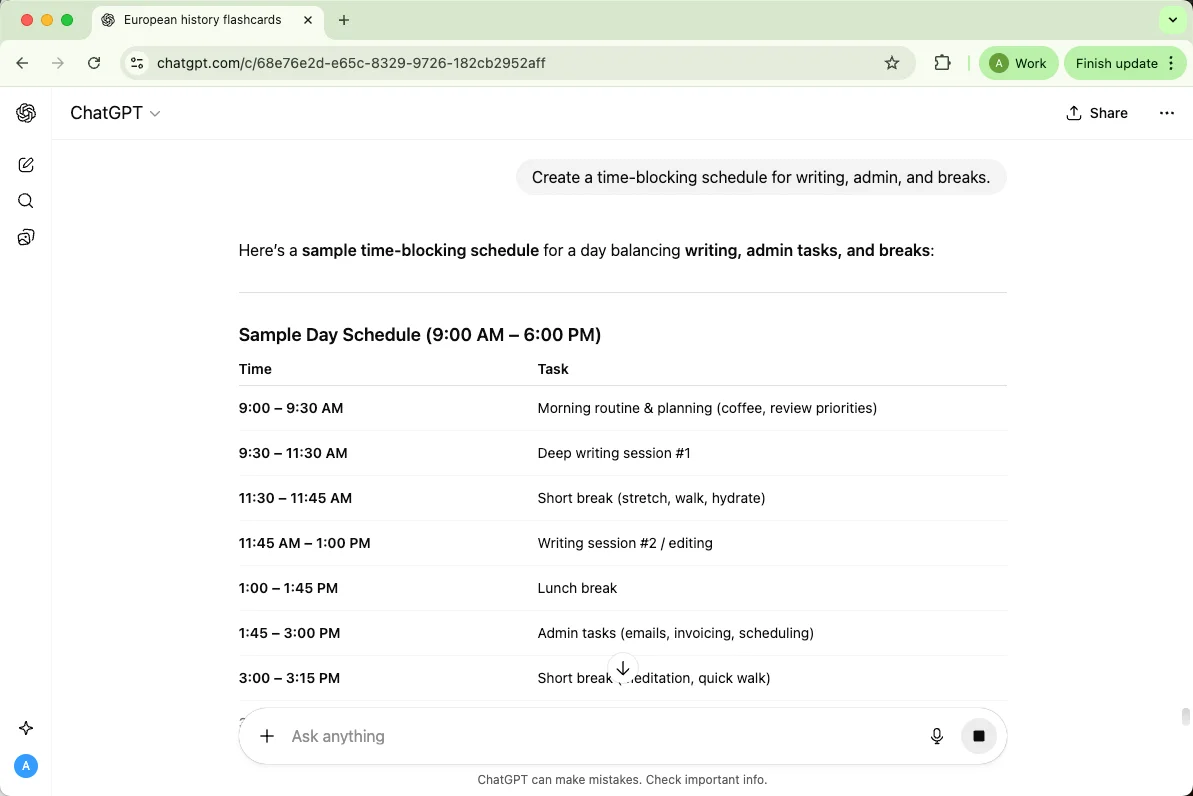
10. Time Blocking for Focus
Get your hours back — ChatGPT can help divide your day into focused work sessions. For a stronger ChatGPT example, add real context and ask for the format you want before reusing the answer.
Prompt: “Create a time-blocking schedule for writing, admin, and breaks. Add the reader, search intent, tone, length, and keywords if needed.”
10. ChatGPT for Job Hunting
Job searching can feel like a full-time job on its own — writing resumes, drafting cover letters, preparing for interviews... it’s a lot. That’s where ChatGPT really shines. Think of it as your personal career assistant that never gets tired of editing, brainstorming, or cheering you on.
Whether you’re fresh out of school, switching industries, or gunning for that dream role, ChatGPT can help you present your best self — smartly and confidently.
Here’s how people use it when job hunting 👇
1. Resume Optimization
You can drop in your existing resume and ask ChatGPT to polish it for clarity, tone, and relevance. For a stronger ChatGPT example, add real context and ask for the format you want before reusing the answer.
Prompt: “Revise my resume to sound more professional and results-focused for a marketing role. Add the target role, experience level, company context, and preferred tone.”
2. Cover Letter Writing
ChatGPT helps craft personalized, confident letters that don’t sound robotic. For a stronger ChatGPT example, add real context and ask for the format you want before reusing the answer.
Prompt: “Write a cover letter for a software developer position at Google using this resume summary. Add the target role, experience level, company context, and preferred tone.”
3. LinkedIn Profile Refresh
Your profile is often the first impression — ChatGPT can make it shine. For a stronger ChatGPT example, add real context and ask for the format you want before reusing the answer.
Prompt: “Rewrite my LinkedIn ‘About’ section to sound confident, engaging, and recruiter-friendly. Add the target role, experience level, company context, and preferred tone.”
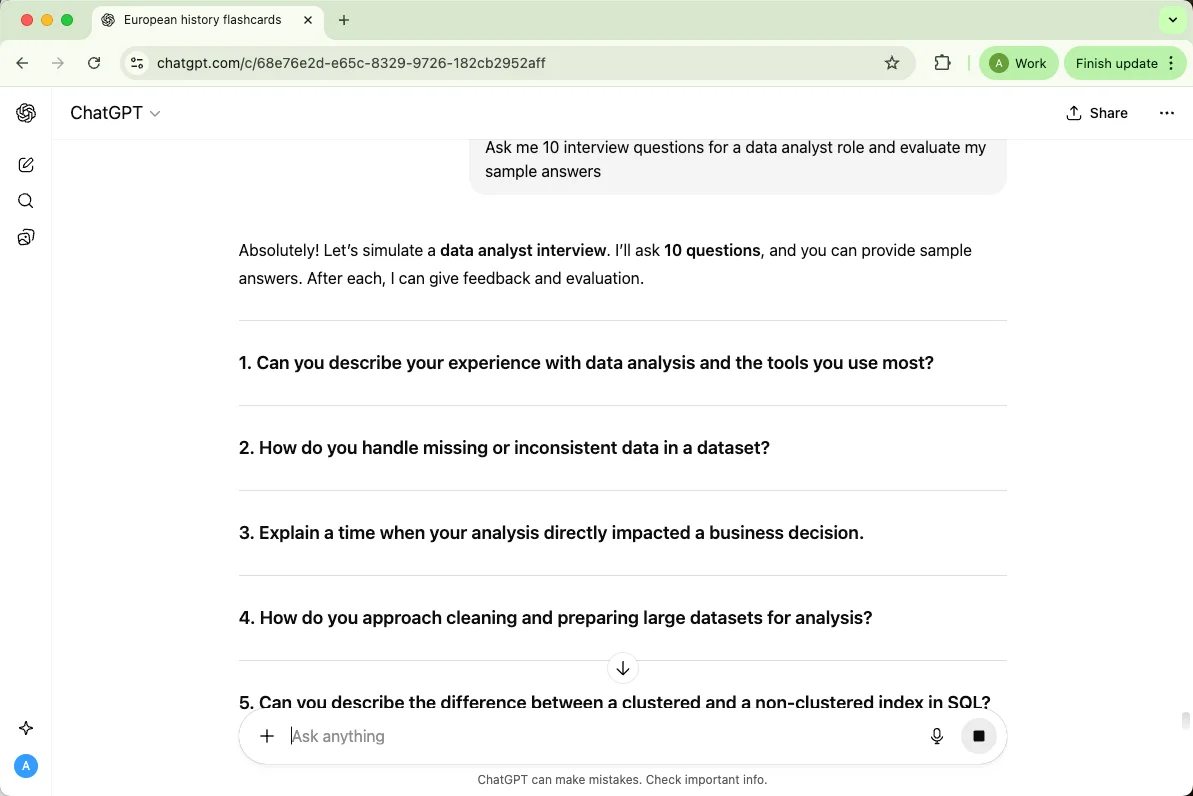
4. Interview Prep
From behavioral questions to tricky curveballs, ChatGPT can help you practice like a pro. For a stronger ChatGPT example, add real context and ask for the format you want before reusing the answer.
Prompt: “Ask me 10 interview questions for a data analyst role and evaluate my sample answers. Add the target role, experience level, company context, and preferred tone.”
5. Career Path Exploration
Not sure what direction to go? ChatGPT can analyze your skills and suggest fitting roles. For a stronger ChatGPT example, add real context and ask for the format you want before reusing the answer.
Prompt: “Based on these skills — writing, research, and social media — suggest 5 possible career paths. Add the target role, experience level, company context, and preferred tone.”
6. Salary Negotiation Practice
It can help you find the right words to ask for what you deserve — without sounding pushy. For a stronger ChatGPT example, add real context and ask for the format you want before reusing the answer.
Prompt: “Write a polite email asking for a higher starting salary after receiving an offer. Add the target role, experience level, company context, and preferred tone.”
7. Networking Messages
Need to reach out to someone on LinkedIn? ChatGPT can help you sound natural and confident. For a stronger ChatGPT example, add real context and ask for the format you want before reusing the answer.
Prompt: “Draft a short LinkedIn message to a recruiter about an open UX designer position. Add the target role, experience level, company context, and preferred tone.”
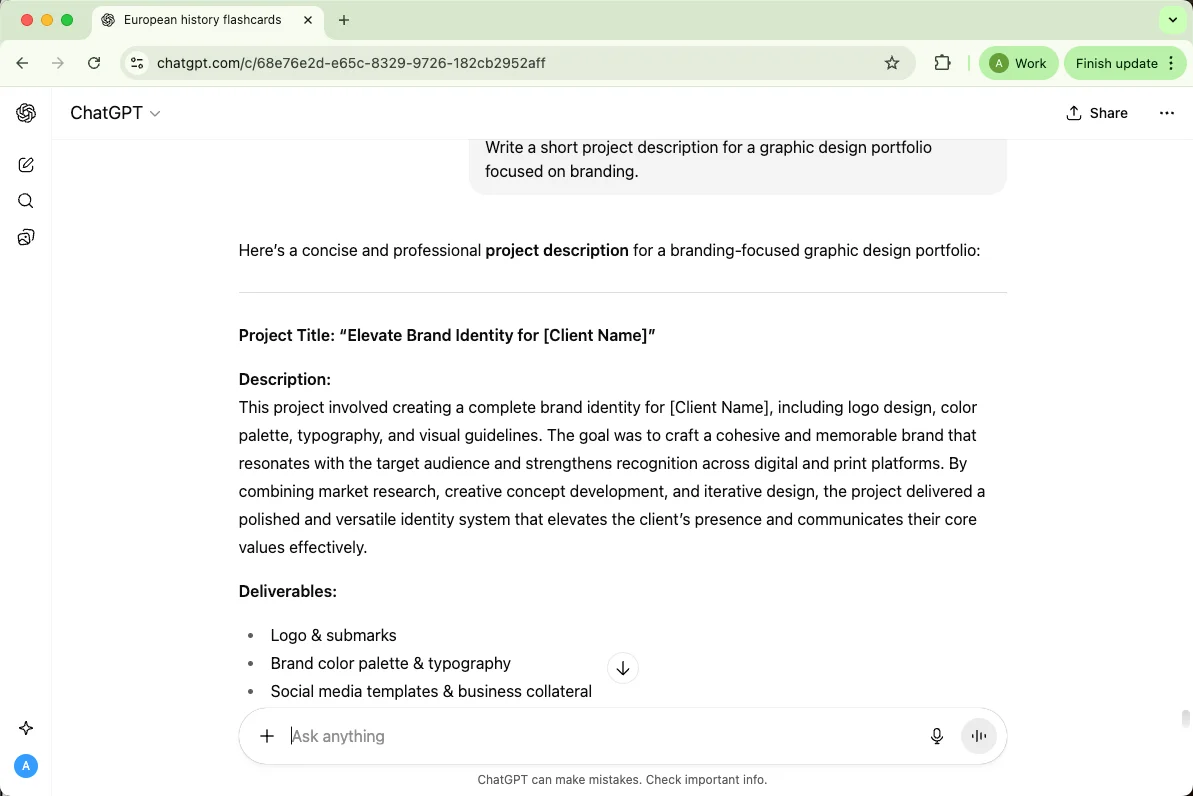
8. Portfolio Description Writing
For creatives, ChatGPT helps write compelling blurbs for your projects or case studies. For a stronger ChatGPT example, add real context and ask for the format you want before reusing the answer.
Prompt: “Write a short project description for a graphic design portfolio focused on branding. Add the target role, experience level, company context, and preferred tone.”
9. Skill Gap Analysis
You can even ask ChatGPT what skills you’re missing for a target job — and how to learn them. For a stronger ChatGPT example, add real context and ask for the format you want before reusing the answer.
Prompt: “Compare my resume to this job description and list the top 5 skills I should improve. Add the target role, experience level, company context, and preferred tone.”
10. Confidence Boosting
Sometimes, you just need encouragement. ChatGPT can help you reframe rejection and keep momentum. For a stronger ChatGPT example, add real context and ask for the format you want before reusing the answer.
Prompt: “Write me a short pep talk after I didn’t get a job I really wanted. Add the target role, experience level, company context, and preferred tone.”
11. ChatGPT for Writing & Blogging
Blogging prompts are stronger when they include search intent, audience knowledge level, target keyword, required sections, and examples of competing pages. Ask ChatGPT for options first, then choose the angle before drafting.
These examples focus on planning, introductions, editing, SEO, and repurposing.
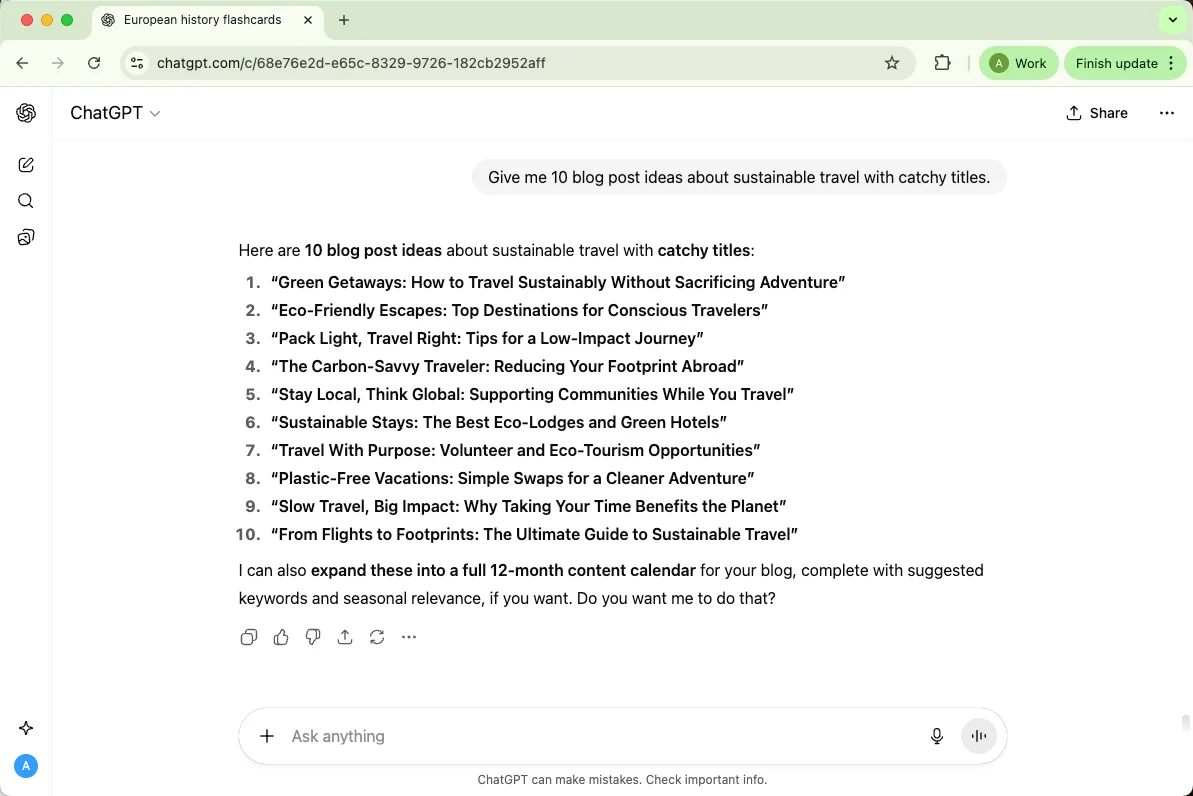
1. Blog Post Brainstorming
When your mind’s blank, ChatGPT can toss out fresh, trending ideas in seconds.
Prompt: “Give me 10 blog post ideas about sustainable travel with catchy titles.”
2. Outlining Articles
No more staring at an empty doc. Let ChatGPT help build a logical structure before you start writing.
Prompt: “Create a detailed outline for a blog about AI tools for small businesses.”
3. Writing Introductions
Getting started is often the hardest part. ChatGPT helps you hook readers instantly.
Prompt: “Write an engaging intro for a blog post about personal finance tips for beginners.”
4. Editing & Polishing
Need your draft to sound smoother or more natural? ChatGPT can rework it in your tone.
Prompt: “Edit this paragraph to sound friendlier and more conversational.”
5. SEO Optimization
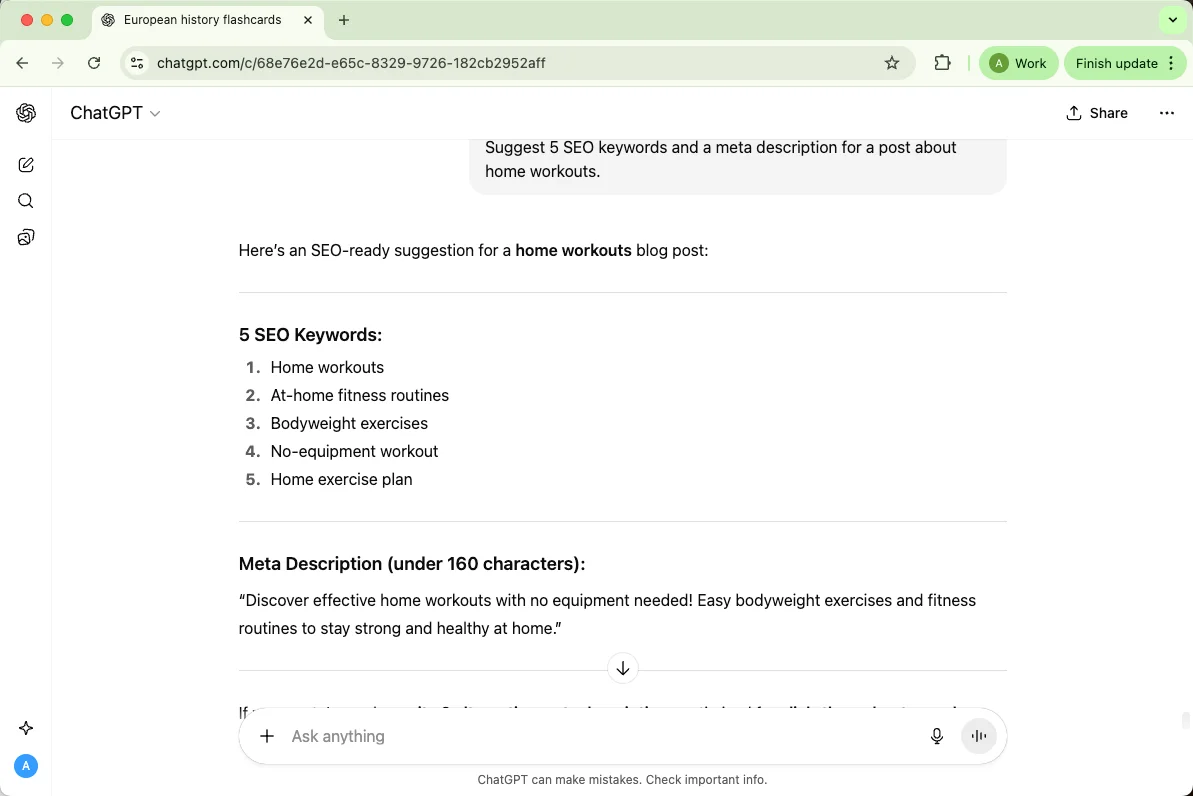
You can get keyword ideas, meta descriptions, and catchy titles without leaving your editor.
Prompt: “Suggest 5 SEO keywords and a meta description for a post about home workouts.”
6. Creating Social Media Snippets
Turn long posts into bite-sized content ready for Instagram, Twitter, or LinkedIn.
Prompt: “Summarize this blog post into three catchy tweets.”
7. Email & Newsletter Writing
Make your newsletters sound personal, engaging, and clear — without spending hours rewriting.
Prompt: “Write a friendly newsletter introduction for my weekly blog roundup.”
8. Storytelling & Creative Writing
Whether it’s fiction or just a creative blog section, ChatGPT helps you craft engaging narratives.
Prompt: “Write a short story about a freelancer who accidentally invents a viral app.”
9. Repurposing Old Content
Got old blogs collecting dust? ChatGPT can help you rewrite or modernize them.
Prompt: “Update this 2020 blog post about remote work trends for 2025.”
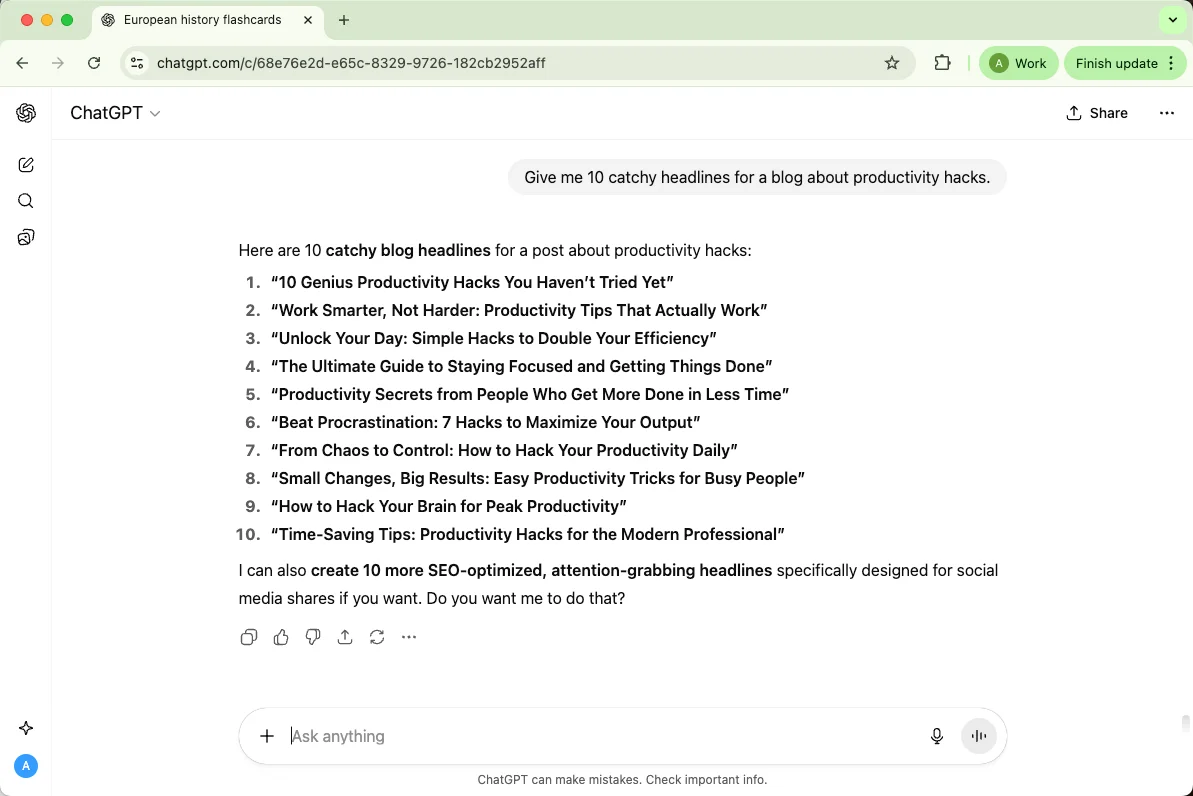
10. Headline Generator
Sometimes, all you need is that perfect headline to tie it all together.
Prompt: “Give me 10 catchy headlines for a blog about productivity hacks.”
12. ChatGPT for Planning & Productivity
If you ever feel like there aren’t enough hours in the day, ChatGPT can act like your ultra-organized assistant. It helps you map out tasks, manage projects, and keep your schedule realistic — all without judgment. You get structure, reminders, and even creative ways to tackle deadlines, so you spend less time stressing and more time doing.
Here’s how ChatGPT can help you stay on top of your game:
1. Daily To-Do Lists
Stop scrambling each morning. ChatGPT can create structured lists to prioritize your day.
Prompt: “Make a daily to-do list for a freelancer juggling client work and personal projects.”
2. Weekly Schedules
Plan your entire week with balance between work, workouts, and personal time.
Prompt: “Create a balanced weekly schedule for remote work and self-care activities.”
3. Goal Setting & Tracking
Turn vague goals into concrete steps and milestones you can actually achieve.
Prompt: “Break down my goal of writing a 30-page report into weekly tasks.”
4. Project Planning
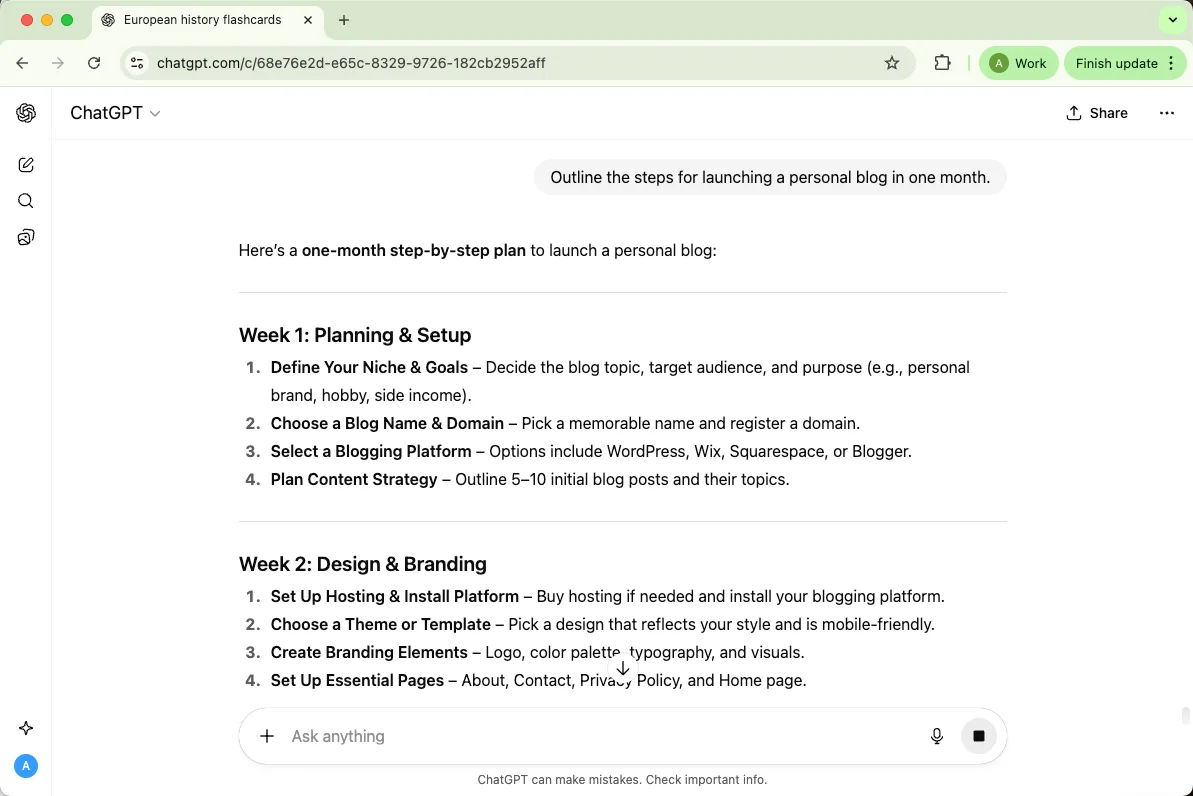
From small tasks to big projects, ChatGPT helps you map timelines and dependencies.
Prompt: “Outline the steps for launching a personal blog in one month.”
5. Meeting Preparation
Prepare agendas, talking points, and summaries in minutes.
Prompt: “Create an agenda for a team meeting discussing Q4 marketing strategy.”
6. Study & Revision Plans
Students or lifelong learners can organize study sessions efficiently.
Prompt: “Make a 2-week revision plan for a history exam covering 10 chapters.”
7. Travel Planning
Plan trips with detailed itineraries, budgeting, and must-see stops.
Prompt: “Plan a 5-day trip to Rome including museums, restaurants, and walking routes.”
8. Meal & Fitness Planning
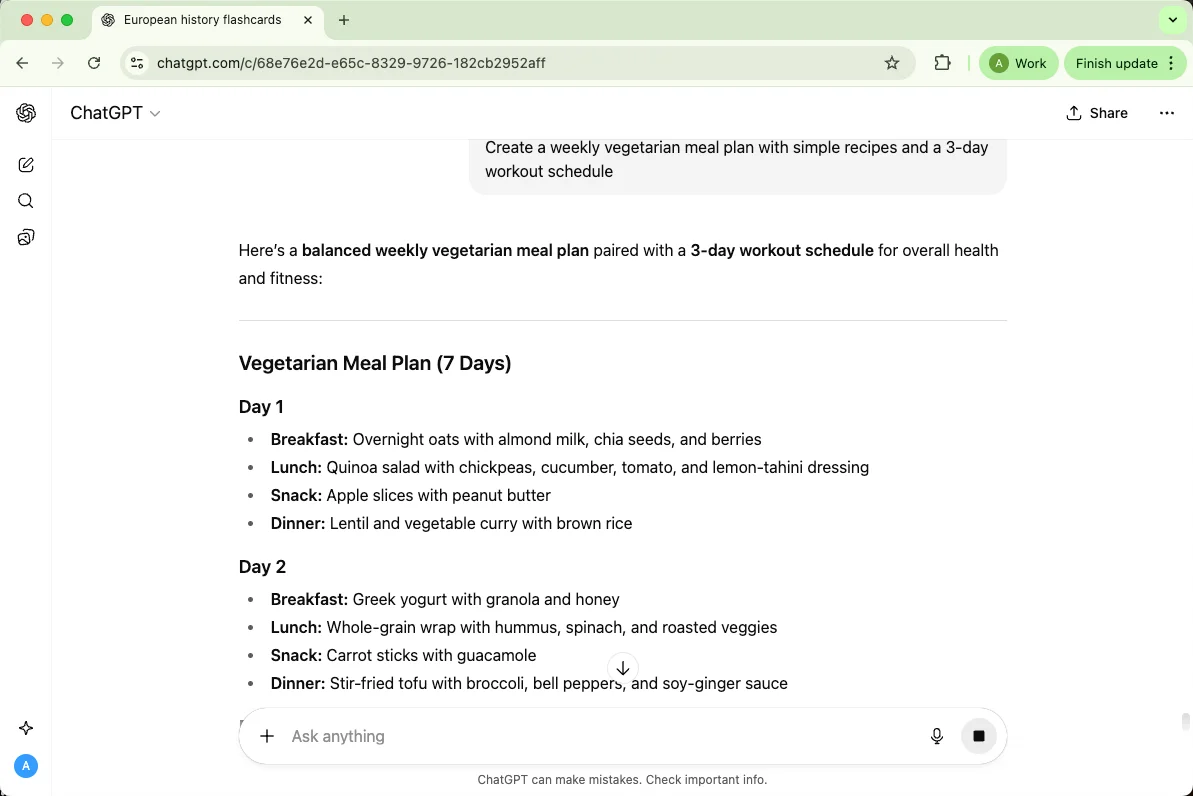
Combine nutrition and workouts into a schedule you can actually follow.
Prompt: “Create a weekly vegetarian meal plan with simple recipes and a 3-day workout schedule.”
9. Time Blocking
Focus better by dividing your day into dedicated blocks for different tasks.
Prompt: “Set up a time-blocking schedule for work, writing, and breaks.”
10. Brainstorming & Idea Management
Keep track of ideas, mind maps, or lists without losing creativity.
Prompt: “Help me brainstorm 10 potential side project ideas for a tech startup.”
13. ChatGPT for Images & Music
Even if you’re not a designer or musician, ChatGPT can be your creative co-pilot. It won’t generate the actual artwork or music itself, but it helps you plan, brainstorm, and craft prompts that AI tools or your own creativity can bring to life. Think of it as your idea engine — sparking visuals, lyrics, melodies, and more.
Here’s how you can use it:
1. AI Art Prompts
Create detailed prompts for AI image generators like DALL·E or MidJourney.
Prompt: “Write a prompt for a futuristic cityscape at sunset with neon reflections.”
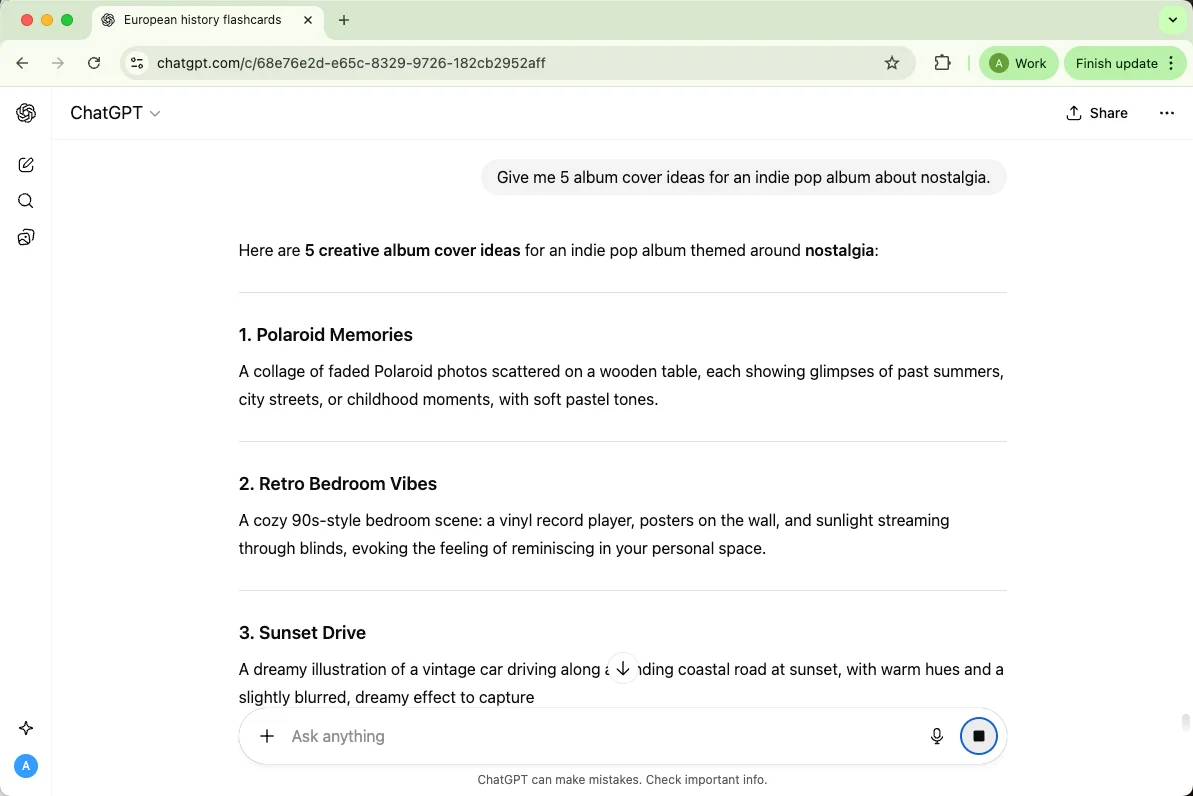
2. Album Cover Concepts
Brainstorm artistic directions, colors, and moods for your music projects.
Prompt: “Give me 5 album cover ideas for an indie pop album about nostalgia.”
3. Music Lyric Writing
Stuck on a verse? ChatGPT can suggest rhymes, themes, or storylines.
Prompt: “Write indie rock lyrics about overcoming a difficult breakup.”
4. Video & Thumbnail Ideas
Help your visuals stand out on social media or YouTube.
Prompt: “Suggest 5 creative YouTube thumbnail ideas for a tech tutorial.”
5. Social Media Visual Guidance
Plan your brand’s style, color palette, or consistent aesthetic.
Prompt: “Create an Instagram visual theme for a cozy, book-lover vibe.”
6. Music Theory Help
Understand chords, scales, or rhythms explained in simple terms.
Prompt: “Explain the difference between major and minor scales like I’m a beginner.”
7. Playlist Ideas
Get themed playlists for any mood or event.
Prompt: “Make a playlist for a rainy Sunday afternoon with chill acoustic songs.”
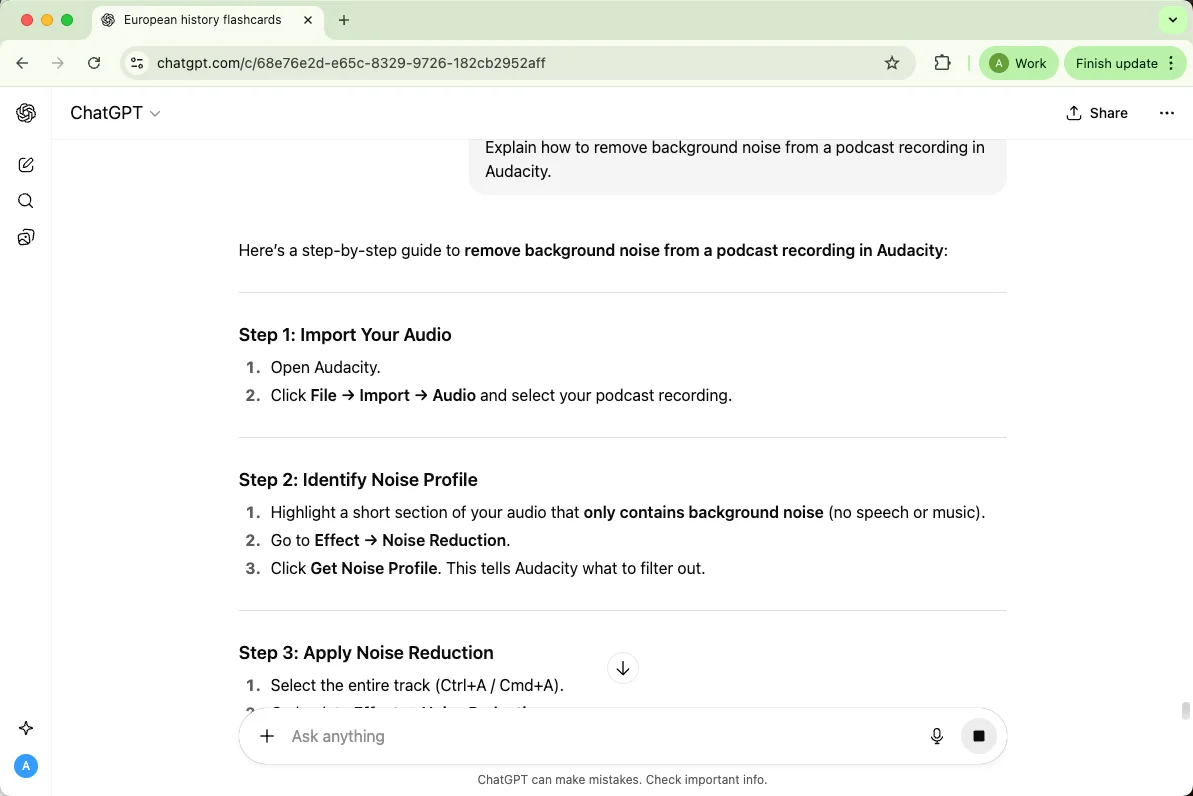
8. Audio Editing Tips
Receive practical guidance for tools like Audacity or FL Studio.
Prompt: “Explain how to remove background noise from a podcast recording in Audacity.”
9. Creative Storyboarding
Plan music videos, photo shoots, or visual projects step by step.
Prompt: “Outline a storyboard for a short music video about city nightlife.”
10. Concept & Idea Brainstorming
Spark fresh ideas for art, music, or multimedia projects.
Prompt: “Give me 10 ideas for a photo series exploring solitude in urban life.”
ChatGPT Agent Use Examples
ChatGPT agent mode is designed for tasks that require more than a single response. You describe the goal, and the agent can work through steps, pause for clarification, and use tools when the task calls for them.
Agent mode is currently available on Pro, Plus, Business, Enterprise, and Edu plans in supported countries and territories, with usage limits that depend on the plan.
Use the examples below when the task has a workflow: research, compare, organize, draft, check, and summarize.
Example 1: Market Trend Analysis
Ask the Agent to collect and organize data from multiple sources about the latest trends in electric vehicles.
Prompt:
“Gather recent news articles and reports on electric vehicle market trends in 2025. Create a summary table with company name, key innovations, sales growth, and market share. Highlight the top 5 companies in bold and include links to the sources.”
Example 2: Travel Itinerary Planner
Have the Agent build a complete travel plan tailored to your preferences.
Prompt:
“Plan a 5-day trip to Tokyo for a foodie and culture enthusiast. Include sightseeing spots, restaurant recommendations, public transport tips, and approximate costs for each day in a neatly organized itinerary.”
Example 3: Social Media Campaign Content
Use the Agent to brainstorm and draft multiple social media posts at once.
Prompt:
“Create 10 engaging Instagram captions for a sustainable fashion brand launching a new eco-friendly clothing line. Include hashtags, emojis, and a mix of humor and inspiration.”
Example 4: Personal Finance Summary
Ask the Agent to analyze and organize financial data for easier decision-making.
Prompt:
“Summarize my last 6 months of credit card transactions (provided in CSV format). Categorize expenses into food, transport, entertainment, and bills. Highlight areas where I can cut costs and suggest a monthly budget plan.”
Example 5: Event Planning Checklist
Use an agent-style prompt when the event has many connected tasks and dependencies.
Prompt:
“Create a detailed checklist for hosting a 50-person networking event. Include venue selection, invitations, catering options, AV setup, social media promotion, and post-event follow-up tasks. Organize everything by timeline, owner, priority, and confirmation status.”
Tip: For agent tasks, name the final deliverable and tell ChatGPT when to pause for approval before taking action.
Conclusion
The best ChatGPT examples are specific. A useful prompt tells ChatGPT what you are doing, who the answer is for, what source material to use, and what format the final response should follow.
Start with the examples above, then adapt them with real context. For writing that needs a more natural final pass, Humanizer can help smooth AI-assisted wording after you have checked the facts and structure.