


Is Turnitin Free? How Much for Similarity & AI Detection

You may have heard of Turnitin and wondered whether you can use it like a free plagiarism checker or AI detector. The answer is usually no for individual students.
Turnitin is mainly licensed by schools, colleges, universities, publishers, and organizations. Students normally access it only through a course, LMS assignment, class ID, or institution-provided account.
Here is what is free, what is not, and what to do if you do not have direct Turnitin access.
Is Turnitin Free? Not Really for Individuals
Let’s get this straight upfront: Turnitin is not a free tool for public use like Grammarly or ChatGPT. It’s a licensed service, mostly available through schools, colleges, and universities.
Here’s what that actually means:
🛑 You can’t just create a Turnitin account and start checking your assignments on your own.
🛑 You will need a Class ID and enrollment key that is provided by your teacher or institution in most cases to log into Turnitin.
🛑 You don’t get the advanced functionality, like AI–powered detection or detailed similarity reports, in any free personal trial.
🟡 Some services, such as Revision Assistant, have free trials available, though these are usually meant for organizations.
So, unless you’re enrolled in a class that uses Turnitin, you won’t be able to access most of its features directly.
How Much Does Turnitin Similarity and AI Detection Cost?
Like we said, Turnitin is primarily a product that institutions, such as schools, colleges, and universities, purchase rather than individual users. The cost, therefore, varies on the number of students, the specific Turnitin features teachers are interested in (such as the Similarity Report or the AI writing recognition), and how much support the institution receives.
However, you can visit turnitin.com to explore their product offerings or contact their sales team for more information.
No Course ID? Here Are Your Options
If you’re not in a class that uses Turnitin, that’s OK — there are still a few other options available to you.
Option 1: Use a Third-Party Plagiarism Checker
Other plagiarism or similarity checkers can help you review obvious citation issues, but they should be treated as rough preparation rather than official Turnitin substitutes. Some options students compare include:
Grammarly Plagiarism Checker
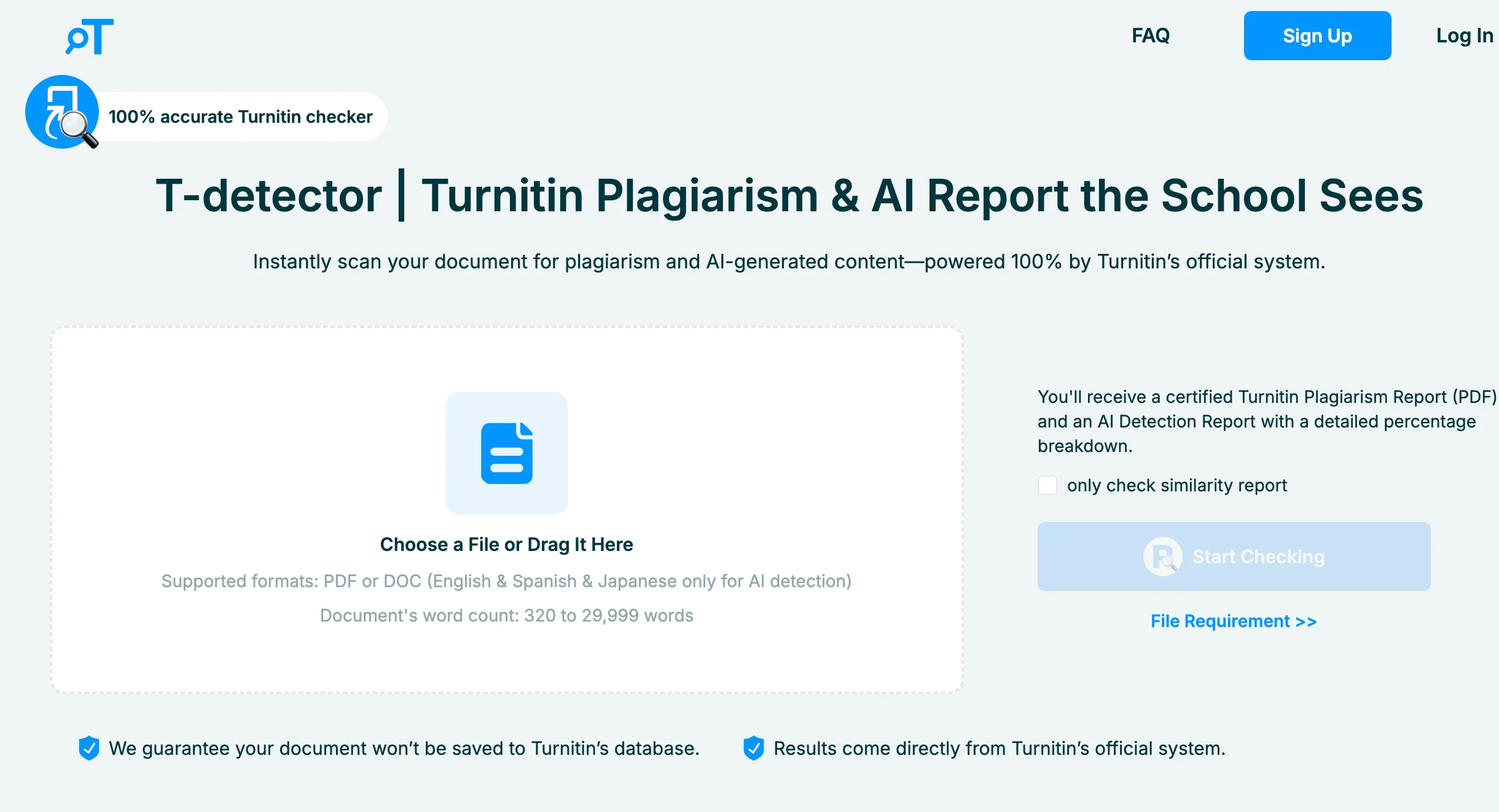
Scribbr
Quillbot’s Plagiarism Checker
🔍
Many tools do not access Turnitin's full database, so their results can differ from your instructor's report. Use them to find missing citations or obvious overlap, not to predict an exact Turnitin score.⚠️ Also be careful: some free services may store, reuse, or expose uploaded papers. Read the privacy policy before submitting coursework anywhere outside your school system.
Option 2: Try Other Turnitin Tools
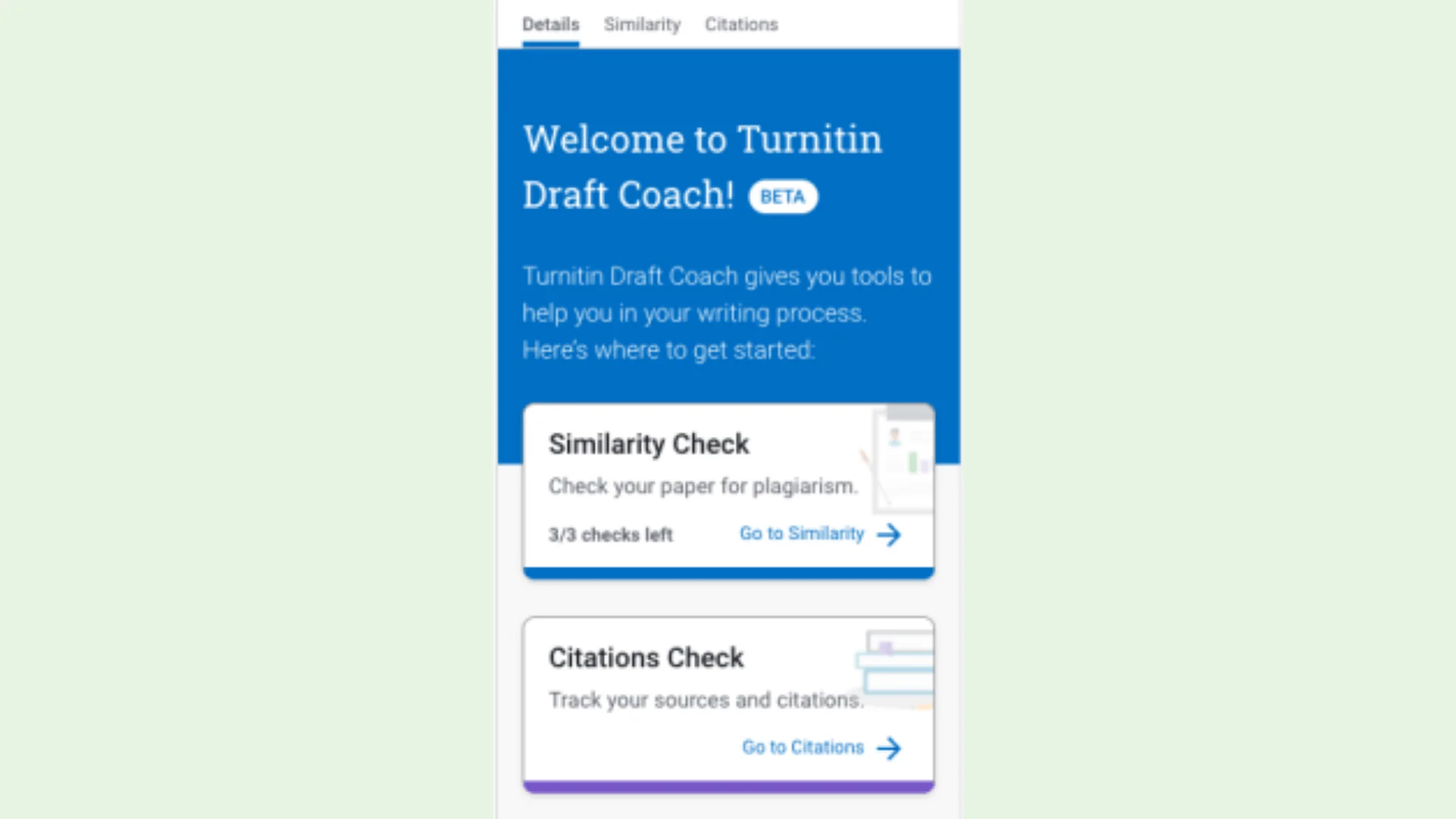
1. Turnitin Draft Coach
If your school provides it, Draft Coach is a helpful tool that works with Google Docs or Microsoft Word. It lets you check for:
Citation issues
Grammar suggestions
Similarity (before submission)
But, as with regular Turnitin, it’s only available at schools that have it.
2. iThenticate
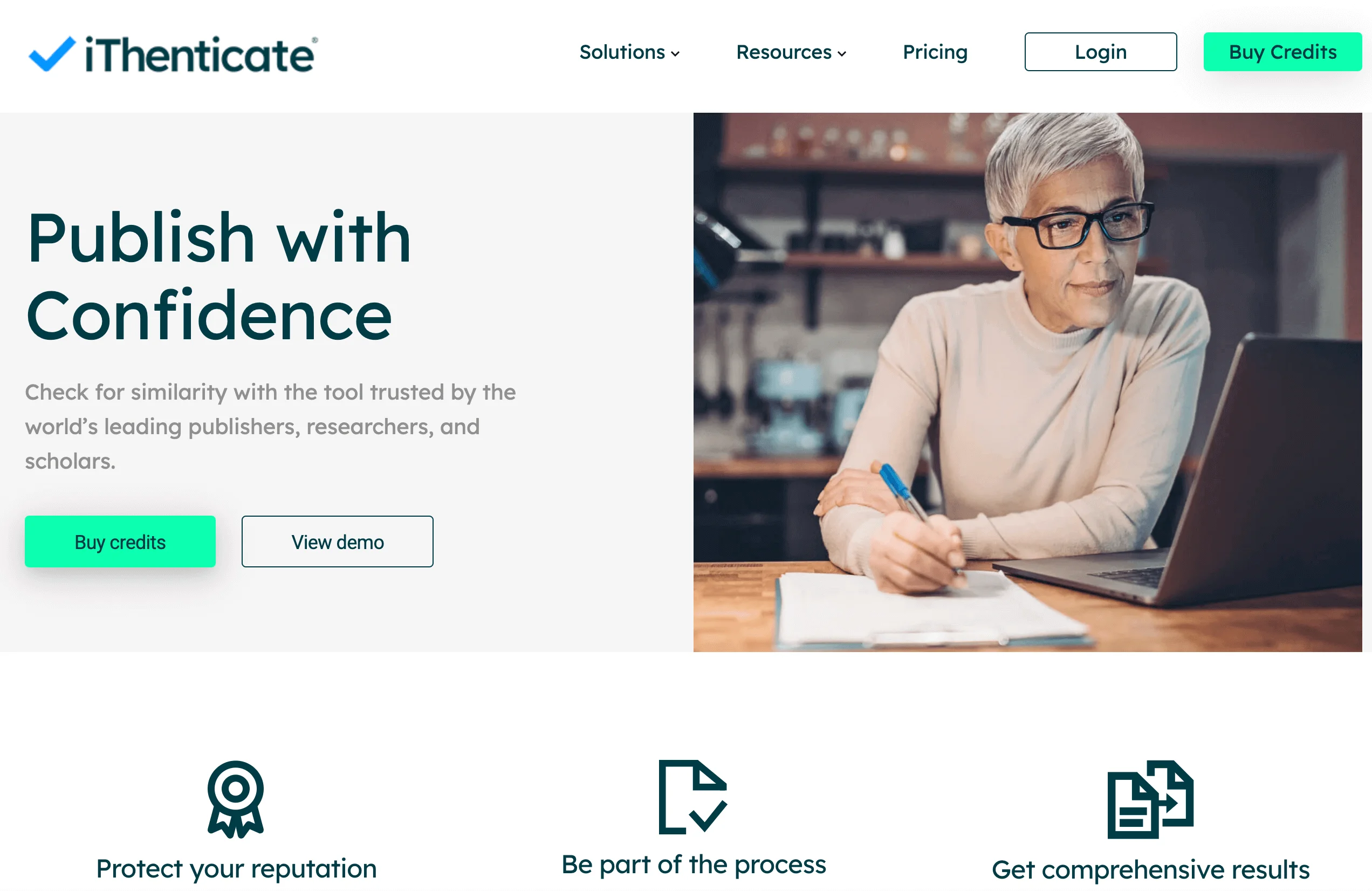
This is Turnitin’s professional tool — mostly used by researchers and publishers. It uses the same technology as Turnitin and gives similar results.
✅ The good news is that you can purchase access to iThenticate independently.
❌ The downside: it’s not free, and not for regular student assignments.
Option 3: Buy a Turnitin Report (With Caution)
Some vendors or freelancers claim they can sell Turnitin originality reports. Be careful: these services may misuse institutional access, store your paper, or produce a report that your school will not recognize.
🛑 Warning:
Do not share personal information, unpublished work, or final projects with unverified vendors.
Do not use services that sell fake course IDs, shared accounts, or unofficial Turnitin access. They can put your privacy and academic record at risk.
How to Use Turnitin for Free (Sort of)
While you can’t just sign up for Turnitin as an individual, here are a few creative (but legitimate) ways to check your work without paying directly:
1. Use Turnitin for Free (If You Have a Class ID)
If you are enrolled in a school or college, you may already have access through Moodle, Canvas, Blackboard, or another learning portal. If your teacher or school gives you a Class ID and enrollment password, you can use Turnitin through that course without paying separately as a student. Here is the usual flow:
Go to Turnitin.com
Click “Log in” in the top-right corner.
Use the new-user option if your instructor told you to create a student profile.
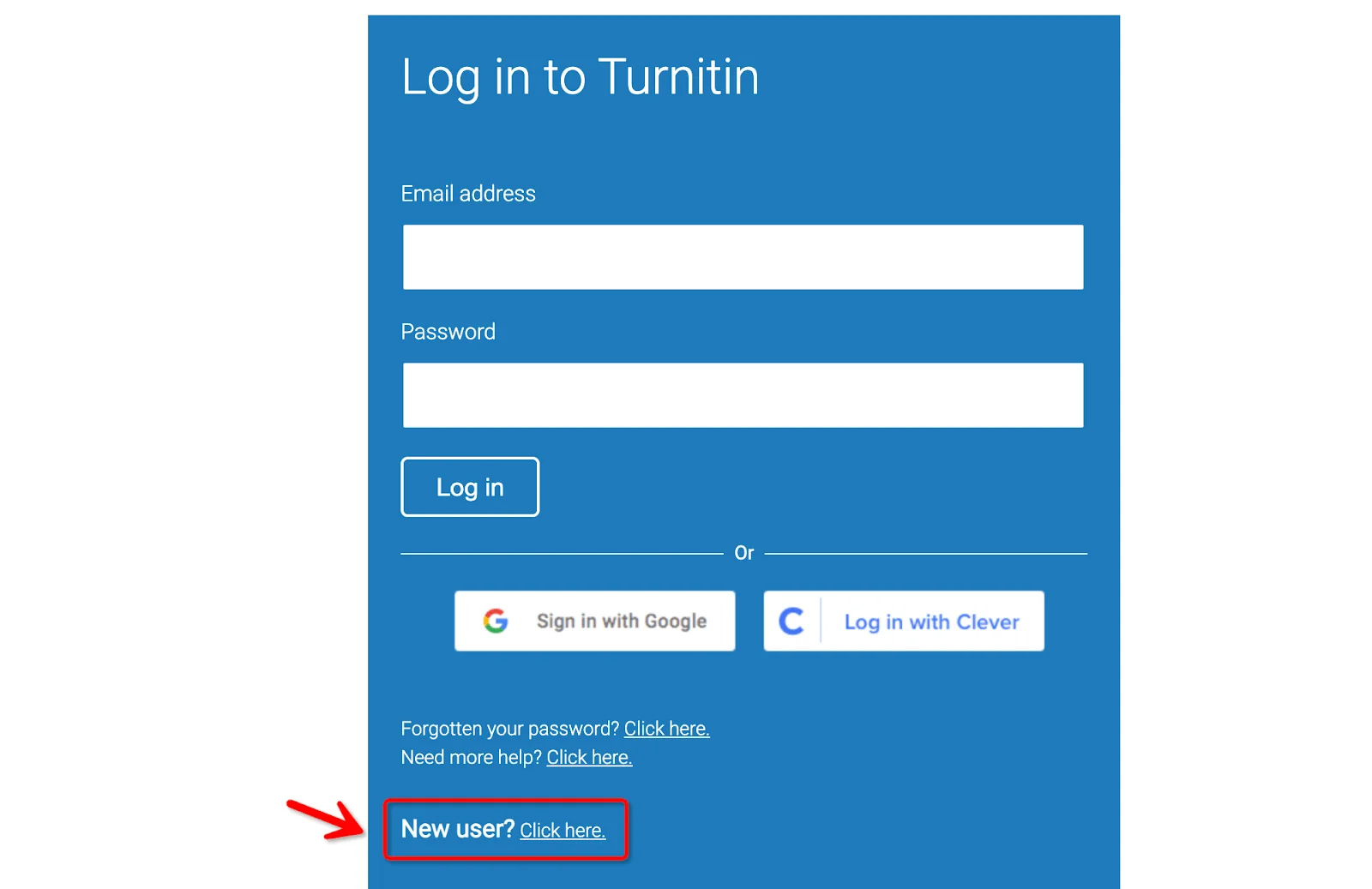
Choose “Student”.
Enter the Class ID and Enrollment Key provided by your teacher or institution.
Use the name and email your school expects for the course.
Choose a secure password.
Do not invent account details if your instructor needs to identify your work.
Read and accept the User Agreement.
Click “Create Profile.”
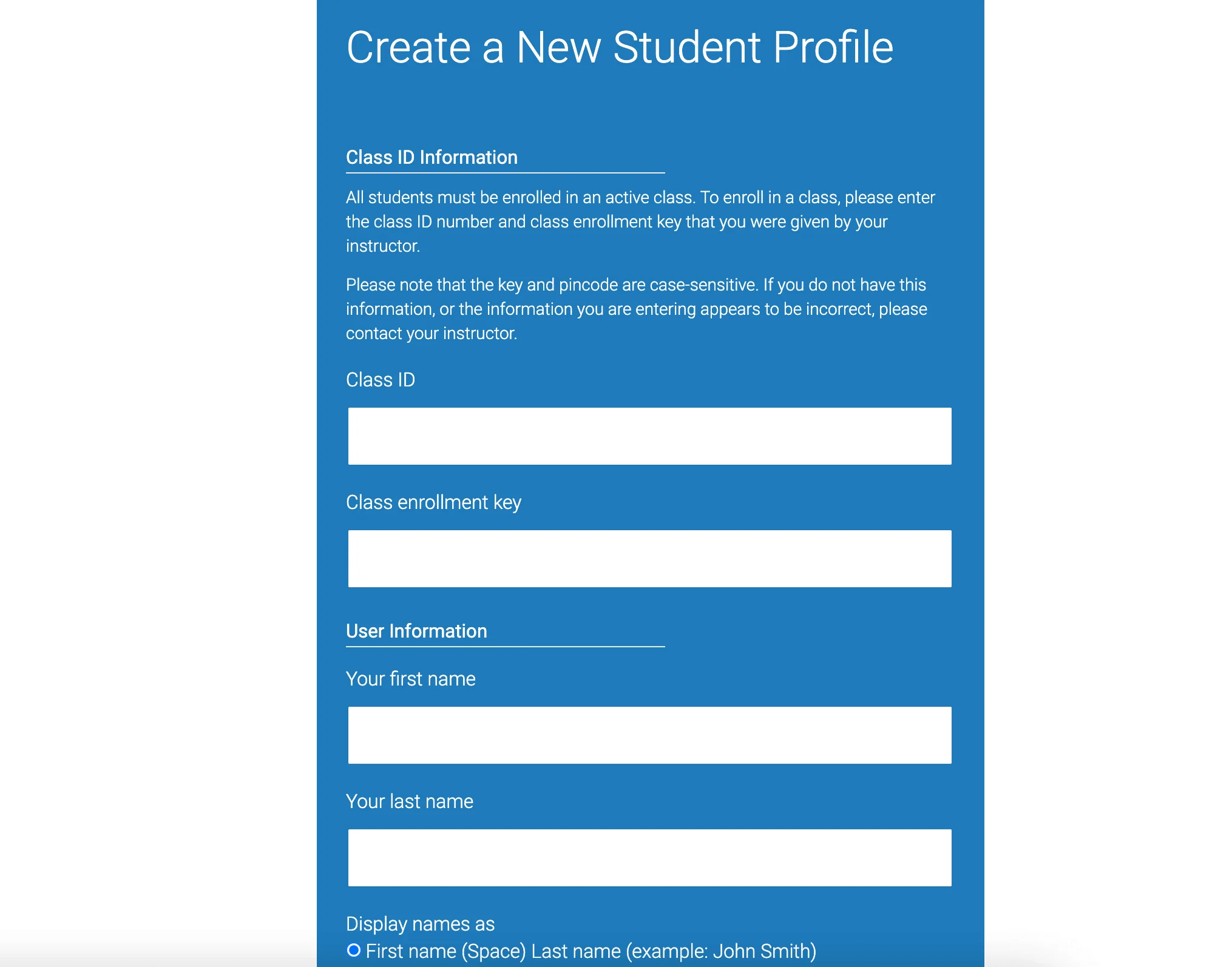
🎓 Once you are in, you can submit assignments and view whatever reports your class settings allow.
📝 This process only works when your institution has a Turnitin license and your teacher provides legitimate enrollment details. If you do not have a Class ID, ask your instructor rather than searching for one online.
2. Use a Friend’s Account (Cautiously)
Using a friend's account is risky and usually not recommended. They could accidentally submit your paper to a repository, expose your work, violate account rules, or create a future similarity match. Ask your instructor for an approved draft-check option instead.
3. Enroll in a Course That Uses Turnitin
Some courses include Turnitin access as part of enrollment. If you need Turnitin for a class, choose legitimate courses or school programs and confirm access before enrolling. Avoid random listings that promise class IDs or account access without a real instructor.
How Turnitin Reports Differ from Regular Plagiarism Checkers
Turnitin’s functionality is very different from that of most free plagiarism checkers — it’s important to understand this before relying on any tool.
Turnitin = Similarity Checker
Turnitin’s reports focus on textual similarity. This means it highlights parts of your article that match other documents in its massive database — documents like:
Published research papers
Web pages
Previously submitted student papers
Any other settings applied by your instructor
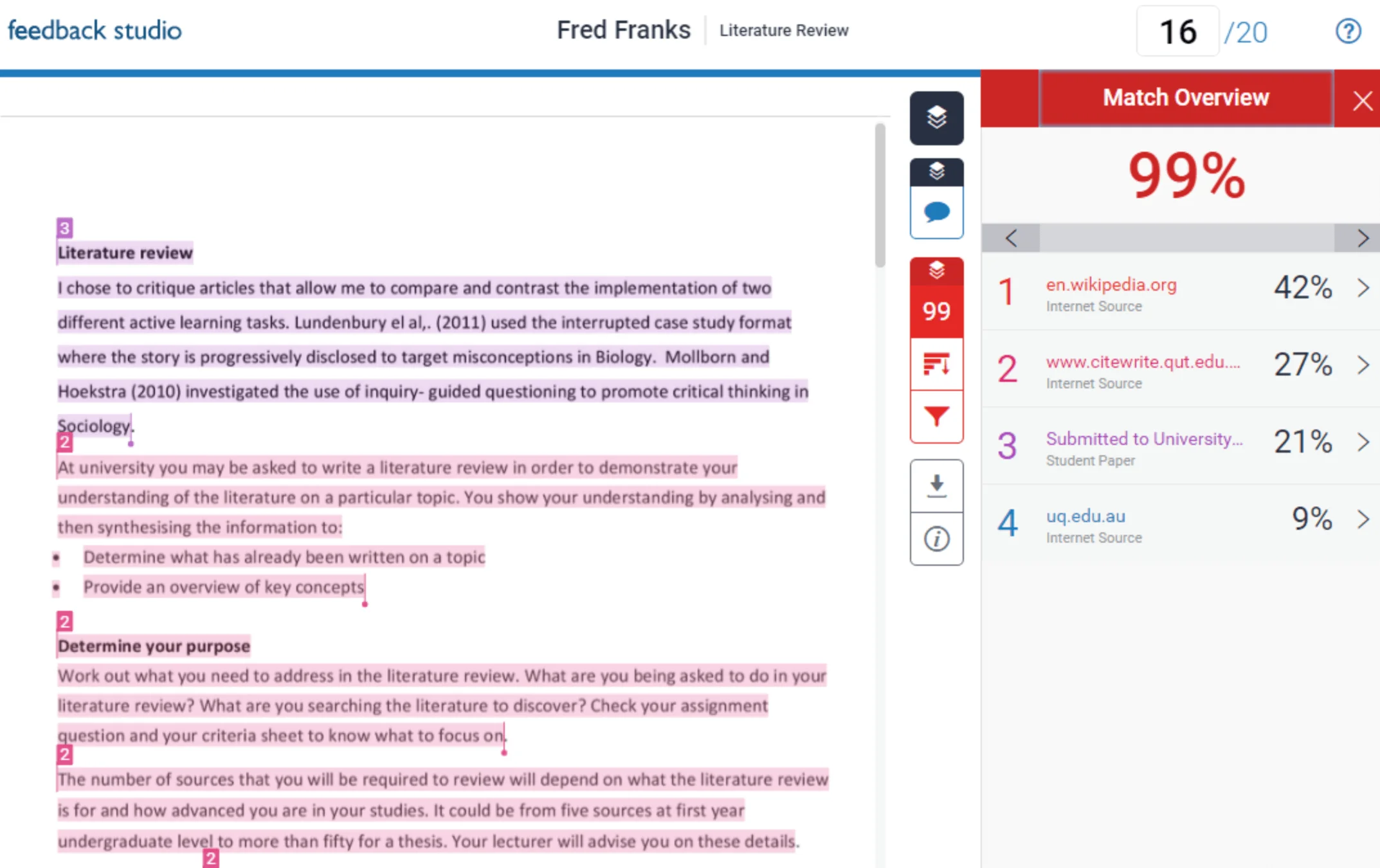
Instructors can adjust the settings in Turnitin so it ignores things like:
Citations and footnotes
References
Narrow matches
But Similarity ≠ Plagiarism
Common plagiarism checkers may search only public web pages or a smaller academic index. They may miss student-paper matches, repository matches, or instructor-specific settings that Turnitin includes.
Similarity also does not automatically mean plagiarism. Technical terms, common phrases, quotations, references, and required templates can all create overlap that is acceptable when cited or expected.
If you use another checker, treat the result as an early warning tool. Your school's official Turnitin report may still look different because the database, exclusions, and assignment settings are different.
FAQ
1. Is a 40% Turnitin score bad?
A 40% similarity score needs review, but it is not automatically plagiarism. Check whether the matches come from cited quotations, references, common language, templates, or uncited source blocks, then ask your instructor how the assignment is evaluated.
2. What is a free alternative to Turnitin?
There are several free plagiarism checkers like Grammarly or turnitindetector.com. But keep in mind, some tools don’t have access to Turnitin’s extensive database, so results may vary.
3. How much does Turnitin cost?
Turnitin is sold to institutions rather than individual students. Pricing depends on the organization, number of users, selected products, support needs, and licensing terms, so schools usually contact Turnitin directly for quotes.
4. Does Turnitin detect AI-generated writing for free?
No. Turnitin AI writing detection is available through licensed institutional setups and may require specific product access. Individual users generally cannot run the official AI report for free on their own.
5. Can I use Turnitin to check my work before submitting?
Usually, you submit through your instructor's assignment portal. Some courses allow draft submissions, resubmissions, or Draft Coach, but those options depend on school settings. Ask before uploading extra copies.
Conclusion
So, is Turnitin free? For most individual users, no.
Turnitin is a paid institutional service. Students usually access it only through a school account, LMS assignment, Class ID, or instructor-provided workflow. If your school offers Turnitin, you may not pay separately; if it does not, unofficial access offers are risky.
The safest path is to use approved school access, ask your instructor about drafts, and treat third-party checkers as rough preparation rather than official Turnitin reports.